Best Forex Trading Journal Tools (Top Picks Compared)

Your PnL shows what happened. A forex trading journal shows why it happened.
This guide compares the best forex trading journal tools for 2026. You will learn which platforms import trades fast, which ones give the clearest stats, and which ones help you fix execution errors. We also break down pricing, broker and MT4 or MT5 support, tagging, screenshots, and reporting depth.
You will get a short list of top picks, a side-by-side comparison, and simple criteria to choose the right journal for your trading style. If you still track trades in spreadsheets, start with how to journal forex trades to lock down the fields that matter before you pick a tool.
Key Takeaways
- In het kort: Pick a journal that matches your workflow, import method, and review habits.
- In het kort: Prioritize clean trade imports from your broker, MT4, or MT5, or you will waste time fixing data.
- In het kort: Strong tagging and screenshots make it easier to spot patterns in entries, exits, and execution.
- In het kort: Reporting matters more than dashboards. You need filters by pair, session, setup, and mistake type.
- In het kort: Price only matters after fit. Free tools often fail on reporting depth and automation.
Your best pick depends on three things. How you import trades, how you label them, and how you review them.
Choose automation first. If the tool supports your broker connection or MT4 or MT5 upload without broken fills, wrong timestamps, or missing commissions, you will journal more often. If imports fail, you will stop.
Choose structure second. You need custom fields and tagging for setup, market condition, session, news context, and mistake. Add screenshots for before and after, then link them to the tag. This turns trade history into a dataset you can filter.
Choose analytics last. Look for pair-level and setup-level stats, expectancy, win rate, average R, and drawdown by strategy. You also need a mistake report, so you can track execution errors separate from strategy performance.
If your results swing because of sizing, fix that before you optimize tools. Use a forex lot size calculator and log planned risk versus actual risk in your journal.
What a Forex Trading Journal Tool Is (and Why It Matters)
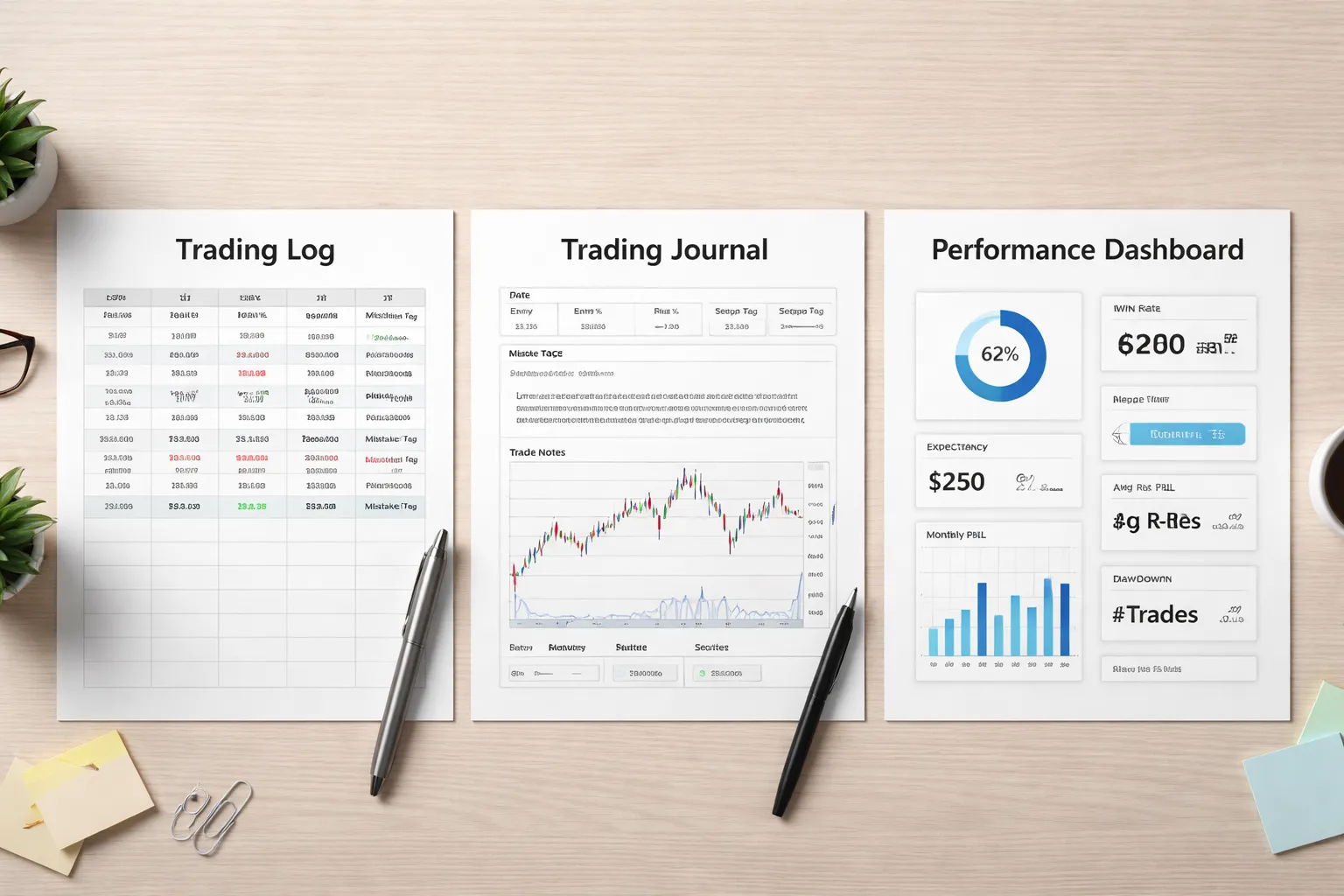
What a Forex Trading Journal Tool Is
A forex trading journal tool records your trades, your decisions, and your risk. It turns that record into stats you can act on. You use it to spot patterns, measure execution, and protect your process from guesswork.
Trading Journal vs. Trading Log vs. Performance Dashboard
- Trading log. A basic record. Date, pair, direction, size, entry, exit, result. It answers, “What happened.”
- Trading journal. A log plus context. Setup, plan, stop logic, target logic, screenshots, session notes, and mistakes. It answers, “Why it happened, and did you follow your rules.”
- Performance dashboard. A stats layer. It aggregates results by pair, setup, time of day, and rule compliance. It answers, “What is working, and where you leak.”
Good tools combine all three. Weak tools show P and L and call it analytics.
How Journaling Improves Consistency
Consistency comes from process control. Your journal makes process measurable. It separates strategy performance from execution quality.
- Outcome metrics. Net pips, profit, win rate, average R, max drawdown. These tell you what you got.
- Process metrics. Planned risk vs. actual risk, stop moved or not, entry within plan, number of trades per session, rule violations, time in trade, screenshots taken. These tell you how you traded.
If outcome drops but process stays clean, you review the strategy. If outcome drops and process degrades, you fix behavior first. This keeps you from “optimizing” a strategy when the real issue is execution.
Common Trader Problems a Journal Solves
- Overtrading. Your journal shows trade count spikes, low quality setups, and declining expectancy after your best hours. You set limits based on data, not mood.
- Revenge trades. You tag trades taken after a loss, after a stop-out, or after a missed entry. You track the performance of that subset and enforce a cooldown rule.
- Weak risk control. You log planned stop distance, lot size, and risk percent, then compare to what you actually placed. You catch sizing drift, stop widening, and “just this once” risk jumps. Use a forex lot size calculator to lock planned risk before you enter.
When Spreadsheets Are Enough, and When Software Wins
A spreadsheet is enough when you have low trade volume and a simple method. It works if you can stay consistent with inputs and you only need basic stats.
- Use a spreadsheet if you take fewer trades, trade one or two setups, and you can tag every trade the same way.
- Use dedicated software if you trade frequently, need broker imports, want clean tagging, need screenshot workflows, or want fast filters by setup, session, and mistake type.
Software wins on speed and data hygiene. Fewer missing fields. Fewer broken formulas. More time spent reviewing trades instead of maintaining a sheet.
How We Evaluated the Best Forex Trading Journal Tools
Our Evaluation Criteria
We scored each tool on four pillars. You can use the same checklist when you test a journal with your own trades.
- Analytics depth: You need filters that answer specific questions fast. By pair, setup, direction, timeframe, session, and mistake tag. You also need risk and expectancy metrics, not just win rate.
- Usability: Logging has to feel fast. Clean trade entry, quick edits, and smooth screenshot handling. If the workflow feels slow, you stop journaling.
- Customization: You should control tags, setups, playbook fields, and checklists. The best tools let you standardize how you label trades, then enforce it.
- Reporting: You need reports you can act on. Setup performance, session performance, rule breaks, R multiple distribution, drawdowns, and streaks. Export matters if you want to audit your data elsewhere.
Forex Specific Requirements We Checked
Many journals come from stocks and options first. Forex needs different fields and calculations. We looked for tools that handle these without workarounds.
- Pips and pip value: Accurate pip calculations across JPY pairs and 5 digit pricing. Clear separation between pips and account currency P and L.
- Lot sizing support: Micro, mini, standard lots, and position sizing tied to stop distance. This affects every risk metric you review. If you want a refresher on sizing, use our forex lot size calculator guide.
- Swaps and rollover: Ability to record or import swap, financing, and holding costs. Your edge can disappear if the journal ignores these.
- Session analysis: Filters and reports for Asia, London, New York, and overlaps. Session tags should work even if you trade from a different time zone.
- Pair correlations: Reporting that shows exposure overlap. EURUSD and GBPUSD longs can act like one trade. A good journal helps you see that risk stacking.
Automation and Data Hygiene
Automation matters when you log many trades. It also reduces errors that ruin your stats.
- Broker or platform sync: Direct imports or stable integrations. We checked how often imports break and how much manual cleanup you still need.
- CSV imports: Flexible mapping for common broker formats. Support for custom columns, symbol naming differences, and time zone handling.
- Data cleaning tools: Duplicate detection, missing field warnings, and bulk edits. You need guardrails that stop bad inputs from polluting reports.
E-E-A-T Checks
Tools can look good in a demo and fail in real use. We screened for signals that the product will keep working next year.
- Transparency: Clear pricing, clear limits, and clear ownership. We favor tools that show what you get at each tier without hiding key features.
- Support quality: Fast responses, useful docs, and active bug handling. Slow support wastes your review time.
- Update cadence: Recent releases, visible changelogs, and steady fixes. Stale apps often break after broker or platform changes.
- Reputation signals: Long-term user feedback, consistent reviews, and low complaint patterns. We also checked for repeated issues like import failures and wrong calculations.
| Category | What we looked for | Why it matters |
|---|---|---|
| Analytics | Setup, session, mistake tags, R metrics, expectancy, drawdowns | You find what works, and you cut what leaks |
| Usability | Fast entry, bulk edits, screenshots, clean UI | You keep journaling, and your data stays consistent |
| Forex fit | Pips, lots, swaps, sessions, correlation awareness | Your stats match real trading outcomes |
| Automation | Sync, CSV mapping, time zones, duplicate checks | You reduce manual work and logging errors |
| Trust | Pricing clarity, support, updates, reputation | You avoid tools that stall or break |
Quick Comparison: Top Picks Side-by-Side
Feature matrix: auto-import, screenshots, tagging, goals, and notes
| Tool | Auto-import | Screenshots | Tagging | Goals | Notes |
|---|---|---|---|---|---|
| TraderSync | Yes. Broker sync plus CSV import. | Yes. Attach to trades. | Strong. Strategy, setup, mistakes, custom tags. | Yes. Rules and goals tracking. | Strong. Pre, during, post trade notes. |
| TradeZella | Yes. Broker sync plus CSV import. | Yes. Trade and chart uploads. | Strong. Clean tagging and filters. | Yes. Goals and habit style tracking. | Strong. Session and execution notes. |
| TradesViz | Yes. CSV import, some integrations. | Yes. Images and links. | Very strong. Deep custom fields and tags. | Basic. Depends on your templates. | Very strong. Custom layouts and fields. |
| Edgewonk | Mostly manual or file import. Desktop workflow. | Yes. Store screenshots with trades. | Strong. Rule based grading and tagging. | Strong. Psychology, rules, and process goals. | Very strong. Structured journaling prompts. |
| Excel, Google Sheets | Manual. You control inputs and formulas. | Yes. Links or image cells. | Strong if you build it. Otherwise limited. | Manual. You define metrics and targets. | Strong. Freeform, but easy to get inconsistent. |
Best for beginners vs. best for advanced analytics
- Best for beginners: TradeZella or TraderSync. You get fast setup, clear dashboards, and fewer fields to manage. You spend time reviewing, not building systems.
- Best for advanced analytics: TradesViz. You get deeper filters, custom metrics, and flexible reporting. You can slice results by pair, session, setup, tag, and risk rules.
- Best for process and discipline: Edgewonk. You get structured review, rule tracking, and psychology fields. You build consistency if you stick with it.
Best for MT4/MT5 users vs. best for multi-asset traders
- Best fit for MT4/MT5 forex logs: TradesViz and Edgewonk. You can import files and keep forex specific fields clean, including pips, lots, and session tags.
- Best fit for broker synced imports: TraderSync and TradeZella. You cut manual logging, but you need to confirm your broker and asset support before you commit.
- Best for multi-asset traders: TradesViz, TraderSync, and TradeZella. You can track forex alongside stocks, options, or crypto, then compare performance by asset class and volatility regime.
Pricing snapshot: free plans, trials, and typical paid tiers
- Free plans: Some tools offer limited free tiers. Expect caps on trades, date range, or features like advanced reporting.
- Trials: Common. Use the trial to test your import flow, time zone handling, and duplicate detection. Import one full month and verify results against your broker statement.
- Typical paid tiers: Most platforms price by month, with higher tiers unlocking more accounts, more automation, and deeper analytics. Desktop tools often use one time pricing or annual licensing.
- Cost control tip: If your journal cannot track position size cleanly, your stats break. Pair your journal with a forex lot size calculator workflow so your R multiple and drawdown math stays honest.
Top Picks Reviewed (Best Forex Trading Journal Tools)
TradeZella, best for modern UX, habit tracking, and clean analytics
Pick TradeZella if you want speed and clarity. You get a modern interface, fast filtering, and reports you can act on. It fits traders who log often and want feedback loops.
- Best use: build consistency, track execution habits, spot simple leaks fast.
- Strengths: clean dashboards, strong tagging, habit and goal tracking, easy review flow.
- Watch outs for FX: confirm it handles your broker import, partial closes, and multiple fills. Validate lot sizes and pip math after import.
- Workflow tip: create a small tag set you will keep, setup type, session, news, mistake. Too many tags kills review quality.
TraderSync, best for structured reviews, replay, and broad platform support
Pick TraderSync if you want a strict review process. It pushes you to grade trades, document rules, and run playback. It suits traders who improve through repetition and checklists.
- Best use: weekly reviews, rule compliance scoring, mistake tracking, replay practice.
- Strengths: structured trade review fields, replay and simulator tools, wide integration coverage.
- Watch outs for FX: confirm it supports your instrument naming and correctly converts pips to P and L. Check how it records swap, commission, and spread.
- Workflow tip: define 3 to 5 review metrics you will grade every trade. Example, entry quality, stop placement, plan adherence, exit quality.
Edgewonk, best for offline power users who want deep customization
Pick Edgewonk if you want control and local storage. It works well if you want custom fields, custom workflows, and you do not want to depend on a web app.
- Best use: serious journaling with custom stats, deeper narrative notes, offline access.
- Strengths: high customization, detailed statistics, flexible trade plans and reviews, one time style licensing in many cases.
- Watch outs for FX: you must keep data clean. Imports and mapping take time. Garbage in will break your edge stats.
- Workflow tip: standardize your instrument format and position sizing fields before you import months of history.
TradesViz, best for flexible dashboards and multi-asset analytics customization
Pick TradesViz if you want to build your own views. It fits traders who run multiple systems, track multiple assets, or want custom dashboards per strategy.
- Best use: strategy level analytics, advanced filtering, multi account tracking, custom dashboards.
- Strengths: deep charting and reporting options, flexible widgets, strong segmentation by tags and strategy.
- Watch outs for FX: validate how it handles FIFO, hedging, and position netting. Check multi fill and partial close accuracy.
- Workflow tip: create one dashboard per strategy. Track only the metrics that drive decisions, expectancy, R distribution, drawdown, time of day performance.
Trademetria, best for straightforward tracking and easy performance views
Pick Trademetria if you want simple tracking without a heavy setup. It covers the basics well and keeps reporting readable.
- Best use: clean P and L tracking, basic breakdowns, quick monthly and weekly views.
- Strengths: simple interface, clear performance snapshots, solid core stats.
- Watch outs for FX: confirm currency conversion and pip value handling. Make sure it records fees and swap in a way you can audit.
- Workflow tip: focus on 2 reports, R multiple distribution and drawdown. If those look wrong, fix position size inputs first.
Tradervue, best for simplicity and large-community validation (check FX fit)
Pick Tradervue if you want a simple journal with community benchmarking. Many traders use it, which helps if you want common workflows and shared conventions.
- Best use: simple journaling, fast uploads, basic stats, shared templates and habits.
- Strengths: clean core features, wide adoption, easy to get help and examples from other users.
- Watch outs for FX: some features and integrations skew toward stocks. Confirm forex import support, pip math, and lot sizing display.
- Workflow tip: run a small pilot import first. Compare 10 trades against your broker statement before you commit.
Notion or Google Sheets templates, best low-cost manual option (with limitations)
Pick Notion or Sheets if you want full control and low cost. You trade time for flexibility. Manual journals work best when you keep the dataset small and the fields consistent.
- Best use: beginners, low trade frequency, manual review, custom process notes.
- Strengths: cheap, fully customizable, easy to add rules, screenshots, and checklists.
- Limitations: manual entry errors, weak automation, harder analytics, harder multi fill handling, more time per trade.
- Workflow tip: standardize fields. Date, pair, direction, entry, stop, target, exit, lots, R, result, setup, mistake. Use a separate tab for your metrics.
- Resource: use this guide on how to journal forex trades to lock your fields before you build formulas.
Deep-Dive: Must-Have Features for Forex Traders
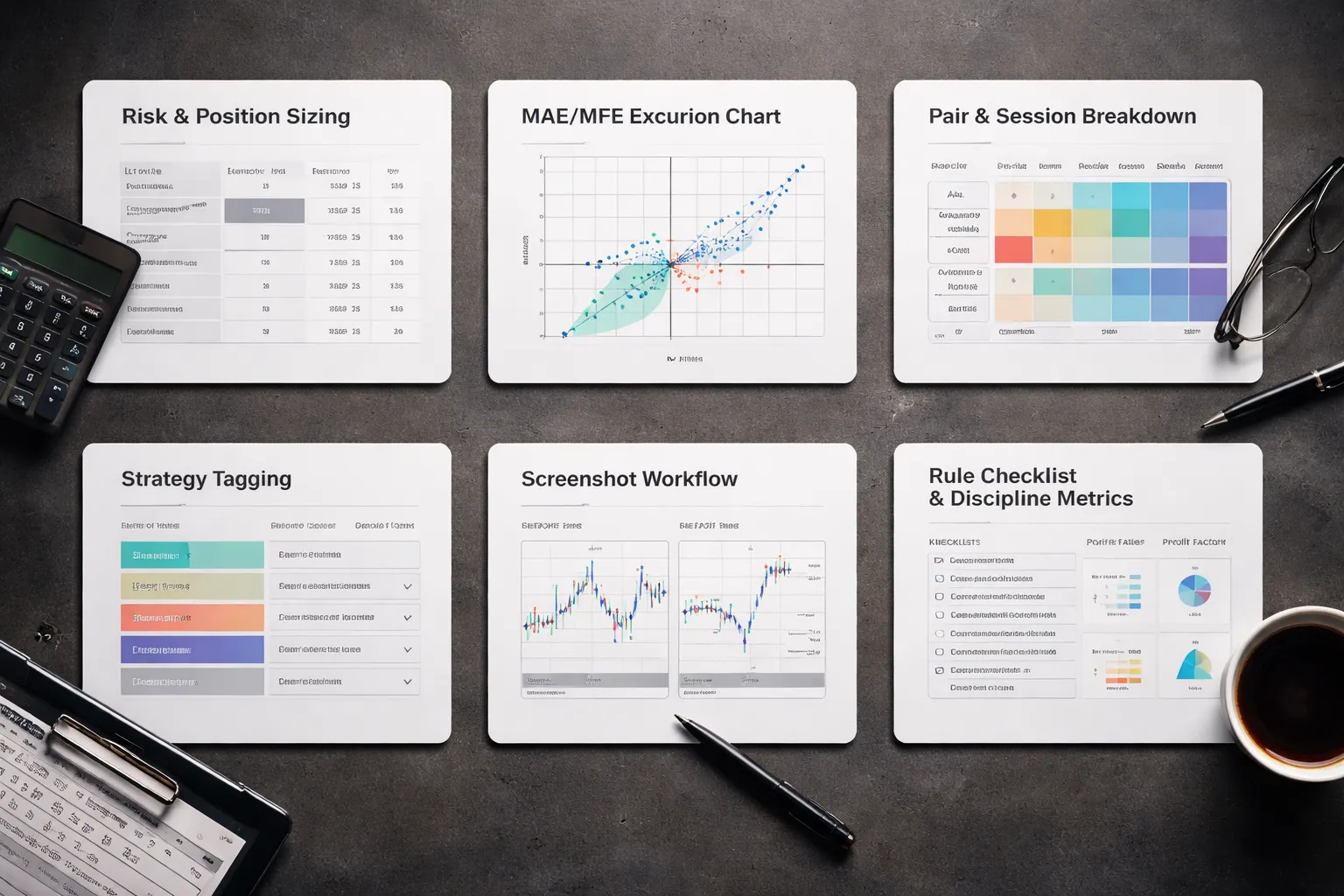
Accurate position sizing and risk
Your journal must calculate risk the same way you trade. If risk math drifts, your stats lie.
- Lots and units: store both. Brokers report fills in lots, your edge often models in units.
- Pip value: calculate per trade in account currency, not a fixed estimate. Pip value changes with pair, price, and account currency.
- Planned risk: record stop distance in pips and dollars. Lock the “risk at entry” number so later edits do not rewrite history.
- R-multiple: compute R from planned risk, not from equity swings. Keep “planned R” and “realized R” separate.
- Leverage and margin: log leverage used and margin required. High margin use often explains forced exits and stop moves.
- Partial fills and scale-ins: track average entry, average exit, and weighted risk. One line per fill works best.
If your tool cannot calculate lots, pip value, and R cleanly, pair it with a dedicated sizing workflow. Use a forex lot size calculator so your journal starts with correct risk inputs.
MAE, MFE, and excursion analysis to validate stops and targets
Win rate and profit factor do not tell you if your stop and target make sense. Excursion data does.
- MAE (Maximum Adverse Excursion): worst move against you while the trade stayed open. Store in pips and R.
- MFE (Maximum Favorable Excursion): best move in your favor while open. Store in pips and R.
- Stop efficiency: compare MAE to your stop size. If many winners show MAE near your stop, your stop sits in noise.
- Target efficiency: compare MFE to your target. If MFE often exceeds target by a lot, you cap winners.
- Time-to-MFE and time-to-MAE: log minutes or bars. If MAE hits early, entries need work. If MFE comes late, you may exit too soon.
- Rule for validation: segment by setup. Do not mix trends, ranges, and news plays in one excursion chart.
Pair and session performance breakdowns
Forex edges often live in specific pairs and specific hours. Your journal must slice results by time and market.
- Pair-level metrics: track expectancy, win rate, average R, and max drawdown by pair.
- Session tags: Asia, London, New York. Add overlap tags, London-NY overlap matters for volatility and follow-through.
- Hour-of-day heatmap: store entry time in UTC. Convert once, then keep it consistent.
- Day-of-week filter: log weekday. Many strategies degrade on Fridays or during low-liquidity Mondays.
- Spread and slippage notes: record spread at entry when possible. Session performance often tracks trading costs.
Strategy tagging that actually scales
Tags fail when you add more tags to fix messy tags. Keep tags few, strict, and searchable.
- Setup tag: one primary setup per trade. Example, breakout, pullback, reversal, continuation.
- Market regime tag: trend, range, high volatility, low volatility. Define rules for each regime.
- Trigger tag: what caused entry. Example, level break, retest, pattern completion, candle signal.
- News filter tag: none, high impact within 30m, post-news, central bank day. This prevents mixing clean charts with event-driven moves.
- Management tag: fixed target, trailing, scale-out, move-to-BE. Management changes the distribution of R.
- Tag hygiene rule: use dropdowns, not free text. Free text creates duplicates and breaks stats.
Screenshot and chart annotation workflow
You need proof. Screenshots stop you from rewriting the past.
- Before screenshot: take it at entry. Mark entry, stop, target, and the level that matters.
- After screenshot: take it at exit. Mark exit and what changed. Keep the same zoom level when possible.
- One annotation standard: use the same colors and labels every time. Example, red stop, green target, blue entry.
- Rationale fields: store two short notes. “Why in” and “why out”. Keep each under 200 characters.
- Linking: your journal should attach images to the trade row, not to a separate folder you never open.
- Template: save a chart layout per strategy. This cuts friction and keeps screenshots comparable.
Rule tracking and playbooks
Performance improves faster when you measure execution, not feelings.
- Checklist per setup: 5 to 10 binary items. Yes or no. No “kind of”.
- Violation logging: log the exact rule broken. One violation per line if needed.
- Discipline metrics: track rule adherence rate, violations per 20 trades, and average R on compliant vs non-compliant trades.
- Mistake taxonomy: keep a short list. Late entry, early exit, stop move, oversize, revenge trade, news ignore.
- Playbook cards: for each setup, store the conditions, entry trigger, invalidation, and management rules. Link trades to the playbook version you used.
- Review cadence: weekly review for rules, monthly review for strategy stats. Separate execution fixes from edge fixes.
Automation & Integrations: Getting Trades Into Your Journal Reliably
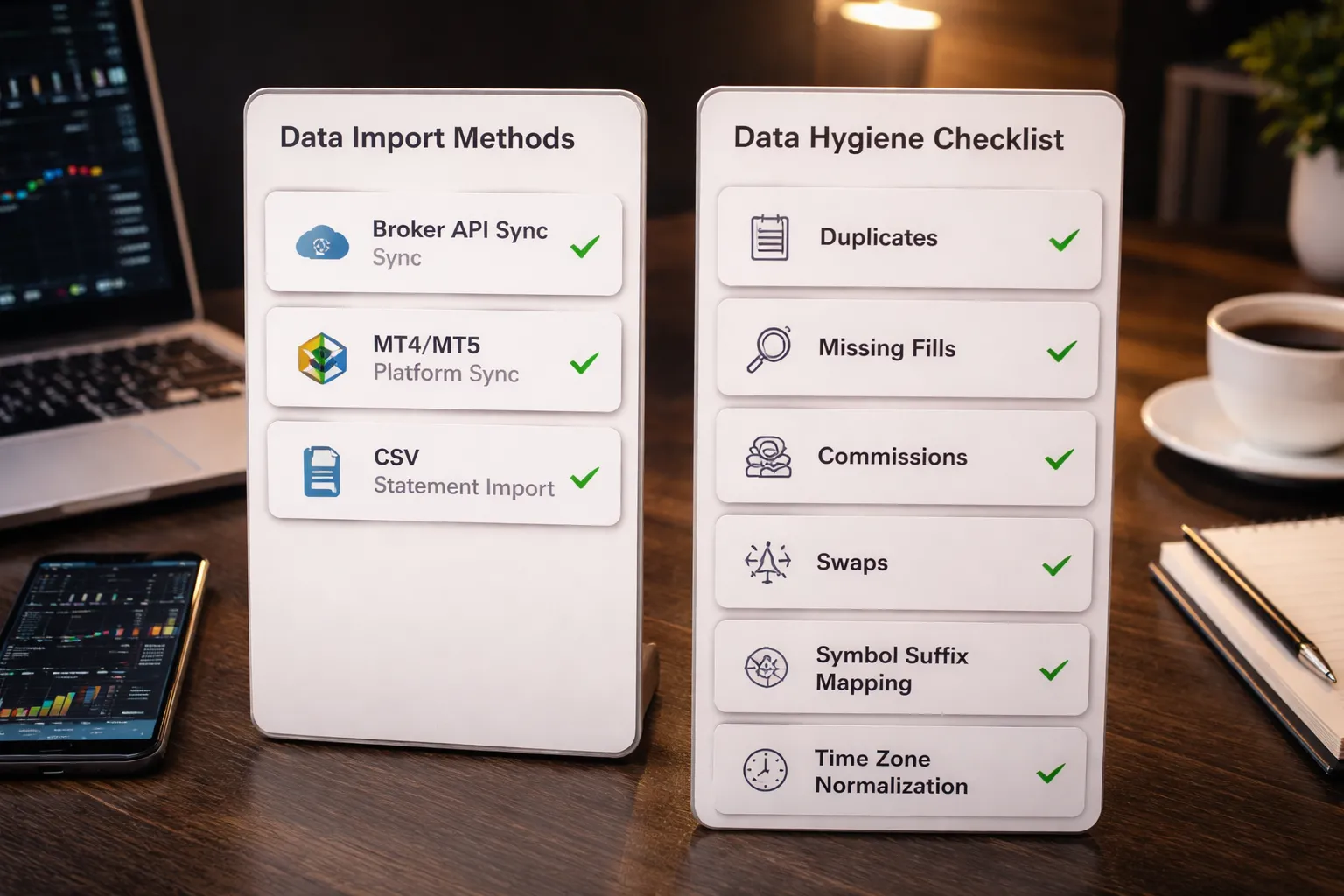
Broker sync vs. platform sync vs. CSV, what stays reliable for Forex
You have three ways to get trades into your journal. Each fails in different places.
- Broker sync (API connection). Best when your broker supports it well and your journal has a mature connector. It usually captures balance history, deposits, and withdrawals. It can break without warning after broker security updates. It can also miss partial fills if the broker reports them differently than the journal expects.
- Platform sync (MT4, MT5, cTrader plugins). Often the most reliable for retail FX because it reads what the platform actually executed. It handles multi-fill reality better than most broker APIs. It can fail if your VPS disconnects, the terminal sleeps, or the plugin loses permission after an update.
- CSV import (statement export). Most universal and easiest to audit. Also easiest to mess up with wrong delimiters, decimals, or time zones. Use it as your fallback, and as a monthly verification even if you sync.
If you trade spot FX on MT4 or MT5, prioritize platform or statement imports. Keep CSV as the backstop. Automation helps, but your review process still needs clean inputs. Your journal fields still matter, use a consistent template like this guide to what to track in a forex journal.
MT4 and MT5 statement imports, common pitfalls and fixes
- Wrong file type. Many tools need the account history as HTML or a specific CSV format. Export both. Use the one your journal documents.
- Decimal and delimiter issues. Some exports use commas for decimals and semicolons for separators. Fix by re-exporting with correct locale, or convert once and save a clean import preset.
- Symbols renamed or mapped wrong. Brokers append suffixes like EURUSDm or EURUSD.pro. Map symbols inside the journal so EURUSD stats do not split across multiple tickers.
- Lot size misread. MT4 uses lots, many journals convert to units. Verify one known trade. If size looks 10x or 100x off, fix the account type settings, then re-import.
- Swaps and commissions missing. Some statements show them as separate lines. Your tool may ignore them unless you import “deals” instead of “orders.” Prefer MT5 deal-based exports when available.
Partial closes, scale-ins, scale-outs, and multiple fills
FX execution rarely equals one clean entry and one clean exit. Your journal must represent what happened or your stats lie.
- Decide your trade unit. Either group all fills into one position, or treat each fill as its own trade. Grouping matches how you manage risk. Splitting helps execution analysis.
- Keep one position ID. If your tool supports it, link scale-ins and scale-outs under one position. Otherwise, use a consistent tag like “POS-2026-02-04-01.”
- Validate average entry and exit. Your platform computes VWAP across fills. Your journal should match within rounding. If it does not, you likely have missing fills or a symbol mapping error.
- Handle partial close P and L correctly. Some tools attribute the full risk to the first fill and distort R-multiples. Fix by tracking position risk at entry, then letting the journal allocate realized P and L by closed size.
Time zone normalization and session labeling accuracy
Bad time zones ruin time-based insights. They also break session tags like London or New York.
- Pick one base time zone. Use UTC inside the journal if the tool allows it. Convert for display only.
- Normalize DST shifts. New York and London session times move during DST weeks. If your tool uses fixed hours, your session labels will drift for several weeks each year.
- Match platform server time. MT4 and MT5 often use broker server time, not your local time. Import with the correct source time zone, then convert.
- Store session based on entry time. Use entry timestamp for session tagging. Mixing entry and exit sessions makes results hard to interpret.
Data hygiene checklist, duplicates, missing fees, swaps, and commissions
- Duplicates. After any re-sync or re-import, filter for identical ticket IDs, same open time, same size, same price. Delete duplicates before you review stats.
- Missing trades. Compare the trade count in your platform history to the journal for the same date range. Re-import the gap only.
- Missing commissions. Verify one known commission-based trade. If commission shows as zero, change import mode to deals, or enable “include commissions” on export.
- Missing swaps. Check overnight positions. If swap is absent, your expectancy and carry results will look better than reality.
- Fees and balance ops mixed into P and L. Deposits, withdrawals, rebates, and adjustments should not count as trading performance. Classify them separately.
- Currency conversion. If your account currency differs from the pair quote currency, confirm the journal converts P and L using broker-reported values, not approximate spot rates.
- Round-trip integrity. Every trade should have open time, close time, size, entry, exit, and net P and L after costs. If any field is missing, fix the import before analysis.
Analytics That Actually Improve Results (What to Track Weekly)
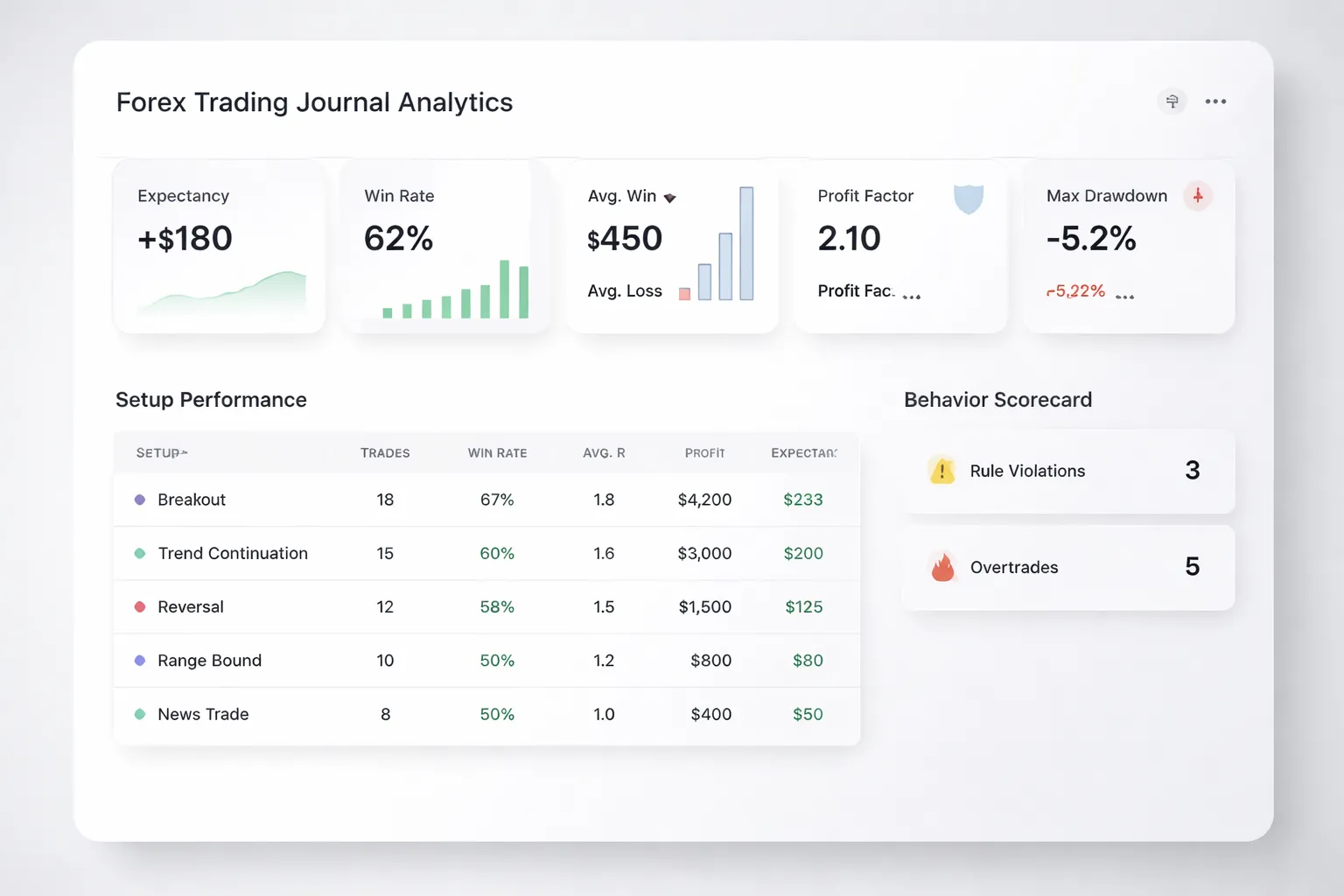
Core performance metrics you must review weekly
Start with math that ties to your bottom line. Review these weekly, per pair and per setup.
- Win rate. Wins divided by total trades. Track overall and by setup.
- Average win and average loss. Use R multiple if possible, so you compare trades on equal risk.
- Expectancy. Your average outcome per trade. Use this formula: (Win% x Avg Win) minus (Loss% x Avg Loss). Expectancy above zero means you have an edge if execution stays stable.
- Profit factor. Gross profit divided by gross loss. Treat it as a stability check, not a goal. Watch for profit factor driven by one outlier trade.
- Trades count. You need volume to trust any metric. If trades are few, do not change rules based on the last week.
Risk metrics that keep you in the game
Performance means nothing if risk control fails. Track risk in a way that matches how you size positions.
- Max drawdown. Measure peak to trough on your equity curve. Track both money drawdown and drawdown in R.
- Average risk per trade. Your planned risk in R or percent. If it drifts up, you will see it before the account shows it.
- Streak analysis. Track longest losing streak, current streak, and average streak length. Use it to set realistic daily loss limits and stop-trading rules.
- Risk-of-ruin inputs. Log three inputs weekly, your win rate, your payoff ratio (Avg Win divided by Avg Loss), and your risk per trade. Keep risk per trade aligned with your streak history. If you keep raising risk after wins, your ruin risk jumps even if your strategy stays the same.
Edge discovery that does not lie to you
Your journal should tell you what works, not what you hope works. Break results down to the decision level.
- Setup-level performance. Tag every trade with one primary setup. Compare expectancy, profit factor, and drawdown contribution by setup.
- Market condition tags. Add simple tags you can apply fast, session, news window, trend state, and volatility state. Keep the tag list short so you stay consistent.
- Filter testing. Test one filter at a time, for example, “only take breakouts with ADR above X” or “skip trades 15 minutes before red news.” Compare before and after using the same holding rules.
- Sample size rules. Do not trust a conclusion from a handful of trades. Set a minimum, for example 30 trades per setup or filter before you change rules. If you do not have the count, keep tracking.
Behavioral metrics that explain leaks
Many “strategy problems” are execution problems. Track behavior like you track P and L.
- Rule violations. Mark each trade as clean or violated. Record the violation type, late entry, moved stop, widened stop, revenge trade, ignored news rule.
- Missed trades. Log valid signals you skipped. Note the reason, fear, distraction, unclear plan, platform issue. Missed trades change expectancy because they change which trades you take.
- Overtrading frequency. Count trades taken outside your plan. Also track “extra trades per day” versus your plan limit.
- Time-of-day mistakes. Group violations by session. Many traders find most errors cluster in one block of hours.
Process scorecards for a repeatable weekly review
Turn analytics into action with a fixed routine. Keep the scorecard short so you use it every week.
| Step | What you check | Output |
|---|---|---|
| 1. Data integrity | Missing fields, duplicate trades, costs, currency conversion | Clean dataset |
| 2. Score the week | Expectancy, win rate, avg win, avg loss, profit factor, drawdown | One-page metrics snapshot |
| 3. Find the drivers | Top and bottom setups, sessions, pairs, tags | One keep, one cut, one test |
| 4. Behavior audit | Violations, missed trades, overtrades, streak response | One rule to tighten |
| 5. Next week plan | Risk cap, daily stop rules, filter to test, focus setup | Clear constraints and targets |
If you need a tracking structure that matches these metrics, use this free template and tracking checklist.
Selecting the Right Tool for Your Trading Style
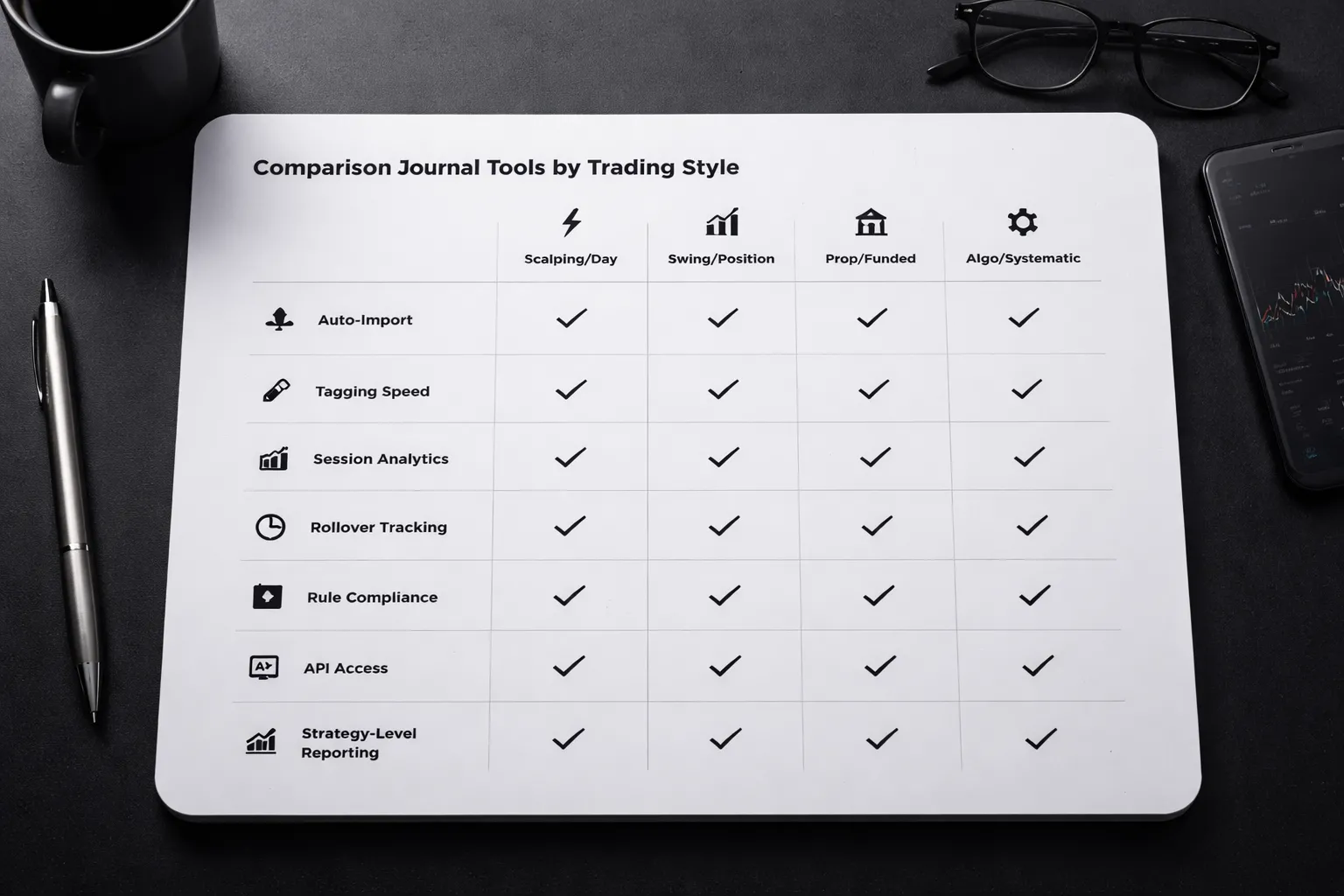
Scalpers and day traders, speed, tagging shortcuts, and session insights
You need fast entry and clean filters. Pick a tool that logs trades in one step, then lets you tag without opening five screens.
- Import speed: Auto-sync from your broker or platform, or fast CSV upload. Manual entry kills consistency.
- Shortcut tagging: One-click tags for setup, reason, mistake, news, and market state. You should tag a trade in under 10 seconds.
- Session analytics: London, New York, overlap. You need P and L, win rate, and average R by session and hour.
- Execution metrics: Planned vs filled entry, stop, and exit. Track slippage and missed entries if you trade news or volatile opens.
- Behavior flags: Overtrading, revenge trades, and rule breaks. The tool should surface them by day, not buried in notes.
Swing and position traders, higher-timeframe notes, rollover costs, and macro context
You need context and durability. Choose a journal that handles long holds, partials, and multi-week logic.
- Higher-timeframe structure: Fields for weekly and daily bias, key levels, and invalidation. Notes must stay readable months later.
- Multi-entry and scale management: Add-ons, partial exits, and trailing stops. Reporting must roll these into one position result.
- Swap and rollover tracking: Store overnight fees per trade and by pair. Without it, your expectancy math lies on long holds.
- Macro and event logging: Rate decisions, CPI, risk-on or risk-off. You want a simple tag set, not a thesis.
- Exposure reporting: Total risk by currency and correlated pairs. This matters more than trade count at higher timeframes.
Funded account and prop traders, rule compliance tracking and risk caps
You need rule enforcement, not just stats. Pick a tool that tracks limits the same way your evaluator does.
- Daily loss and max drawdown: Set your firm rules, then show breach risk in real time. You want a clear red flag before you violate.
- Risk per trade cap: Log planned R and actual R. Store position size and stop distance so you can audit sizing errors.
- Consistency rules: Track top day contribution, average daily profit, and profit distribution. Many firms fail traders on concentration.
- News and restricted times: Add a compliance tag for restricted events and blackout windows. Report violations by date.
- Account separation: Multiple accounts, one dashboard. You need clean reporting per challenge, funded, and personal.
Pair this with a sizing workflow that stays consistent across pairs and volatility. Use a lot size calculator if your tool does not compute position size from stop distance and risk.
Algorithmic and systematic traders, batch imports, API options, and strategy-level reporting
You need data integrity and aggregation. Choose a tool built for volume and repeatable analysis.
- Batch imports: Clean CSV mapping, duplicate handling, and timezone control. Small mismatches break your metrics.
- API and integrations: Webhooks or API access if you run MT4, MT5, cTrader, or custom execution. You should not rely on screenshots.
- Strategy-level reporting: Group by system, version, and parameter set. You need expectancy, profit factor, max drawdown, and streaks per strategy.
- Portfolio views: Combine pairs into one equity curve, then split by regime tags. You want to see when a system degrades.
- Export: Full raw export for your own analysis. If you cannot export, you do not own your data.
Pricing, Data Ownership & Security Considerations
Hidden costs you will pay for later
Most journals sell a low monthly price, then charge for the parts you will use once you get serious.
- Seat limits: One login per plan. Extra seats cost more. This matters if you share access with a partner, mentor, or prop firm workflow.
- Trade limits: Some plans cap monthly imports, total trades, or the number of accounts. HFT, scalpers, and multi-account traders hit this fast.
- Broker connections: “Included” often means a small list of supported brokers. Others require manual CSV uploads or a higher tier.
- Premium analytics add-ons: Strategy tags, custom metrics, Monte Carlo, advanced filtering, or portfolio reporting can sit behind a higher plan.
- Extra asset classes: Forex may be supported, but futures, CFDs, or options features may trigger an upgrade even if you only want the analytics engine.
- Data retention rules: Cheaper tiers may limit how far back you can view, compare, or export.
Data export and portability
If you cannot export clean raw data, you do not own your journal. You rent it.
- CSV export: You want trades, executions, partial fills, fees, swaps, commissions, and tags. One row per fill beats one row per trade.
- Account-level exports: You should export each account and a combined portfolio set.
- Backups you can store: Downloadable CSV plus PDF summaries for audits. Store copies in your own drive.
- Vendor lock-in risks: Proprietary tags, custom fields, and strategy IDs may not map into another tool. Test exports before you commit.
- API access: If you automate analysis, look for an API or at least stable export formats.
Keep a simple fallback log in parallel. Use the same fields you track in your main tool. This makes switching easier. See what to track in a forex trading journal.
Privacy and security checklist
Your journal holds broker IDs, trade history, and performance. Treat it like a financial app.
- Encryption: HTTPS in transit. Encryption at rest for stored data and backups.
- 2FA: App-based authenticator support. Email-only 2FA is weaker.
- Permissions: Role-based access if you share accounts. Separate read-only and admin roles.
- Connection scope: Prefer read-only broker API access. Avoid tools that request trading permissions.
- Session controls: Device logouts, session expiry, and login history.
- Data deletion: Clear policy for deleting your account and your data, including backups.
- Export safety: Exports should not leak API tokens. Files should not include hidden identifiers you cannot remove.
Longevity signals before you commit
You will build years of data. Choose a tool that looks like it will still exist.
- Roadmap clarity: Public roadmap or clear release goals. Vague promises do not help.
- Changelog activity: Recent updates, bug fixes, and connector maintenance. Stale changelogs signal risk.
- Support responsiveness: Test with one question before you pay. Measure response time and answer quality.
- Broker maintenance: Frequent connector updates show the company reacts to API changes.
- Export-first posture: Tools that highlight export options tend to respect data ownership.
How to Set Up Your Forex Journal (Step-by-Step) for Faster Progress
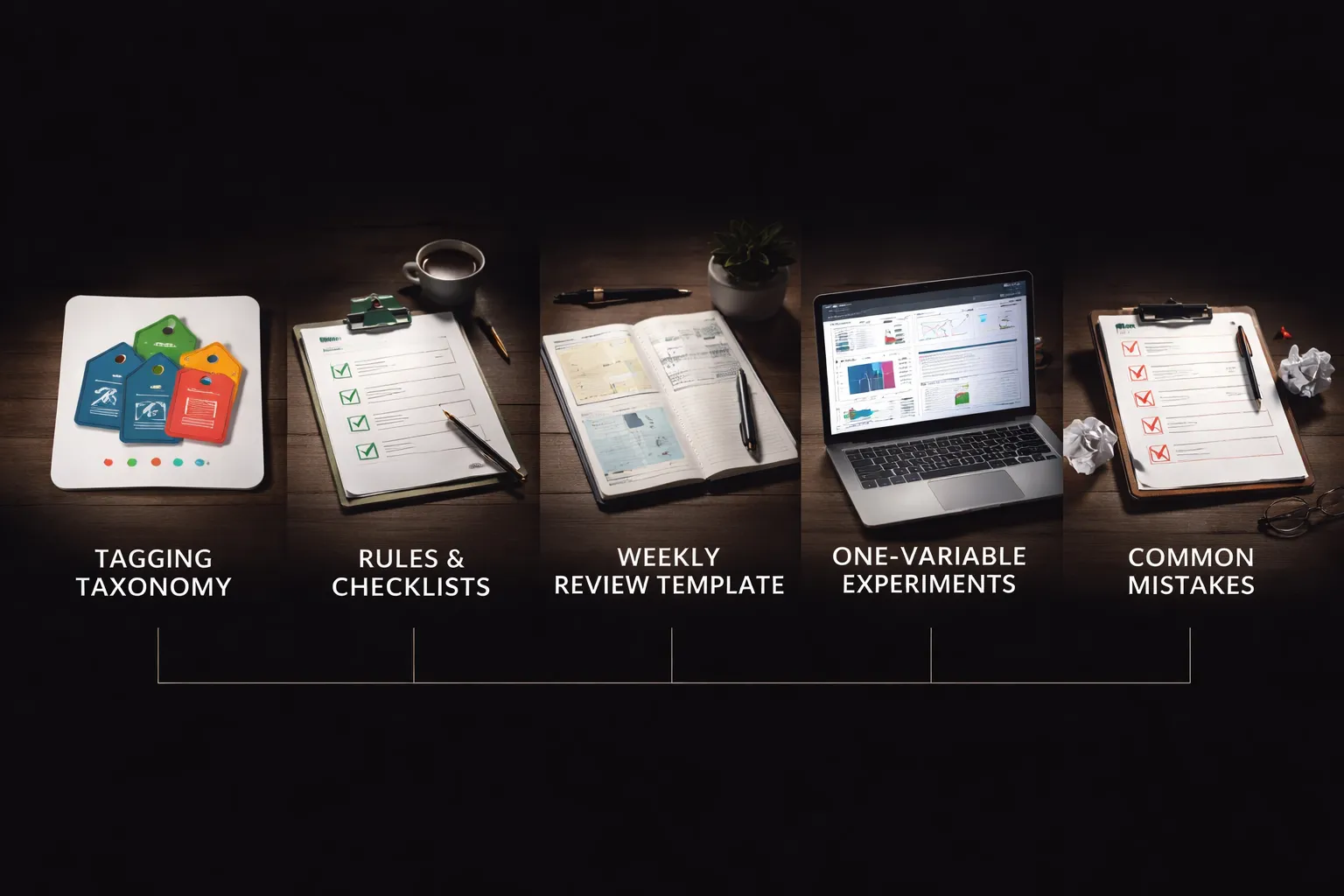
1) Create your tagging taxonomy
Tags turn your journal into a database you can filter. Keep the system small and fixed. Start with four tag groups, then expand only when a tag drives a decision.
- Setups: Use 5 to 10 setup tags. Example, breakout, pullback to MA, range fade, trend continuation, news breakout.
- Mistakes: Use 8 to 15 mistake tags. Example, late entry, early exit, moved stop, revenge trade, oversized risk, skipped plan, trade during low liquidity.
- Market regime: Use 4 to 8 tags. Example, trend, range, volatility expansion, volatility compression, risk-on, risk-off.
- News and events: Use simple tags you can apply fast. Example, CPI, NFP, FOMC, central bank speech, rate decision, high impact red folder.
Rule for tag names. One concept per tag. No overlap. If two tags mean the same thing, delete one.
Rule for tag count. Each trade gets 1 setup tag, up to 2 regime tags, up to 1 news tag, and 0 to 3 mistake tags.
2) Define your rules and checklists
Your journal improves when you log the same inputs every time. Build three checklists. Keep each checklist under 7 items.
- Entry criteria checklist: Market structure, trigger signal, timeframe alignment, location to key level, invalidation point.
- Risk checklist: Fixed percent risk per trade, stop placement logic, max daily loss, max open risk, position size method. Use a calculator when you size trades, see this forex lot size calculator guide.
- Trade management checklist: When you move stop, partial take profit rules, time stop rules, exit trigger, news handling rule.
Log each checklist as pass or fail. Do not write stories. If you fail an item, tag the mistake and move on.
3) Build a weekly review template
Run your review on the same day and time each week. Use a fixed template so you can compare weeks.
- Volume and discipline: Trades taken, trades skipped, checklist pass rate, rule breaks.
- Risk quality: Average R risked, max loss day, max drawdown in R, position size outliers.
- Setup performance: Win rate, average R, expectancy per setup tag, best and worst pair per setup.
- Context performance: Results by regime tag, results around news tags, results by session.
- Execution quality: Entry slippage notes, late entries, missed exits, time in trade vs plan.
End the review with two outputs. One thing to stop. One thing to test.
4) Turn insights into experiments
Most traders change too many things at once. Run one experiment at a time. Keep it for 20 to 50 trades, or 2 to 4 weeks, then evaluate.
- Pick one variable: Example, no trades 15 minutes before red folder news, only take setup A in trend regime, fixed time stop at 90 minutes.
- Define success metrics: Expectancy in R, checklist pass rate, max drawdown in R, mistake rate per 10 trades.
- Set a baseline: Use your last 30 to 50 trades with the same setup tags and regime tags.
- Log compliance: Add one tag for the experiment, example, exp_news_buffer_on.
- Decide in advance: Keep, tweak, or kill, based on the metrics, not on one big win or loss.
5) Common setup mistakes to avoid
- Too many tags: If you cannot remember your tag list, you will not use it. Cap total tags at 30 to 50 across all groups.
- Inconsistent notes: If your notes change format, you cannot compare trades. Use the same fields every time, setup, regime, news, entry reason, stop logic, management rule used, result in R.
- Ignoring context: A setup tag alone hides the real driver. Always tag regime, and tag news when it matters. Filter results by setup plus regime before you change your strategy.
Pros & Cons: Dedicated Journal Software vs. Spreadsheet Templates
Where software wins: automation, consistency, and deeper analysis
- Auto import: Connect your broker or upload statements. You cut manual entry time. You reduce missing trades.
- Forced structure: Fixed fields keep your notes consistent. You avoid the “new format every week” problem.
- Cleaner metrics: Many tools calculate R, expectancy, drawdown, win rate by setup, and time based performance without extra formulas.
- Better filtering: You slice by setup plus regime, session, pair, and news tags. You spot what actually drives results.
- Evidence fast: Charts and dashboards surface patterns early. You spend less time building reports and more time changing rules.
- Accountability: Some tools add goal tracking, rule checklists, and review workflows. You review more often.
Where spreadsheets win: flexibility, cost control, and full ownership
- Full control: You choose every field, formula, and view. You can match your exact strategy logic.
- Low cost: Templates cost little or nothing. You avoid monthly fees.
- Ownership: Your data stays with you. You do not depend on a vendor’s pricing or product changes.
- Custom planning: Spreadsheets work well for pre trade plans, checklists, and “if then” scenarios.
- Tradeoff: You pay with time. You must maintain formulas, fix errors, and keep tagging consistent.
Dedicated software vs. spreadsheet templates (quick comparison)
| Factor | Journal software | Spreadsheet template |
|---|---|---|
| Setup time | Fast once connected | Fast to start, slower to perfect |
| Ongoing time per trade | Low, mostly review and notes | Medium to high, data entry plus checks |
| Data consistency | High if you use required fields | Depends on your discipline |
| Analysis depth | Strong filters, dashboards, segmentation | Strong if you build it, easier to break |
| Customization | Medium, limited to tool options | High |
| Data ownership | Mixed, export matters | High |
| Cost | Recurring | One time or free |
Hybrid approach: spreadsheet for planning plus software for analytics
Use a spreadsheet when you need a strict plan before you enter. Keep it simple. One row per idea. Include pair, regime, trigger, stop logic, invalidation, and target in R.
Use software for the trade record and the review. Import executions. Add the same tags every time. Run reports by setup plus regime, then by session and news.
This split works when you trade often and review seriously. It fails when you duplicate work. If you copy paste trades from one tool to another, you will quit.
If you need help choosing fields and keeping notes consistent, use this guide on how to journal forex trades.
Decision checklist: which option fits your time, budget, and goals
- Choose software if you place many trades per week, you want auto import, and you will run monthly reviews by tags.
- Choose spreadsheets if you trade less, you need full customization, and you can keep fields stable for at least 50 trades.
- Go hybrid if your edge depends on pre trade planning, but your improvement depends on fast analytics after execution.
- Before you commit, confirm the tool can track R, force consistent fields, export raw data, and filter by setup plus regime.
FAQ
What should a forex trading journal track at minimum?
Track date, pair, timeframe, session, setup tag, market regime tag, entry, stop, target, position size, planned risk in R, result in R, screenshots, and notes. If your tool cannot calculate R cleanly, you will miss the core performance signal.
What is R, and why does it matter for journaling?
R equals your profit or loss divided by your initial risk. It standardizes results across different lot sizes and pairs. Journals that rank trades by pips or dollars hide risk mistakes and distort which setups really work.
How many trades do you need before you trust the stats?
Start with 30 trades to spot obvious leaks. Use 50 to compare setups. Use 100+ to judge edge and variance. Keep fields stable during each sample. If you change tags or rules mid sample, restart the count.
Which is better, a spreadsheet or a dedicated journal app?
Pick a spreadsheet for low trade volume and full control. Pick an app for speed, automatic analytics, and filtering. Your choice should depend on export, stable fields, R tracking, and tag plus regime filters.
What should you look for in journal analytics?
Expect expectancy in R, win rate, average win and loss in R, profit factor, max drawdown, and equity curve. You also need breakdowns by setup, regime, session, and day. If you cannot filter fast, you will stop reviewing.
How do you journal trades if you scale in or scale out?
Log each execution, then roll them into one position level record with a weighted average entry and exit. Keep one initial stop and initial R. Track partials as notes or sub rows, but keep R based on the first risk.
How do you journal discretionary trades without overcomplicating it?
Force a small set of tags. One setup tag, one regime tag, one mistake tag. Write one line for the trade plan and one line for the post trade review. Save screenshots. Do this every trade, even on break even outcomes.
What is the fastest review process that still works?
Do a weekly scan for mistake tags and rule breaks. Do a monthly review by setup and regime, then update one rule. Keep the change list short. If you change more than one variable, you will not know what improved results.
Can AI replace manual journaling?
AI can classify trades and surface patterns, but it cannot enforce your rules. You still need consistent fields and tags, clean R, and raw exports. Use AI for summaries and clustering, not as your source of truth.
What data export options matter most?
You need CSV export with raw fills, timestamps, pair, size, entry, exit, fees, and tags. Avoid tools that lock you into charts only. Export lets you audit slippage, rebuild metrics, and migrate tools without losing history.
What mistakes should a journal help you catch?
Look for oversizing, moving stops, revenge trades, trading outside your session, and taking setups in the wrong regime. Tag each mistake at entry or right after exit. Use the journal to cut one repeat mistake per month.
How do you size trades consistently in your journal?
Record planned stop distance, account risk percent, and lot size. Then store the actual filled size. If you do not match planned risk to actual risk, your stats will lie. Use a sizing tool when you calculate lots.
Where can you see what to track in a forex journal?
Use this guide to build your fields and tags without clutter, how to journal forex trades. It includes practical field lists and template ideas you can copy.
Conclusion
A forex journal only helps if your inputs stay clean. Record planned risk, then confirm the filled size and actual risk after execution. Use the same fields every time. Fix one leak per week, then recheck your stats.
- Pick the tool that matches your workflow. If you need speed, choose auto-import and broker sync. If you need control, choose custom fields, tags, and filters.
- Lock your risk data. Save account size at entry, risk percent, stop distance, pip value, and planned lot size. Store actual fill price and actual lot size.
- Review on a schedule. Run a weekly review for setup performance and rule breaks. Run a monthly review for expectancy, drawdown, and risk drift.
- Standardize tags. Use a short tag list for setup, session, news, and mistake type. Do not tag everything.
Final tip. Do not switch tools when results dip. Keep the same journal for at least 50 to 100 trades, then change only if you can name the exact data you cannot capture. If you need a clean field list and tagging system, use this guide on how to journal forex trades.
-
Forex Lot Size Calculator: How to Use It to Size Trades Correctly
7 months ago -
How to Journal Forex Trades (What to Track + Free Template Ideas)
7 months ago -
Common Forex Trading Mistakes Beginners Make (And How to Avoid Them)
7 months ago -
Forex Trading Journal: How to Keep One That Actually Improves Results
7 months ago
-
-
- TradeZella, best for modern UX, habit tracking, and clean analytics
- TraderSync, best for structured reviews, replay, and broad platform support
- Edgewonk, best for offline power users who want deep customization
- TradesViz, best for flexible dashboards and multi-asset analytics customization
- Trademetria, best for straightforward tracking and easy performance views
- Tradervue, best for simplicity and large-community validation (check FX fit)
- Notion or Google Sheets templates, best low-cost manual option (with limitations)
-
- Broker sync vs. platform sync vs. CSV, what stays reliable for Forex
- MT4 and MT5 statement imports, common pitfalls and fixes
- Partial closes, scale-ins, scale-outs, and multiple fills
- Time zone normalization and session labeling accuracy
- Data hygiene checklist, duplicates, missing fees, swaps, and commissions
-
- Scalpers and day traders, speed, tagging shortcuts, and session insights
- Swing and position traders, higher-timeframe notes, rollover costs, and macro context
- Funded account and prop traders, rule compliance tracking and risk caps
- Algorithmic and systematic traders, batch imports, API options, and strategy-level reporting
-
- Where software wins: automation, consistency, and deeper analysis
- Where spreadsheets win: flexibility, cost control, and full ownership
- Dedicated software vs. spreadsheet templates (quick comparison)
- Hybrid approach: spreadsheet for planning plus software for analytics
- Decision checklist: which option fits your time, budget, and goals
-
- What should a forex trading journal track at minimum?
- What is R, and why does it matter for journaling?
- How many trades do you need before you trust the stats?
- Which is better, a spreadsheet or a dedicated journal app?
- What should you look for in journal analytics?
- How do you journal trades if you scale in or scale out?
- How do you journal discretionary trades without overcomplicating it?
- What is the fastest review process that still works?
- Can AI replace manual journaling?
- What data export options matter most?
- What mistakes should a journal help you catch?
- How do you size trades consistently in your journal?
- Where can you see what to track in a forex journal?
-
-
-
- TradeZella, best for modern UX, habit tracking, and clean analytics
- TraderSync, best for structured reviews, replay, and broad platform support
- Edgewonk, best for offline power users who want deep customization
- TradesViz, best for flexible dashboards and multi-asset analytics customization
- Trademetria, best for straightforward tracking and easy performance views
- Tradervue, best for simplicity and large-community validation (check FX fit)
- Notion or Google Sheets templates, best low-cost manual option (with limitations)
-
- Broker sync vs. platform sync vs. CSV, what stays reliable for Forex
- MT4 and MT5 statement imports, common pitfalls and fixes
- Partial closes, scale-ins, scale-outs, and multiple fills
- Time zone normalization and session labeling accuracy
- Data hygiene checklist, duplicates, missing fees, swaps, and commissions
-
- Scalpers and day traders, speed, tagging shortcuts, and session insights
- Swing and position traders, higher-timeframe notes, rollover costs, and macro context
- Funded account and prop traders, rule compliance tracking and risk caps
- Algorithmic and systematic traders, batch imports, API options, and strategy-level reporting
-
- Where software wins: automation, consistency, and deeper analysis
- Where spreadsheets win: flexibility, cost control, and full ownership
- Dedicated software vs. spreadsheet templates (quick comparison)
- Hybrid approach: spreadsheet for planning plus software for analytics
- Decision checklist: which option fits your time, budget, and goals
-
- What should a forex trading journal track at minimum?
- What is R, and why does it matter for journaling?
- How many trades do you need before you trust the stats?
- Which is better, a spreadsheet or a dedicated journal app?
- What should you look for in journal analytics?
- How do you journal trades if you scale in or scale out?
- How do you journal discretionary trades without overcomplicating it?
- What is the fastest review process that still works?
- Can AI replace manual journaling?
- What data export options matter most?
- What mistakes should a journal help you catch?
- How do you size trades consistently in your journal?
- Where can you see what to track in a forex journal?
-
-
How to Place a Forex Trade Step by Step (Your First Trade Explained)
5 months ago -
Forex Trading vs Crypto Trading: Which Market Is Better for Beginners?
5 months ago -
Forex Lot Size Calculator: How to Use It to Size Trades Correctly
7 months ago -
How to Calculate Position Size in Forex (Position Sizing Formula + Examples)
7 months ago -
Forex Leverage Explained: How It Works, Pros, Cons & Examples
7 months ago
-
Forex Trading Platforms Comparison: MetaTrader vs cTrader vs TradingView
7 months ago -
Stop Loss vs Take Profit: Differences, Examples & Best Practices
7 months ago -
Is Forex Trading Legal in the United States? Rules, Regulators & What to Know
7 months ago -
Forex Leverage Explained: How It Works, Pros, Cons & Examples
7 months ago -
Forex Market Hours & Trading Sessions Explained (Best Times to Trade)
7 months ago