Forex Lot Size Calculator: How to Use It to Size Trades Correctly

Your lot size sets your risk. Get it wrong and one trade can wipe out weeks of gains.
A forex lot size calculator helps you size each position based on your account balance, risk per trade, stop loss in pips, and the pair you trade. It turns those inputs into a clear lot size, so your dollar risk stays consistent.
In this guide, you will learn what a lot means in forex, the main lot types, the exact inputs a calculator needs, and how to use the result to place trades with controlled risk. You will also learn common sizing errors that lead to oversized positions and how to avoid them with simple rules and repeatable checks.
Track your sizing and outcomes in a forex trading journal to spot patterns and fix mistakes fast.
Key Takeaways
- Summary: A lot size calculator turns your account risk into an exact trade size.
- Use fixed inputs every time, account balance, risk percent, stop loss in pips, and pair value per pip.
- Standard, mini, micro, and nano lots change exposure fast. Small lot changes can double risk.
- Set your stop loss first, then calculate lot size. Do not pick a lot size first.
- Check the pip value for the specific pair and account currency. This step prevents most sizing mistakes.
- Respect margin and leverage limits. A correct risk size can still fail if you lack free margin.
- Round down your position size to the nearest allowed lot step. This keeps risk below your limit.
- Recalculate after balance changes and when volatility shifts your stop distance.
- Track planned risk, actual fill, and outcome in your forex trading journal. This shows if slippage or rule breaks inflate your risk.
What a forex lot is (and why it matters for risk)

Lot units explained, standard, mini, micro, and nano
A forex lot is your trade size in base currency units. It sets how much you gain or lose per pip.
- Standard lot: 100,000 units
- Mini lot: 10,000 units
- Micro lot: 1,000 units
- Nano lot: 100 units, offered on some brokers and cent accounts
Brokers also use lot steps. Common steps include 1.00, 0.10, 0.01, or 0.001 lots. Your calculator output must match what your broker allows.
How lot size affects pip value and profit or loss
Lot size controls pip value. Bigger lots move more money per pip. Smaller lots cut the impact of every tick.
For pairs quoted to 4 decimals, 1 pip equals 0.0001 of the quote currency. For JPY-quoted pairs, 1 pip equals 0.01.
On pairs where your account currency matches the quote currency, pip value scales cleanly with lot size.
- 1.00 lot (100,000 units): about $10 per pip on EUR/USD in a USD account
- 0.10 lot (10,000 units): about $1 per pip
- 0.01 lot (1,000 units): about $0.10 per pip
If your account currency does not match the quote currency, pip value changes with the exchange rate. Your lot size calculator handles that conversion. You still need to understand the outcome, lot size sets the money at stake per pip.
Lots vs leverage vs margin, common confusion cleared up
Lots measure position size. Leverage changes how much margin you must post to open that position. It does not change pip value.
- Lot size: your exposure in currency units
- Pip value: your profit or loss per pip, driven by lot size and pair
- Margin: capital your broker locks to hold the trade, driven by leverage and position size
- Leverage: the ratio that reduces required margin, it does not reduce risk by itself
Example. You open 1.00 lot EUR/USD. Pip value stays about $10 per pip in a USD account. At 30:1 leverage, required margin is about 1/30 of the notional. At 100:1 leverage, margin is about 1/100. Your pip risk stays the same either way.
Where traders go wrong, sizing by “feel” instead of risk
Many traders pick 0.10 lot because it feels small, or 1.00 lot because they want bigger returns. That approach ignores stop distance and pip value.
- You use the same lot size across trades, even when your stop changes from 15 pips to 60 pips.
- You increase lots after a loss to win it back, and your next normal stop costs more than planned.
- You ignore the broker lot step and round up, which pushes risk above your limit.
- You confuse low margin use with low risk, then hold an oversized position.
Fix this by sizing from risk first. Set your risk amount. Set your stop in pips. Let the calculator output the lot size. Then log planned risk and actual fill in your forex trading journal.
Forex lot size calculator basics: what it does and what you need to enter
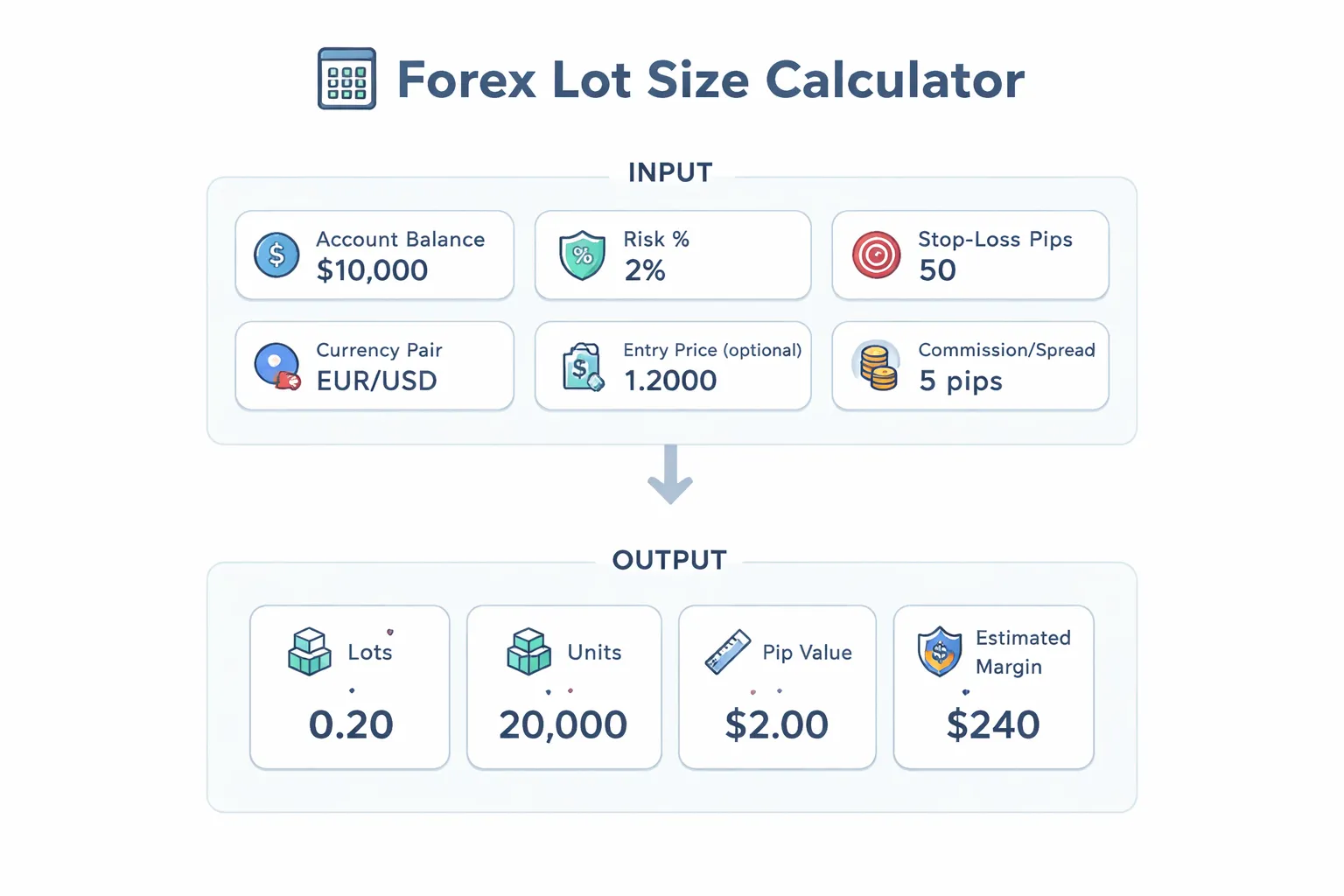
Forex lot size calculator basics
A forex lot size calculator turns your risk plan into a position size. You enter your risk and your stop. It outputs the lots and units to trade so the money at risk matches your limit.
You use it before you place the order. You then confirm the size fits your broker lot step, and log the planned risk and actual fill in your journal.
Typical inputs you must enter
- Account balance, the equity you base risk on. Some calculators use balance, others use equity. Use the one that matches how you track risk.
- Risk % or risk amount. Example, 1% risk, or $100 risk. Risk amount stays stable when balance changes mid week.
- Stop loss in pips. Use the real stop distance from entry to stop price. If you plan to enter with a limit order, use that limit price, not the current price.
- Currency pair. Pip value changes by pair, especially for JPY pairs and crosses.
Optional fields that change the result
- Entry price. Needed when pip value depends on price, common for crosses when your account currency is not the quote currency.
- Account currency. USD, EUR, GBP, etc. This drives the conversion from pip value into your risk currency.
- Commission and spread. A tighter model subtracts trading costs from your risk budget. Many free calculators ignore costs, so your true risk runs higher than planned.
What the calculator outputs
- Lots, the position size in standard lots, plus mini or micro equivalents.
- Units, the exact base currency amount, example 12,500 units of EUR in EUR/USD.
- Pip value, the money gained or lost per pip at that size, in your account currency.
- Estimated margin, how much margin the trade uses at the stated leverage. Margin is not risk. Your stop loss defines risk.
When calculators differ
Different calculators can output different lot sizes for the same inputs. These are the usual causes.
- Contract size conventions. Spot FX often treats 1.00 lot as 100,000 units, but some CFD brokers use different contract multipliers.
- Pip and point rules. Many platforms quote 5 digits for EUR/USD and 3 digits for USD/JPY. Some calculators want pips, others want points. A 10 point input instead of 1 pip can 10x your size error.
- Rounding and lot step. Brokers enforce min size and increments, example 0.01 lots. A calculator may show 0.037 lots, but your platform will round. Always round down if you must cap risk.
- Cost handling. Some include spread and commission, others do not. If you scalp or trade tight stops, this gap matters.
- Equity vs balance. If you have open trades, equity can differ from balance. That shifts the risk amount and the final size.
If you want a clean process, record calculator inputs, output size, and final executed size in a forex trading journal.
Forex lot size calculator: how to use it step by step
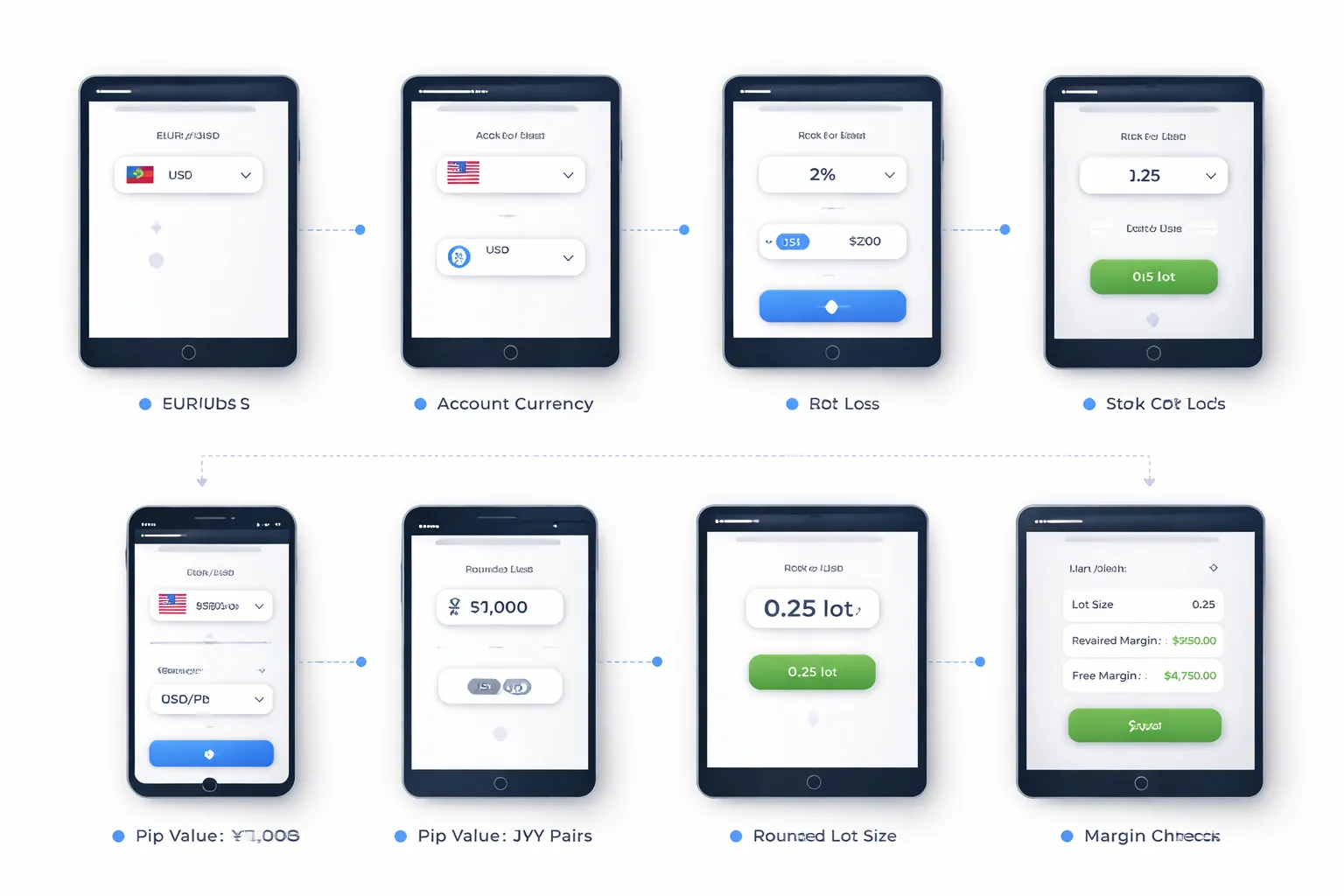
Step 1: Choose the correct currency pair and account currency
Select the exact pair you will trade, like EUR/USD or GBP/JPY. Then set your account currency, like USD, EUR, or GBP. This matters because pip value and risk convert into your account currency.
- Match the quote format. EUR/USD differs from USD/EUR. Do not flip them.
- Use your real account currency. Do not use USD as a default if your account runs in EUR.
- Check symbol details. Some brokers use suffixes like EURUSD.m. Pick the same instrument type in your platform.
Step 2: Set your risk per trade (fixed % vs fixed amount)
Enter how much you will lose if price hits your stop. Use one method and stick to it.
- Fixed percent. Example, 1% risk. Your risk amount changes as equity changes.
- Fixed amount. Example, $50 risk. Your percent risk changes as equity changes.
- Use equity if you manage open exposure. If your calculator offers balance or equity, pick the one you base risk on.
Step 3: Define stop-loss distance correctly (pips vs points)
Enter your stop distance in the unit the calculator expects. Many errors start here.
- Pips. Most calculators want pips, like 25 pips.
- Points. Some platforms show points. Often, 10 points equal 1 pip on 5-digit pricing.
- Use the real stop size. Measure from entry to stop. Do not guess or round first.
- Include spread if your stop triggers on bid or ask. If you set stops off bid but enter on ask, your effective distance differs.
Step 4: Confirm pip value assumptions, especially for JPY pairs
Check the pip definition the calculator uses. JPY pairs often cause mistakes.
- Most pairs. 1 pip is 0.0001.
- JPY pairs. 1 pip is 0.01.
- Fractional pips. If your broker quotes 5 digits or 3 digits for JPY, the last digit is a pipette, not a pip.
Step 5: Read the recommended lot size and round it safely
The calculator outputs a position size, like 0.37 lots. You still need to make it tradable on your broker.
- Check lot step. Many brokers allow 0.01 lot steps. Some require 0.10.
- Round down to cap risk. If the output is 0.37 and your step is 0.10, use 0.30, not 0.40.
- Know what the lot type means. 1.00 standard lot equals 100,000 units. 0.10 equals 10,000. 0.01 equals 1,000.
- Record inputs and final size. Keep it in your journal, use this guide on how to keep a forex trading journal.
Step 6: Cross-check margin requirement before placing the order
Correct risk sizing can still fail if you do not have enough free margin. Check margin before you click buy or sell.
- Confirm leverage for the symbol. Some brokers set lower leverage on minors, exotics, or during news.
- Check free margin after open trades. Open positions reduce what you can deploy.
- Stress test a spread spike. Tight free margin plus widening spreads can trigger a stop-out.
- If margin is tight, reduce lot size. Do it before you place the order, not after.
The math behind the calculator (so you can validate results)
Core position sizing formula using risk and stop-loss distance
A lot size calculator solves one problem. It converts your risk into units and lots.
Start with three inputs.
- Account risk, either a fixed dollar amount or a percent of equity.
- Stop-loss distance in pips.
- Pip value for 1 lot, in your account currency.
Use this core formula.
Lots = Risk amount / (Stop pips × Pip value per 1 lot)
Example.
- Risk amount: $100
- Stop: 25 pips
- Pip value: $10 per pip for 1.00 lot
Lots = 100 / (25 × 10) = 0.40 lots
If the calculator shows a very different number, one of your inputs is wrong. Most often the stop distance, pip value, or account currency setting.
How pip size and quote format change calculations
Pip size depends on the symbol’s quote format.
- Most pairs: 1 pip = 0.0001
- JPY pairs: 1 pip = 0.01
- Some brokers show fractional pips: 5 digits or 3 digits
With fractional pricing, the last digit is a pipette.
- EURUSD 1.10543, the pip is the 4th decimal, the pipette is the 5th.
- USDJPY 147.123, the pip is the 2nd decimal, the pipette is the 3rd.
When you measure stop distance, use pips, not points.
- On a 5 digit EURUSD feed, 10 points = 1 pip.
- On a 3 digit JPY feed, 10 points = 1 pip.
If you enter points as pips, your lot size will be off by 10×.
Pip value formulas for different account currencies
Pip value comes from the contract size and the conversion into your account currency.
Definitions.
- Contract size for forex is usually 100,000 units per 1.00 lot.
- Pip size is 0.0001 for most pairs, 0.01 for JPY pairs.
Step 1. Compute pip value in the quote currency.
Pip value (quote currency) = Contract size × Pip size × Lots
For 1.00 lot on EURUSD.
- 100,000 × 0.0001 = 10 USD per pip
Step 2. Convert pip value into your account currency.
- If your account currency equals the quote currency, you are done.
- If your account currency equals the base currency, divide by price.
- If your account currency is neither, convert through a related rate your platform uses.
Common cases for a USD account.
- Quote is USD, like EURUSD, GBPUSD. Pip value for 1.00 lot is typically $10 (non-JPY) or $6.67 on USDJPY at ~150 (varies with price).
- Base is USD, like USDCHF. Pip value for 1.00 lot is (100,000 × 0.0001) / price in USD.
Example for USDCHF at 0.9000.
Pip value = 10 CHF per pip ÷ 0.9000 = $11.11 per pip
Example for EURGBP in a USD account.
- Pip value is 10 GBP per pip for 1.00 lot.
- Convert GBP to USD using GBPUSD.
Pip value in USD = 10 × GBPUSD
If GBPUSD is 1.2500, then $12.50 per pip.
Good calculators pull the right conversion rate automatically. To validate, check the symbol’s pip value in your platform and compare it at the same price.
Rounding rules and minimum lot increments by broker
Your broker controls what you can place.
- Common minimum size: 0.01 lots on standard accounts.
- Some brokers allow 0.001 lots.
- Some products enforce larger steps, especially CFDs and some exotics.
Round your lot size down to the nearest allowed step. Do not round up. Rounding up increases risk.
Use this rule.
Rounded lots = floor(Calculated lots / Step) × Step
Example.
- Calculated: 0.437 lots
- Step: 0.01
- Rounded: 0.43 lots
After rounding, recompute actual risk so you know the real number.
Actual risk = Lots × Stop pips × Pip value per 1 lot
Track these inputs and outputs in your forex trading journal. It makes errors obvious and keeps sizing consistent.
Worked examples (realistic scenarios across pair types)
Example 1: EUR/USD with a USD account (direct quote simplicity)
You trade EUR/USD. Your account is in USD. This is the cleanest case because the quote currency is USD.
- Account size: $10,000
- Risk per trade: 1% = $100
- Stop loss: 25 pips
- Pip value (per 1.00 lot): $10 per pip
Lots = Risk / (Stop pips × Pip value per 1 lot) = 100 / (25 × 10) = 0.40 lots.
Rounding to 0.01 keeps it the same. Actual risk = 0.40 × 25 × 10 = $100.
Example 2: USD/JPY with a USD account (JPY pip conventions)
You trade USD/JPY. Your account is in USD. JPY pairs use a 0.01 pip, not 0.0001.
- Account size: $5,000
- Risk per trade: 1% = $50
- Stop loss: 30 pips (0.30 JPY)
- Price: 150.00
- Pip value (per 1.00 lot): about $6.67 per pip (100,000 × 0.01 / 150)
Lots = 50 / (30 × 6.67) = 50 / 200.1 = 0.249 lots.
Round down to the nearest 0.01. Rounded lots = 0.24.
Actual risk = 0.24 × 30 × 6.67 = $48.02 (approx).
Example 3: EUR/GBP with a USD account (cross pair conversion)
You trade EUR/GBP. Your account is in USD. The pip value is in GBP, so you must convert it to USD.
- Account size: $20,000
- Risk per trade: 0.5% = $100
- Stop loss: 40 pips
- GBP/USD: 1.2700
- Pip value (per 1.00 lot): 10 GBP per pip, then convert to USD = 10 × 1.27 = $12.70 per pip
Lots = 100 / (40 × 12.70) = 100 / 508 = 0.1968 lots.
Round down to the nearest 0.01. Rounded lots = 0.19.
Actual risk = 0.19 × 40 × 12.70 = $96.52.
This is where traders slip up. If you skip the GBP to USD conversion, you mis-size the trade.
Example 4: XAU/USD or indices CFDs (why contract specs matter)
With gold and index CFDs, “1 lot” does not mean 100,000 units. Your broker defines the contract size. You must read it before you trust any calculator output.
Scenario A: XAU/USD CFD
- Account size: $10,000
- Risk per trade: 1% = $100
- Stop loss: $5.00
- Contract spec: 1.00 lot = 100 oz, so $1.00 move = $100 per 1 lot
P&L per 1.00 lot at the stop = $5.00 × $100 = $500.
Lots = 100 / 500 = 0.20 lots. Actual risk = 0.20 × 500 = $100.
Scenario B: Index CFD (spec changes the result)
- Risk per trade: $100
- Stop loss: 50 points
- Contract spec: 1.00 lot = $1 per point (some brokers use $10 per point)
If 1 lot = $1 per point, risk per 1 lot = 50 × 1 = $50, so lots = 100 / 50 = 2.00.
If 1 lot = $10 per point, risk per 1 lot = 50 × 10 = $500, so lots = 100 / 500 = 0.20.
Same chart. Same stop. Ten times different size because the contract spec changed.
Log the instrument, contract size, pip or point value, and final lots in your journal. Use a dedicated tracker if you need consistency across brokers and products. See forex trading journal tools.
How to pick the right stop-loss input (the most common calculator mistake)
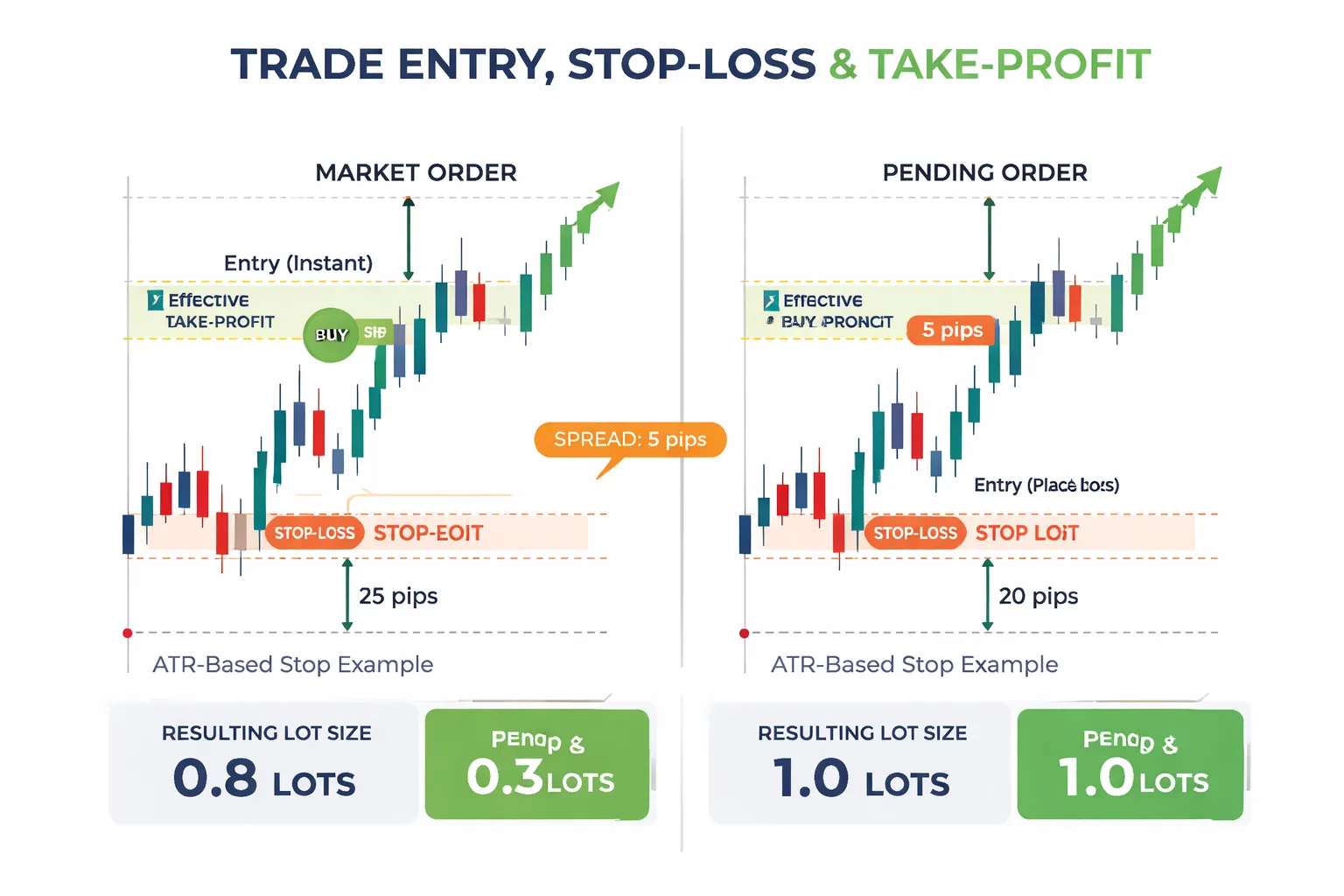
Using technical structure vs arbitrary pip distances
Your calculator only works if your stop-loss input matches your chart.
Do not type a round number because it “sounds safe.” A 20 pip stop on one setup can sit inside normal noise. The same 20 pips on another setup can be too wide and kill your risk to reward.
Pick the stop from structure first, then size the lot from that distance.
- Use swing highs and lows. Place the stop beyond the level that invalidates the trade idea.
- Use clear support and resistance. Put the stop past the zone, not inside it.
- Use the setup rule. If you trade breakouts, the stop belongs back inside the range. If you trade pullbacks, the stop belongs beyond the pullback low or high.
Then measure the distance from entry to stop in the same units your calculator expects, pips or points.
ATR-based stop-loss sizing and how it changes lot size
ATR stops fail when you treat them as a fixed number. ATR changes. Your lot size must change with it.
If you use an ATR stop, you usually set it as a multiple, like 1.5 ATR or 2 ATR. When volatility expands, the stop distance grows. Your position size must shrink to keep risk fixed.
- Fixed risk: $100
- ATR is low. Stop distance = 25 pips. Your lot size can be larger.
- ATR is high. Stop distance = 60 pips. Your lot size must be smaller.
Many traders do the opposite. They keep the same lot size and widen the stop in high volatility. That increases dollar risk without noticing.
Rule: if your stop in pips doubles, your lots must roughly halve, assuming the same pip value.
Accounting for spread: why your “real” risk can be higher
Spread changes your real stop distance. Your chart stop may say 50 pips. Your account can lose more than that.
- Market buys hit the ask. Stops trigger on the bid for most platforms. You start down by the spread.
- Market sells hit the bid. Stops trigger on the ask. You start down by the spread.
If you risk 50 pips and the spread is 2 pips, your effective distance is closer to 52 pips. That pushes real risk above your target.
Fix it with one of these inputs, depending on your tool.
- Option 1, increase stop distance input. Stop pips = chart stop pips + average spread.
- Option 2, reduce risk input. Keep stop pips, cut risk slightly to cover spread and commissions.
Use average spread for that session, not the minimum you see during quiet minutes.
Position sizing for pending orders vs market orders
Pending orders change the stop distance, so they change the lot size.
- Market order sizing uses your current entry. Entry equals the price you can execute now, plus spread and slippage risk.
- Pending order sizing uses the trigger price. Entry equals the limit or stop entry level you set.
Do not size a pending order from the current price. You will misstate the stop distance.
- Buy limit. Entry sits lower. Distance to stop often shrinks, lot size increases.
- Buy stop. Entry sits higher. Distance to stop often grows, lot size decreases.
- Sell limit. Entry sits higher. Distance to stop often shrinks, lot size increases.
- Sell stop. Entry sits lower. Distance to stop often grows, lot size decreases.
If your broker uses stop levels, execution buffers, or wider spreads around news, add that to your distance. Then calculate lots. If you journal these inputs, your sizing errors drop fast. Use a forex trading journal to track entry type, stop method, spread assumption, and final lot size.
Risk management rules that pair best with a lot size calculator
Choosing a risk % that fits your strategy and drawdown tolerance
Your lot size calculator needs one fixed input, your risk per trade.
Start with a number you can execute for months. Many retail traders use 0.25% to 2% per trade. Lower risk fits higher trade frequency and correlated portfolios. Higher risk demands fewer trades and tighter rules.
Match risk % to your expected losing streak. If your system wins 40% to 55%, plan for 8 to 12 losses in a row. Use that to stress test drawdown.
Risk per trade 10-loss streak drawdown| 0.5% | About 5% |
| 1% | About 10% |
| 2% | About 20% |
Those numbers ignore slippage and widening spreads. Add a buffer if you trade news or low liquidity sessions.
Daily and weekly risk caps to prevent compounding losses
Per trade risk controls one decision. Daily and weekly caps control a bad run.
- Daily loss cap: Stop trading after you hit 2R to 3R lost in a day. If you risk 1R per trade, that is 2 to 3 stopped trades.
- Weekly loss cap: Stop new trades after 5R to 8R lost in a week. Review, then reset next week.
- Consecutive loss rule: After 3 losses in a row, cut risk per trade by 50% until you print 2 clean wins.
Pair these caps with your calculator. Once you hit the cap, you do not resize to “make it back.” You stop.
Correlation risk: sizing when multiple pairs move together
Many pairs share the same driver. USD strength, risk-on moves, and commodities can push several charts at once.
Do not treat correlated positions as separate bets. Treat them as one risk bucket.
- Same base theme: EURUSD, GBPUSD, and AUDUSD longs often move together. Combine their risk.
- Shared currency exposure: If USD sits on one side of every trade, your book has one main risk factor.
- Practical cap: Keep total open risk on highly correlated trades at 1R to 2R combined, not per pair.
Example. You risk 1% per trade. You want three USD-short trades that likely correlate. Size each at 0.33% risk, or keep only one full-size position.
This rule prevents a single macro move from hitting multiple stops at once, a common cause of fast drawdowns and common forex trading mistakes.
Scaling in and out: recalculating size across multiple entries
Scaling breaks sizing if you do not plan it upfront. Fix that with two rules, total risk and recalculation.
- Total risk rule: Your combined risk across all entries must stay at or below your max per idea, such as 1%.
- Recalc rule: Every new entry needs a new calculator run based on the remaining risk and the new stop distance.
Example scale-in plan with a 1% max risk:
- Entry 1 risks 0.5% with a 30 pip stop.
- Price moves, you add Entry 2 with a 20 pip stop.
- Remaining risk equals 0.5%. You calculate lot size for Entry 2 using 0.5% risk, not 1%.
If you move the stop after Entry 1, recalc again. A tighter stop frees risk. A wider stop increases risk and forces you to cut size or exit.
For scale-outs, decide your partial take-profit levels first. Do not increase size on the remaining position unless your stop moves and your calculator confirms risk stays within plan.
Special cases: when calculator outputs can mislead you
High leverage accounts: why “allowed” does not mean “appropriate” risk
Your calculator sizes trades from risk, stop distance, and pip value. It does not protect you from leverage.
- Margin is not risk. High leverage lowers margin needed. It does not cap your loss. Your stop and position size do.
- A tight stop can hide real risk. A 5 pip stop can output a large lot size. A small slip or spread spike can turn that into a much larger loss than planned.
- Know your max position exposure. Set a hard limit in lots or notional value per pair. Use it as a second check after the calculator.
- Check margin level after sizing. If a normal fluctuation can trigger a margin call, the size is wrong even if the % risk looks correct.
Low liquidity and slippage: adjusting size for execution risk
In thin markets, your fill price can drift. Your stop can fill worse than your stop level. The calculator assumes clean fills.
- Add a slippage buffer to the stop distance. If you expect 2 to 5 pips of slippage, increase stop distance by that amount in the calculator.
- Reduce size on volatile crosses. Pairs with wider typical spreads and jumpy price action need smaller lots for the same account risk.
- Use limit entries when possible. Market orders increase spread and slip risk. A better entry improves real risk, not just planned risk.
- Assume worst fills when you cannot control execution. If you trade around session opens, rollovers, or illiquid hours, size down.
News trading and widened spreads: planning for worst-case fills
During high impact news, spreads can widen fast. Stops can gap. Your calculator output can understate risk.
- Model the spread spike. If the pair usually has 1 pip spread but can jump to 5, add the extra 4 pips to your stop distance for sizing.
- Account for stop execution. A stop order becomes a market order at trigger. In a fast move, the fill can land far beyond your stop price.
- Lower size or skip the trade. If your edge depends on a tight stop, news conditions break the math.
- Recheck after the release. Once spreads normalize, recalc with real spreads and a realistic stop. Then decide.
Prop firm rules: aligning lot sizing with max loss and daily limits
Prop rules change what “safe” means. Your calculator may size correctly for your stop, but still violate limits.
- Base risk on the tighter limit. Use daily loss limit and max trailing drawdown as your real risk budget, not account balance.
- Include open risk across all trades. If you run multiple positions, sum the worst-case losses. Your next trade must fit inside remaining loss room.
- Watch trailing drawdown math. Some firms trail from peak equity. After you profit, allowed drawdown can still stay tight. Size from the rule, not the balance.
- Count commissions and swaps. They can push you over daily limits even if price stops hit perfectly. Build a small buffer.
- Log rule-driven sizing decisions. It cuts repeat mistakes and helps you spot patterns in over-risking. Use a forex trading journal to track planned risk, realized loss, spread at entry, and slippage.
Choosing a trustworthy lot size calculator (features that matter)
Must-have features
- Account currency support. Your risk starts in your deposit currency. A solid calculator lets you choose your account currency, then converts risk per trade into the right lot size. If it only supports USD accounts, skip it.
- Cross-pair pip values. You will trade pairs where the quote currency does not match your account currency. The calculator must handle pip value conversion for cross pairs, for example EURGBP on a USD account, or USDJPY on a EUR account. If it cannot, your size will drift.
- Fractional lot sizing. It should output precise sizes like 0.37 lots, not just round to 0.1. Rounding changes risk.
- Stop-loss based sizing. It must size from stop distance in pips, points, or price. If it only sizes from margin or leverage, it is the wrong tool.
Nice-to-have features
- Commission-aware risk. Many calculators ignore commissions. You want an option to add commission per lot, per side or round turn. This keeps your real loss near your rule.
- Swap-aware risk. If you hold trades overnight, swaps can turn a “1R” loss into more. A good calculator lets you estimate swap cost per day, then include it in planned risk.
- Spread-aware risk. Spread changes your real stop distance and entry fill. A spread input helps you model worst-case risk during illiquid hours and news.
- Slippage buffer. The best tools let you add a fixed pip buffer. If they do not, you can still do it by widening the stop input.
Platform tools vs web calculators vs MT4/MT5 scripts
- Platform built-ins. Fast and convenient. They often use live prices and contract specs. Limits: some ignore commissions, swaps, and spread impact on stop execution.
- Web calculators. Good for planning and learning. Easy to compare pairs and scenarios. Limits: price feeds can lag, broker contract details can differ, and pip value rules vary on metals, indices, and CFDs.
- MT4/MT5 scripts and EAs. Best for execution. They can read symbol specs, tick size, tick value, and your exact broker lot step. Limits: you still need to verify how the script treats commission, spread, and stops, and whether it rounds lots up or down.
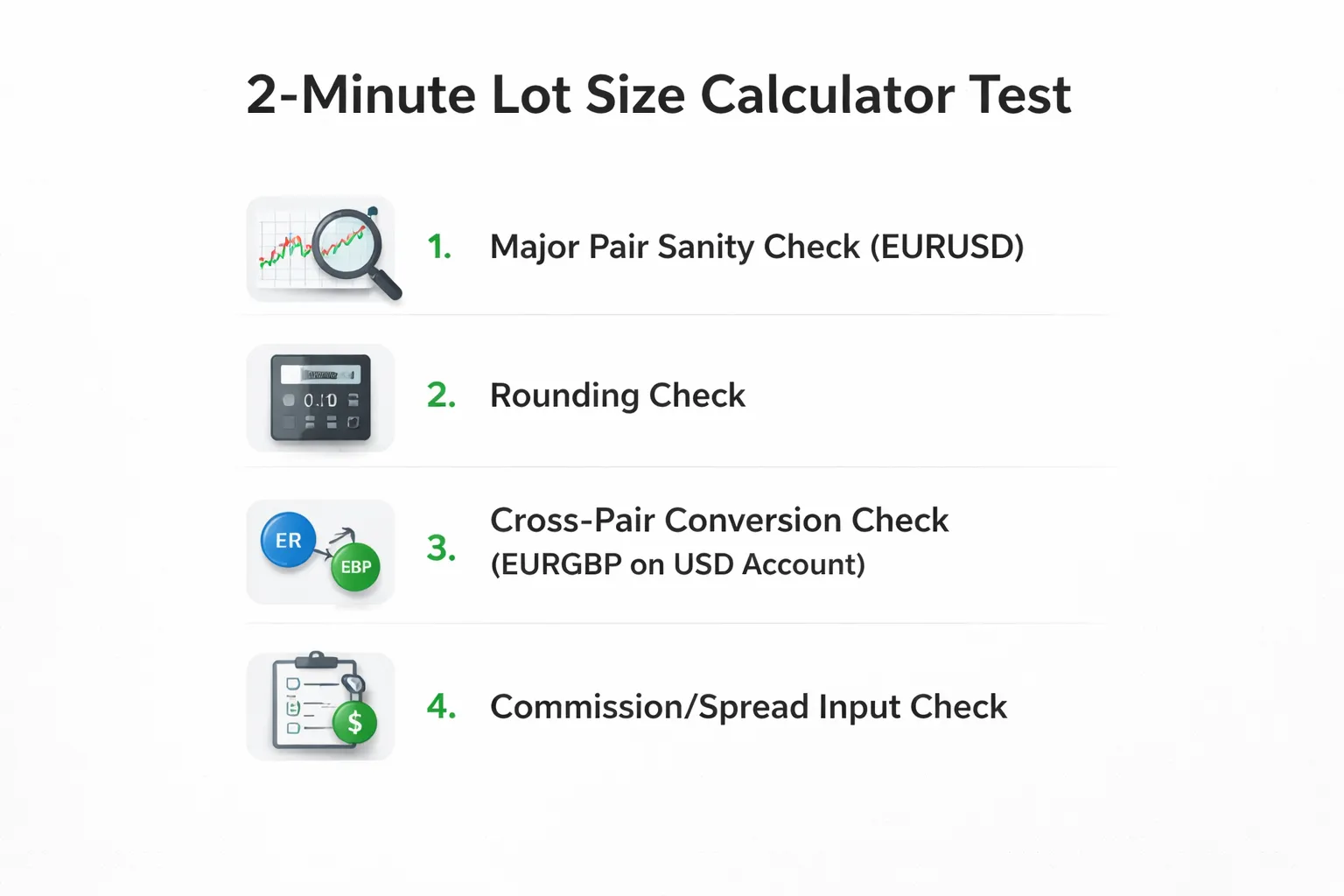
Quick validation checklist, test a calculator in 2 minutes
- Test 1, simple major pair. Set account currency to USD. Choose EURUSD. Risk $100. Stop 50 pips. Expected result is about 0.20 lots because $10 per pip at 1.00 lot, so 50 pips is $500 per lot, $100 risk means 0.20 lot.
- Test 2, rounding behavior. Change risk to $95 with the same stop. Expected lot is about 0.19. If it jumps to 0.20 without showing rounding rules, you cannot trust it.
- Test 3, cross pair conversion. Keep a USD account. Switch to a cross pair like EURGBP. Enter the same $100 and 50 pips. The lot size should change. If it stays near 0.20 without explaining pip value conversion, it likely fails cross-pair math.
- Test 4, cost inputs. Add a realistic commission and see if lot size drops slightly to keep risk near $100. If commission inputs exist but do not change the result, the feature is cosmetic.
- Log the output. Save the inputs and result in your journal. This makes it easy to spot drift and repeat sizing errors. Use your forex trading journal to track planned risk and actual cost.
Practical checklist to size trades correctly every time
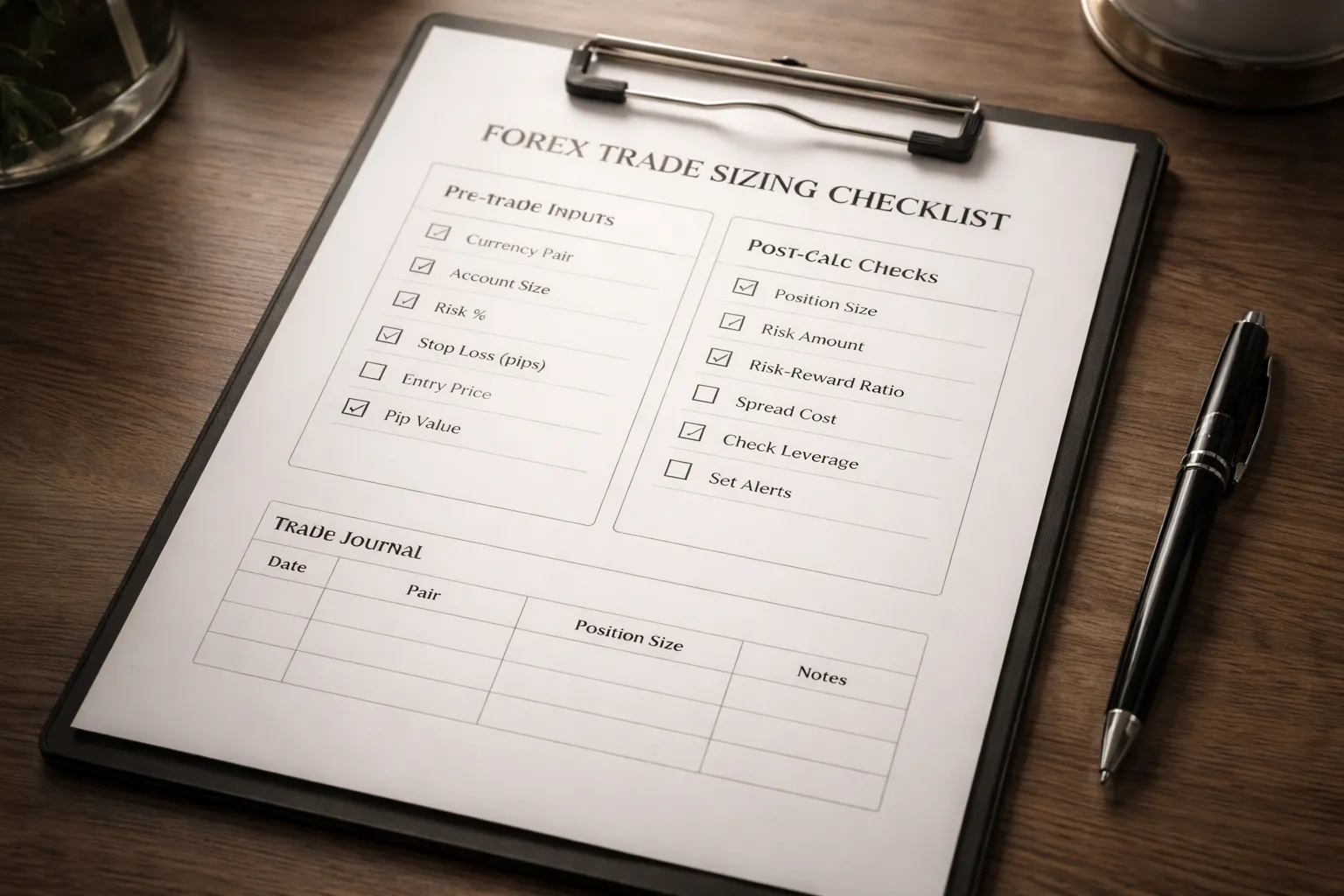
Pre-trade checklist, confirm inputs before you calculate
- Account currency: Match your broker account, USD, EUR, GBP.
- Instrument: Select the exact pair you will trade, including suffixes like .a or .m.
- Order type: Market or pending. This affects the true entry price.
- Entry price: Use the planned fill, not the current mid if you trade with limit or stop orders.
- Stop-loss price: Use the actual stop level you will place.
- Stop distance: Confirm the calculator reads pips, not points. Cross-check with your platform.
- Risk method: Choose fixed money risk or percent risk. Do not mix them.
- Risk amount: Set your max loss for the trade, for example $100.
- Account balance or equity: Use the number your risk rule uses. Stay consistent.
- Contract size: Use your broker’s lot definition if it differs from 100,000 base units.
- Leverage and margin model: Match your account settings if the tool asks.
- Costs: Add spread estimate, commission per lot, and swaps if the tool supports them.
Post-calc checklist, rounding, margin, and risk sanity checks
- Round down lot size: Round to your broker’s step, then round down. Do not round up.
- Recheck money risk: After rounding, confirm the tool still shows risk at or below your limit.
- Validate pip value: Check pip value against your platform for 1.00 lot. Fix any mismatch before trading.
- Confirm stop distance again: One extra digit error can double risk.
- Run the margin check: Ensure free margin stays healthy after opening the trade.
- Stress test slippage: Add 1 to 2 pips worse entry and see the new loss. Keep it acceptable.
- Stress test spread widening: Increase spread input for news or session change. Confirm risk stays near plan.
- Check symbol type: JPY pairs, metals, and indices use different pip and point conventions.
- Confirm partial close rules: If you plan to scale out, ensure minimum lot rules will not block exits.
- Final platform check: Open the order ticket and confirm lot size, stop price, and estimated margin match your plan.
Trade journal fields to record for consistent sizing
- Date and time: Include session and any scheduled news.
- Pair and broker symbol: Record the exact instrument string.
- Direction: Buy or sell.
- Entry plan: Planned entry price and actual fill price.
- Stop plan: Planned stop price and actual stop price.
- Stop distance: Pips and points as shown on your platform.
- Risk rule: Percent or fixed cash, and the exact number used.
- Calculated lot size: Raw output and final rounded lot size.
- Pip value used: Value per pip at the chosen lot size.
- Costs: Spread at entry, commission, swap if held.
- Expected loss at stop: Dollar loss including estimated costs.
- Margin used: Required margin and free margin after entry.
- Result at exit: Pips and money, plus total costs paid.
- Notes on sizing: Any mismatch between calculator and platform, and what you changed.
- Screenshot links: Order ticket and chart at entry if you use them.
Use your journal process every time, this reduces repeat sizing errors. Keep it consistent with your forex trading journal workflow.
Common pitfalls recap, pips vs points, wrong pair, wrong currency
- Pips vs points: Many platforms quote 10 points per pip on 5-digit pairs. If you enter points as pips, you oversize by about 10x.
- Wrong pair selected: EURUSD and EURUSDm can have different contract sizes and cost settings. A wrong symbol breaks pip value and margin.
- Wrong account currency: If your account is EUR and the tool assumes USD, risk in money terms will drift.
- JPY and non-FX symbols: Pip size differs. Do not assume 0.0001 for everything.
- Ignoring costs: Commission and wider spreads push true risk above plan. Add them, then round down.
- Rounding up: One step up can add meaningful risk on tight stops.
- Using balance when you mean equity: Open drawdown changes real risk. Pick one and stick to it.
- Confusing lot types: Standard, mini, micro, nano differ by 10x. Confirm your broker’s definition.
FAQ
What is a forex lot?
A lot is your trade size. In spot FX, 1 standard lot usually equals 100,000 units of the base currency. A mini lot is 10,000. A micro lot is 1,000. A nano lot is 100. Your broker can label these differently, check the contract specs.
What does a lot size calculator do?
It converts your risk plan into a position size. You enter account size, risk percent or dollars, stop-loss in pips, and the pair. The calculator outputs lots, units, and often margin. It helps you keep risk consistent across different pairs and stop sizes.
What inputs do you need for an accurate result?
You need equity or balance, your risk per trade, stop-loss distance, and the pair’s pip value. Add account currency and leverage if the tool estimates margin. Use the exact stop distance you will place, not a rough number.
Should you use balance or equity?
Use equity if you have open trades. Equity includes floating profit and loss, so it reflects real exposure. Use balance only if you trade flat or you accept that drawdown will raise effective risk. Pick one rule and stick to it.
How do you calculate lot size manually?
Lot size equals risk amount divided by stop-loss pips times pip value. Risk amount is your account times risk percent. Pip value depends on pair, lot type, and account currency. If you cannot confirm pip value, use a calculator or your platform’s pip value readout.
How do you handle JPY pairs and 5-digit pricing?
Most pairs use 0.0001 per pip, but JPY pairs use 0.01. Many brokers quote 5 digits, where a pipette equals 0.00001, or 0.001 for JPY pairs. Set the calculator to pips, not points, and confirm the setting matches your platform.
Do spreads and commissions change position size?
Yes. Your real loss includes spread and commission if the stop gets hit. On tight stops, costs can push total risk above plan. Add average costs to the stop distance or reduce risk slightly, then round the lot size down.
What lot size should you choose if the number is between steps?
Round down. Brokers enforce minimum size and step size, like 0.01 lots. Rounding up increases risk. If you must keep risk exact, widen the stop or reduce risk percent. Do not force a larger lot to match a target profit.
Why does the calculator show different results for different pairs?
Pip value changes by pair and by account currency. A 20-pip stop on EURUSD and GBPJPY does not risk the same dollars at the same lot size. The calculator adjusts for exchange rates. Recalculate whenever you change pair or account currency.
How can you verify the calculator output?
Place the intended stop distance in your platform and check the projected loss at the stop. It should match your risk amount within small rounding. Then confirm pip value and contract size in the symbol specs. If they disagree, trust the broker specs.
What is the biggest mistake with lot size calculators?
Using the wrong stop distance. Traders enter a planned stop, then place a different stop on the chart. Your risk breaks instantly. Lock your stop first, then size the trade. Track your planned and actual risk in a forex trading journal.
Conclusion
Conclusion
A forex lot size calculator gives you one job, match your position size to your stop loss and your risk limit. Use it every time. Treat it as a pre trade check, not a guess.
- Set your risk first. Use a fixed percent or dollar amount. Do not change it after you see the lot size.
- Lock your stop loss. Measure the real stop distance in pips from entry to stop. Then size the trade.
- Confirm inputs. Account currency, pair, lot type, and pip value. Check broker symbol specs when numbers look off.
- Round down. If your broker forces lot steps, round down to stay under your max risk.
- Record planned vs actual. Log risk, stop distance, lot size, and result. Fix gaps fast.
Final tip, build a two step habit. Place the stop, then run the calculator and place the order. Track the mismatch in your journal, and remove the root cause. Use a forex trading journal that stores screenshots and exact risk numbers.
-
Best Forex Trading Journal Tools (Top Picks Compared)
7 months ago -
How to Journal Forex Trades (What to Track + Free Template Ideas)
7 months ago -
Common Forex Trading Mistakes Beginners Make (And How to Avoid Them)
7 months ago -
Forex Trading Journal: How to Keep One That Actually Improves Results
7 months ago
-
-
- Step 1: Choose the correct currency pair and account currency
- Step 2: Set your risk per trade (fixed % vs fixed amount)
- Step 3: Define stop-loss distance correctly (pips vs points)
- Step 4: Confirm pip value assumptions, especially for JPY pairs
- Step 5: Read the recommended lot size and round it safely
- Step 6: Cross-check margin requirement before placing the order
-
- What is a forex lot?
- What does a lot size calculator do?
- What inputs do you need for an accurate result?
- Should you use balance or equity?
- How do you calculate lot size manually?
- How do you handle JPY pairs and 5-digit pricing?
- Do spreads and commissions change position size?
- What lot size should you choose if the number is between steps?
- Why does the calculator show different results for different pairs?
- How can you verify the calculator output?
- What is the biggest mistake with lot size calculators?
-
-
- Step 1: Choose the correct currency pair and account currency
- Step 2: Set your risk per trade (fixed % vs fixed amount)
- Step 3: Define stop-loss distance correctly (pips vs points)
- Step 4: Confirm pip value assumptions, especially for JPY pairs
- Step 5: Read the recommended lot size and round it safely
- Step 6: Cross-check margin requirement before placing the order
-
- What is a forex lot?
- What does a lot size calculator do?
- What inputs do you need for an accurate result?
- Should you use balance or equity?
- How do you calculate lot size manually?
- How do you handle JPY pairs and 5-digit pricing?
- Do spreads and commissions change position size?
- What lot size should you choose if the number is between steps?
- Why does the calculator show different results for different pairs?
- How can you verify the calculator output?
- What is the biggest mistake with lot size calculators?
-
How to Place a Forex Trade Step by Step (Your First Trade Explained)
5 months ago -
Forex Trading vs Crypto Trading: Which Market Is Better for Beginners?
5 months ago -
How to Calculate Position Size in Forex (Position Sizing Formula + Examples)
7 months ago -
Forex Leverage Explained: How It Works, Pros, Cons & Examples
7 months ago -
Margin vs Leverage in Forex: What’s the Difference?
7 months ago
-
Forex Trading Platforms Comparison: MetaTrader vs cTrader vs TradingView
7 months ago -
Stop Loss vs Take Profit: Differences, Examples & Best Practices
7 months ago -
Is Forex Trading Legal in the United States? Rules, Regulators & What to Know
7 months ago -
Forex Market Hours & Trading Sessions Explained (Best Times to Trade)
7 months ago -
Forex Leverage Explained: How It Works, Pros, Cons & Examples
7 months ago