Economic Calendar for Forex: How to Use It (Step-by-Step)

News moves forex. The economic calendar shows you when that news hits, what markets expect, and what actually prints. Use it to plan trades, manage risk, and avoid getting caught in sudden spreads and fast candles.
In this guide, you will learn how to read each calendar line, set the right time zone, filter for high impact releases, and judge an event by its forecast versus actual result. You will also learn a simple routine to prepare before the release, trade around the release, and review after.
You will focus on the few events that drive most volatility, rates decisions, inflation, jobs, and GDP. If you need a refresher on why inflation matters for currencies, read inflation and exchange rates.
Key Takeaways
- In het kort: set your time zone; filter to high impact events; focus on the currencies you trade.
- In het kort: track the few releases that move most FX, central bank rate decisions, inflation, jobs, and GDP.
- In het kort: judge every release by forecast versus actual, then check how price reacts.
- In het kort: plan the trade before the release, define your invalidation, size for wider spreads and faster moves.
- In het kort: avoid random trades during the spike, wait for structure, then act with clear rules.
- In het kort: review after, log slippage, spread, and whether the move matched the surprise.
Your economic calendar is a risk tool first. Use it to avoid getting caught in predictable volatility, and to choose the sessions where your pair can move.
Start each week by marking high impact events for your pairs. Build a short watchlist, rates, CPI, jobs, GDP. Ignore the rest unless it directly affects your currency.
Before the release, write down the forecast, your levels, and your max loss. Expect spreads to widen and fills to slip. Reduce position size if needed.
At the release, compare actual to forecast. Then watch the first reaction, direction, speed, and whether price holds. Use that reaction to confirm or cancel your plan.
After, document what happened. Save the numbers and the chart. Over time you will see which events matter for your pair, including the key drivers behind pairs like EUR/USD.
What an Economic Calendar Is (and Why Forex Traders Rely on It)
Definition, and the role of scheduled news in FX pricing
An economic calendar lists scheduled data releases and policy events that can move currencies.
Each event has a time, a country, and an expected impact. Most calendars also show the prior number, the forecast, and the actual result.
Forex moves on expectations. The calendar shows you when new information will hit the market and force traders to reprice those expectations.
That repricing shows up fast in FX because currencies reflect relative outlooks. One surprise can change the expected path for rates, growth, and inflation in seconds.
Use the calendar to control risk. You plan entries and exits around known volatility windows. You avoid placing tight stops right before high-impact releases. You reduce size when spreads can widen.
Which market sessions react most, and why timing matters
Reaction strength depends on liquidity and who is active.
- London session: High liquidity. Strong follow-through on Europe and UK releases, and on risk sentiment shifts that hit EUR, GBP, CHF.
- New York session: High liquidity. Biggest moves on US data, especially releases that change rate expectations for USD pairs.
- London and New York overlap: Peak liquidity and participation. Many major moves start here because more orders can execute without stalling.
- Asia session: Lower liquidity in many pairs. Moves can still be sharp on Japan, Australia, New Zealand, and China-linked releases. Breakouts can fail more often due to thinner order books.
Timing matters because spreads and slippage change around releases. A setup that looks clean five minutes before an event can break when liquidity pulls and market orders hit.
Set your calendar to your broker time zone. Then build a habit of checking the next 24 hours before you place trades.
How calendar events transmit into currencies (rates, growth, inflation, risk sentiment)
Most calendar-driven FX moves flow through four channels.
- Interest rates and policy path: Central bank decisions, statements, and high-signal data shift expected rate differentials. Higher expected rates tend to support that currency, lower expected rates tend to pressure it.
- Inflation: CPI, PCE, wage data, and inflation expectations change how traders price future tightening or easing. Inflation surprises often move yields first, then FX. Read more in CPI, inflation and forex.
- Growth and jobs: GDP, PMIs, retail sales, and labor reports change growth expectations and recession risk. Strong growth can support a currency if it implies tighter policy, weaker growth can hurt if it implies cuts.
- Risk sentiment: Credit stress, geopolitical events, and financial stability signals can drive flows into or out of safe-haven currencies. In risk-off moves, traders often cut carry trades and reduce exposure.
Price usually reacts to the gap between actual and forecast, not the headline itself. A strong number that misses expectations can still push a currency lower. A weak number that beats expectations can push it higher.
Focus on the events that repeatedly move your pair. For many traders, that means central bank decisions, inflation, and labor data first, then the second-tier releases that add confirmation.
Anatomy of a Forex Economic Calendar: What Each Column Means
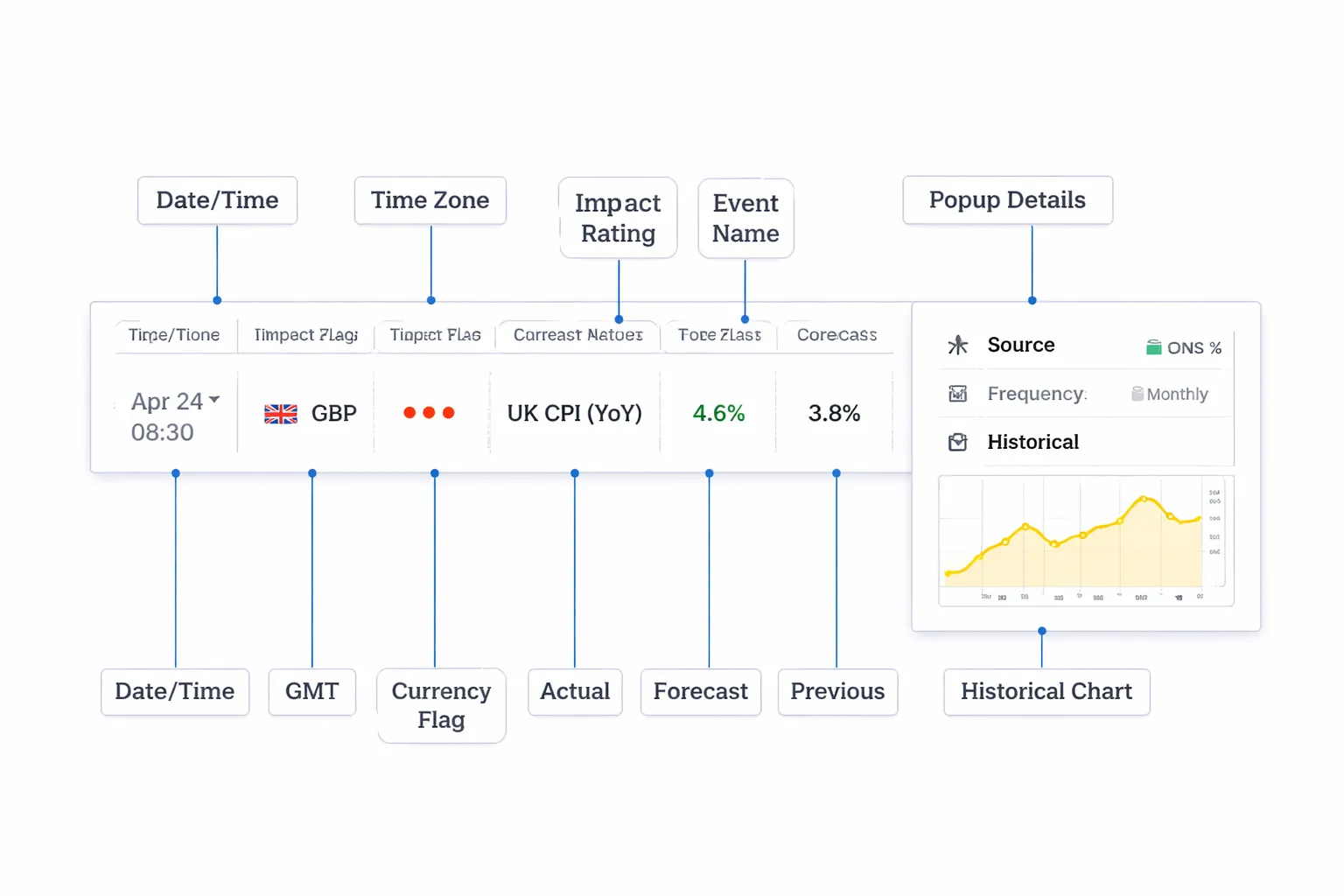
Date and time
The calendar starts with the release date and time. This tells you when liquidity and spreads can change fast.
Use the timestamp to plan your trade window. Most spikes happen in the first seconds to minutes. Secondary moves often hit after the press conference, statement, or follow-up comments.
Time zones and daylight-saving pitfalls
Set your calendar time zone to match your platform. If your broker uses server time, align to that. If you trade from local time, use local time, but stay consistent.
Daylight saving creates bad mistakes. The US and Europe switch on different weeks. For a short period, a release can shift by one hour compared to your usual routine. Check the calendar setting each March and October to November.
- Fix: Pick one reference time zone for all planning, then convert only when needed.
- Fix: Recheck major releases the weekend before, especially CPI, NFP, rate decisions, and speeches.
Currency and country, link releases to tradable pairs
The currency flag or country code tells you which currency the release targets. That does not mean only one pair will move. It means that currency can reprice across the board.
- USD event: Can move EUR/USD, GBP/USD, USD/JPY, USD/CHF, AUD/USD, and gold.
- EUR event: Can move EUR/USD, EUR/JPY, EUR/GBP, and DAX-linked flows.
- JPY event: Often shows up strongest in USD/JPY and crosses like EUR/JPY.
Match the release to your pair’s drivers. Rate decisions and inflation matter most for yield-sensitive pairs. If you want the mechanics, read how interest rates affect currency pairs.
Impact ratings, what low, medium, high typically means
Most calendars label events as low, medium, or high impact. Treat this as a volatility warning, not a trading signal.
- Low: Usually limited movement unless the number is extreme or the market is thin.
- Medium: Can move price if it changes the inflation, growth, or rate path narrative.
- High: Often moves spreads and triggers fast repricing. Expect slippage risk and whipsaws.
Impact ratings differ by calendar provider. You still need to learn which events move your pair in your trading hours.
Actual vs forecast vs previous, interpret the surprise
These three columns drive the first reaction.
- Forecast: Consensus expectation. Markets often price this in before the release.
- Actual: The reported number. The first move usually reacts to the gap versus forecast.
- Previous: The prior release value. This anchors trend and momentum.
Focus on the surprise. Large positive surprises can lift the currency, large negative surprises can hit it. Direction depends on what the data means for growth, inflation, and central bank policy.
| Calendar column | What you compare | What it tells you |
|---|---|---|
| Actual | Actual vs Forecast | Immediate repricing risk |
| Forecast | Forecast vs Recent trend | How high the bar is set |
| Previous | Previous vs Revised previous | Whether the trend still holds |
Revisions, deviations, and why the previous can change after release
Many releases get revised. That revision can matter as much as the new number. Your calendar may show a revised previous value after the release hits.
- Revisions: Agencies update old data with late reports and better methods. This can change the trend.
- Deviation: Some calendars show a deviation or “surprise” metric. It is usually Actual minus Forecast, sometimes normalized.
Read the line carefully. A “beat” with a negative revision can still sell off. A “miss” with a strong upward revision can still rally.
Event details panel, source, release frequency, and historical chart
Click the event name. The details panel gives you context you need before you trust the number.
- Source: The issuing agency or central bank. This helps you judge credibility and revision risk.
- Release frequency: Monthly, quarterly, weekly. Weekly data can be noisy. Monthly data can shift policy expectations.
- What it measures: Headline vs core, seasonally adjusted vs not, index vs percent.
- Historical chart: Check trend, volatility, and turning points. This helps you avoid overreacting to one print.
Step-by-Step: Economic Calendar for Forex — How to Use It
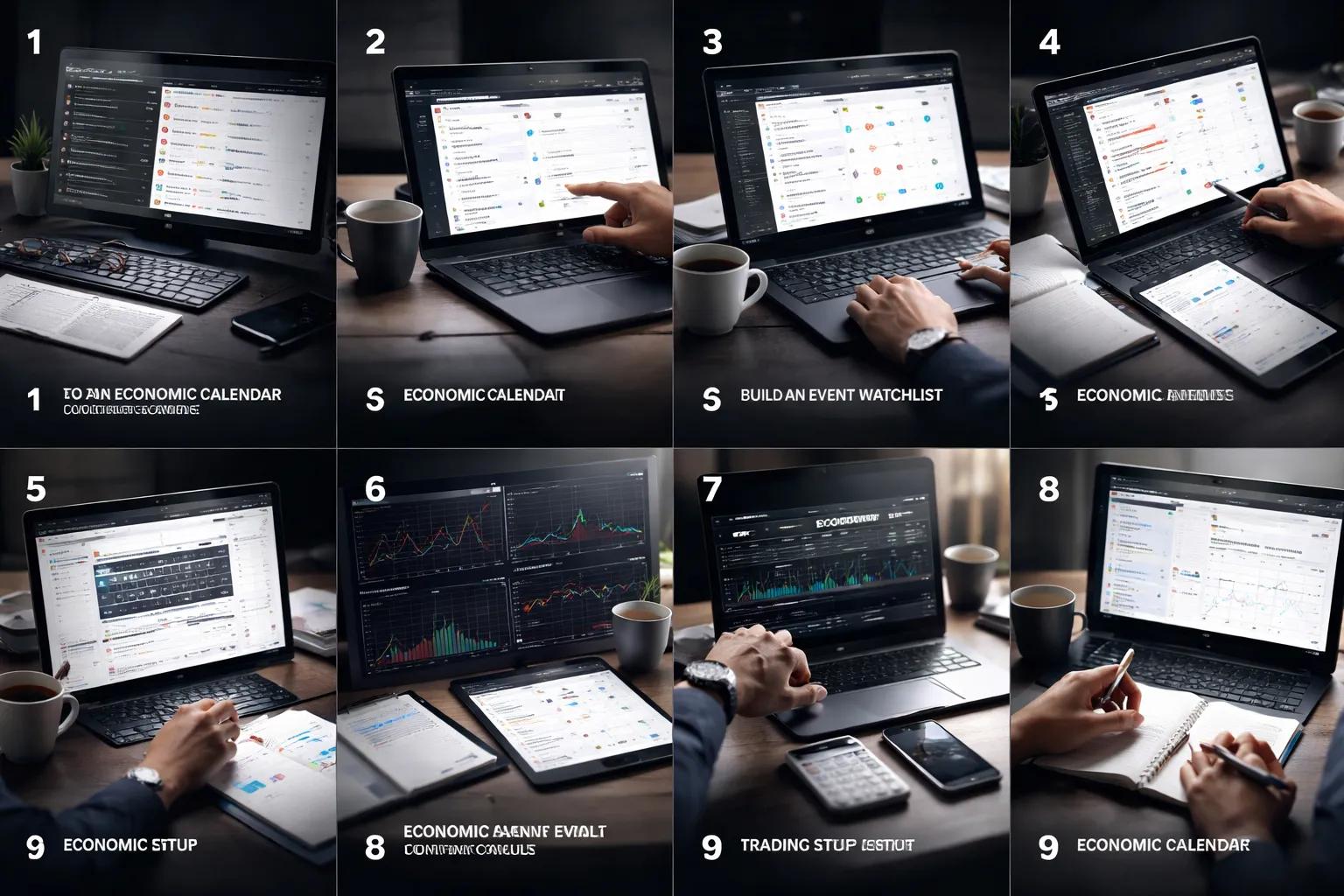
Step 1, Choose a reliable calendar and confirm data sources
Use a calendar that lists the release time, country, indicator name, impact level, previous, forecast, and actual. Open the event details. Confirm the publisher, the series name, and the link to the official source. Prefer direct links to the statistics agency, central bank, or exchange.
- Check revision rules. Many series revise. You need to know if the first print often changes.
- Check the exact release time. Some events shift for holidays or daylight saving changes.
- Check the unit. Percent, index points, month over month, year over year, headline, core.
Step 2, Set your local or broker time zone and preferred display format
Set the calendar time zone to match your execution clock. If your charts use broker time, match broker time. Then choose a consistent format, 24 hour clock, and one date range view. You want zero confusion when a release hits.
- Lock the setting. Recheck after daylight saving changes.
- Show seconds only if you scalp. Most swing traders do not need it.
Step 3, Filter by currencies you trade and the event impact level
Filter by the currencies in your pairs. Then filter by impact. Start with high impact. Add medium impact only if you trade intraday or you trade sensitive pairs.
- USD pairs. Give priority to CPI, jobs data, retail sales, ISM, GDP, FOMC.
- JPY pairs. Focus on BoJ, CPI, wages, and global risk releases.
- GBP, EUR, AUD, NZD, CAD. Focus on inflation, labor, GDP, and the local central bank.
Step 4, Add only the releases that historically move your pairs
Build a short watchlist. Use your platform history. Mark the releases that repeatedly cause range expansion, trend breaks, or sharp reversals on your pairs. Keep the list tight.
- Match event to pair. US CPI matters more for EUR/USD than for EUR/CHF.
- Watch cross sensitivity. Risk events often move JPY and CHF even without local data.
- Cut noise. Weekly releases can spike and fade. Treat them as secondary unless your strategy depends on them.
Step 5, Read the context, trend, regime, and central bank narrative
Do not trade the number alone. Read the trend and the policy backdrop. The same surprise can produce different moves in different regimes.
- Trend. Is inflation falling for six months or reaccelerating. Is growth rolling over or stabilizing.
- Regime. Inflation regime, growth scare, banking stress, risk on, risk off.
- Central bank focus. What the central bank says it needs, inflation progress, labor slack, wage growth, financial conditions.
- Market pricing. Check current rate expectations and recent guidance. A surprise matters more when positioning looks one sided.
For inflation releases, keep a dedicated framework for CPI components and how markets react. Use this guide on how inflation data moves currency markets.
Step 6, Create a scenario plan using forecast ranges and key levels
Build scenarios before the release. Use forecast, prior, and a realistic surprise range. Define levels that matter on your chart and on yield markets if you track them.
- Set a base case. Actual near forecast, expect smaller move, mean reversion risk.
- Set an upside surprise case. Stronger data, hawkish repricing, currency bid, risk assets reaction depends on regime.
- Set a downside surprise case. Weaker data, dovish repricing, currency offered, risk assets reaction depends on regime.
- Mark levels. Prior day high and low, weekly high and low, obvious liquidity zones, session open.
Step 7, Decide whether to trade before, at release, or after confirmation
Pick one approach per event. Do not mix them in real time.
- Before. Use only if your edge comes from positioning, trend, and tight invalidation. Keep size small. Accept gap risk.
- At release. Use only if you can handle spreads, slippage, and fast execution. Use hard rules. Avoid market orders if your broker widens aggressively.
- After confirmation. Wait for the first spike to settle. Trade the break or pullback when price holds above or below a key level. This cuts slippage and fakeouts.
Step 8, Set risk controls, position size, stops, max slippage, and limits
News trading fails from bad risk, not bad ideas. Predefine the loss you accept. Then build the order around that constraint.
- Position size. Size from stop distance and account risk, not from conviction.
- Stops. Place stops beyond the level that proves your idea wrong. Do not place stops inside the noise zone around release time.
- Max slippage. Define a cutoff. If fill quality fails, do not re-enter out of frustration.
- Order type. Prefer limit entries after the first move. Use stop entries only with strict slippage rules.
- Exposure caps. Reduce correlated bets. Do not hold the same USD risk across five pairs into the same release.
Step 9, Track outcomes and refine your watchlist with a post-news journal
Log each event you trade. You want a record of what moved, what failed, and why.
- Record. Event, forecast, actual, revision, your plan, entry, exit, spread, slippage, result.
- Note the driver. Rate repricing, risk mood, positioning squeeze, headline versus components.
- Score your execution. Good plan, bad fill. Bad plan, good luck. Treat them differently.
- Update your list monthly. Keep events that deliver clean movement. Drop events that chop and fade.
Which Economic Events Matter Most in Forex (and What They Usually Affect)
Most calendar events do nothing. A few reprice rates, change yield spreads, or flip risk mood. Those are the ones that move FX.
Central bank decisions, statements, pressers, dot plots
Central banks drive the biggest, cleanest moves because they set the path for short term rates. FX follows rate differentials and expectations.
- What matters most: The change in the policy rate, the forward guidance, and any shift in the reaction function.
- Statement language: Watch for upgrades or downgrades to inflation and growth risks. One word can change pricing.
- Press conference: This is where the market tests the central bank. You often see a second move that reverses the first.
- Dot plot, projections: Dots and forecasts matter when they change the expected terminal rate or the timing of cuts.
- Typical FX impact: Biggest on the bank’s currency pairs, plus crosses. Also hits carry pairs when risk mood shifts.
- Typical rates impact: Front end yields move first, then the curve. FX follows the yield spread move.
Inflation releases, CPI, core CPI, PCE, and why they move yields
Inflation data moves FX because it changes the expected path of policy. The transmission runs through yields.
- CPI headline: Drives immediate headlines, but markets often fade it if core stays stable.
- Core CPI: Usually the main driver. It anchors policy expectations.
- Supercore and services: Many desks focus on services ex housing, or similar measures. Sticky services raises the odds of higher for longer.
- PCE: Often matters more for the US policy path. Markets care most about core PCE trends and revisions.
- Typical FX impact: Higher than expected inflation usually strengthens the currency if it pushes yields up, especially at the front end.
- What to check fast: MoM core, 3M annualized, shelter versus non-shelter, and any prior month revisions.
Jobs data, NFP, unemployment rate, wages, participation rate
Jobs data moves FX when it changes the inflation and policy outlook. The market reacts to the mix, not one line.
- NFP change: Big surprise can move fast, but it can reverse if the rest of the report disagrees.
- Unemployment rate: Often the policy sensitive line. A jump can price cuts, a drop can price hikes.
- Wages: This is the inflation bridge. Strong wage growth can lift yields even if headline jobs miss.
- Participation and hours: High participation can damp wage pressure. Hours worked can signal turning points.
- Revisions: Treat them as part of the print. Large downward revisions can erase a beat.
- Typical FX impact: Stronger labor data tends to support the currency via higher yields. Risk mood can override it if markets fear tightening.
If you trade these releases, follow a tight playbook. Use this guide on how to trade forex news without getting wrecked.
Growth indicators, GDP, PMIs, ISMs, retail sales, industrial production
Growth data matters when the market thinks policy will respond. It also matters when recession risk drives risk mood.
- GDP: Usually a slower mover because it is backward looking and revised. It matters most when it changes recession pricing.
- PMIs and ISMs: Fast sentiment to data bridge. New orders and prices paid can move yields.
- Retail sales: High impact in consumption heavy economies. Watch the control group and revisions.
- Industrial production: More important for manufacturing heavy economies. Often second tier for FX unless it surprises.
- Typical FX impact: Strong growth can lift the currency if it pushes yields higher. It can weaken it if it triggers risk-off or policy fear.
Confidence and housing, sentiment surveys and second-tier movers
These events rarely set the trend. They can add fuel when the market already leans one way.
- Consumer sentiment: Matters when inflation expectations jump, or when risk mood feels fragile.
- Business confidence: Useful for direction when hard data lags. Watch employment and capex intentions.
- Housing data: Sensitive to rates. Starts, permits, and existing sales can signal how tight policy bites.
- Typical FX impact: Usually smaller and shorter. Best used as confirmation, not as a primary trigger.
Geopolitical and unscheduled risk, how to prepare when it’s not on the calendar
Unscheduled risk creates the worst fills and the fastest gaps. You cannot predict it, but you can reduce damage.
- Know your exposure: Track your net USD, JPY, CHF exposure. These often react first in risk-off.
- Define your max loss: Use hard stops or options where possible. Assume stops can slip in spikes.
- Cut leverage before weekends: Weekend headlines gap markets. Your stop does not protect you from a gap.
- Use alerts: Rate headlines, central bank speakers, and major geopolitical feeds. Speed matters.
- Plan your response: If spreads blow out, do nothing until price and liquidity normalize. Your edge does not improve in chaos.
- Post-event review: Record the headline, the first move, the reversal, spreads, and your execution. Add it to your playbook.
| Event type | Usually moves first | Pairs most affected | What to watch |
|---|---|---|---|
| Central bank decision | Front end yields, swaps | Major pairs, crosses | Guidance, tone, projections |
| Inflation (CPI, PCE) | Yields, rate expectations | USD pairs, high beta pairs | Core, services, revisions |
| Jobs (NFP) | Yields, USD | USD pairs, risk sensitive FX | Wages, jobless rate, revisions |
| Growth (PMI, retail) | Rates, equities | Local currency pairs | New orders, control group, trend |
| Confidence, housing | Short term sentiment | Local pairs | Inf expectations, rate sensitivity |
| Unscheduled risk | Spreads, safe havens | JPY, CHF, USD, gold proxies | Liquidity, gaps, positioning |
How to Turn Calendar Data into a Trade Plan (Without Guessing)
1) Link the event to the real currency driver
Start with the driver. Then match the event to it. This keeps you out of random trades.
- Rates driver: central bank decisions, CPI, jobs, wage growth, inflation expectations.
- Inflation driver: CPI, PCE, wage data, inflation surveys. Learn the mechanics in CPI, inflation and forex.
- Growth driver: PMI, retail sales, GDP, industrial production.
- Risk-on, risk-off driver: geopolitical headlines, crisis events, surprise policy actions. Watch JPY, CHF, USD, gold proxies.
Write one line in your plan. “This event changes rate expectations for this currency.” If you cannot write that line, skip the trade.
2) Define what matters inside the release
Do not treat every number as equal. Pick the component the market trades.
- CPI: core vs headline, services, shelter, trimmed measures, month on month momentum.
- Jobs: wages, unemployment rate, participation, prior revisions, full-time vs part-time.
- Retail sales: control group, trend, revisions.
- PMI: new orders, employment, prices paid.
- Central bank: statement tone, vote split, dot plot, press conference, balance sheet guidance.
Then check the market’s baseline. Use forecast, prior, and the recent trend. Your job is to trade the change versus expectations, not the absolute level.
3) Check pre-news conditions: trend, volatility, liquidity
News does not hit a clean chart. It hits a market with positioning and thin pockets of liquidity.
- Trend strength: identify the dominant direction on H4 and D1. Note if price sits near highs, lows, or mid-range.
- Volatility: compare the last 5 to 10 days to the last 20. If ranges expand, expect wider spreads and bigger whips.
- Liquidity: avoid the first and last minutes of major sessions if the release lands in a thin window. Liquidity drops on holidays and between sessions.
- Positioning clue: if price drifts one way into the release, the first move can be a squeeze, not the real direction.
Add a rule. If spread widens beyond your limit, you do not execute.
4) Map technical levels you will use after the number
Pick levels before the release. You will not draw clean levels in a spike.
- Break level: the nearest swing high or low that would signal continuation.
- Fakeout level: the same swing, plus the next level where price often snaps back.
- Range level: the day’s midpoint, VWAP area, or a clear consolidation box.
Keep it tight. One to three levels. Mark them on the pair you will trade and the main cross that confirms it, like EUR/USD plus DXY.
5) Build a scenario table. Trade rules, not feelings
Use five outcomes. You trade the scenario that shows up. You ignore the rest.
| Outcome vs forecast | Macro read | Likely FX reaction | Your execution trigger |
|---|---|---|---|
| Sharp beat | Rate path shifts faster | Fast move, follow-through likely | Wait for first pullback. Enter only if price holds beyond your break level and spreads normalize. |
| Mild beat | Rate bias firms, but not a repricing shock | Move can stall, then trend | Trade only a clean break and retest, or stand down if it snaps back inside the range. |
| Inline | No new information | Whips, then drift back | No trade. If you trade, you scalp the range with smaller size and strict stops. |
| Mild miss | Rate bias softens | Chop possible, slow trend | Enter only after the fakeout window passes and price fails at a key level. |
| Sharp miss | Repricing event | Hard reversal, broad USD move possible | Trade with confirmation from yields and DXY, then use the retest as your risk point. |
6) Confirm the move with correlated markets
Use one or two checks. You want alignment, not extra noise.
- DXY: confirms broad USD strength or weakness. If EUR/USD drops but DXY stays flat, treat it as pair-specific noise.
- US yields: confirm rate-driven moves. Higher yields often support USD, lower yields often pressure USD.
- Equities: confirm risk tone. Risk-off can lift USD and JPY, risk-on can support high beta FX.
- Oil: matters for CAD and some EM FX. Oil up can support CAD if risk stays stable.
- Gold: can track real yields and risk. Gold up with yields down can confirm USD weakness.
Add one rule. If the currency move and the rate signal disagree, you reduce size or skip.
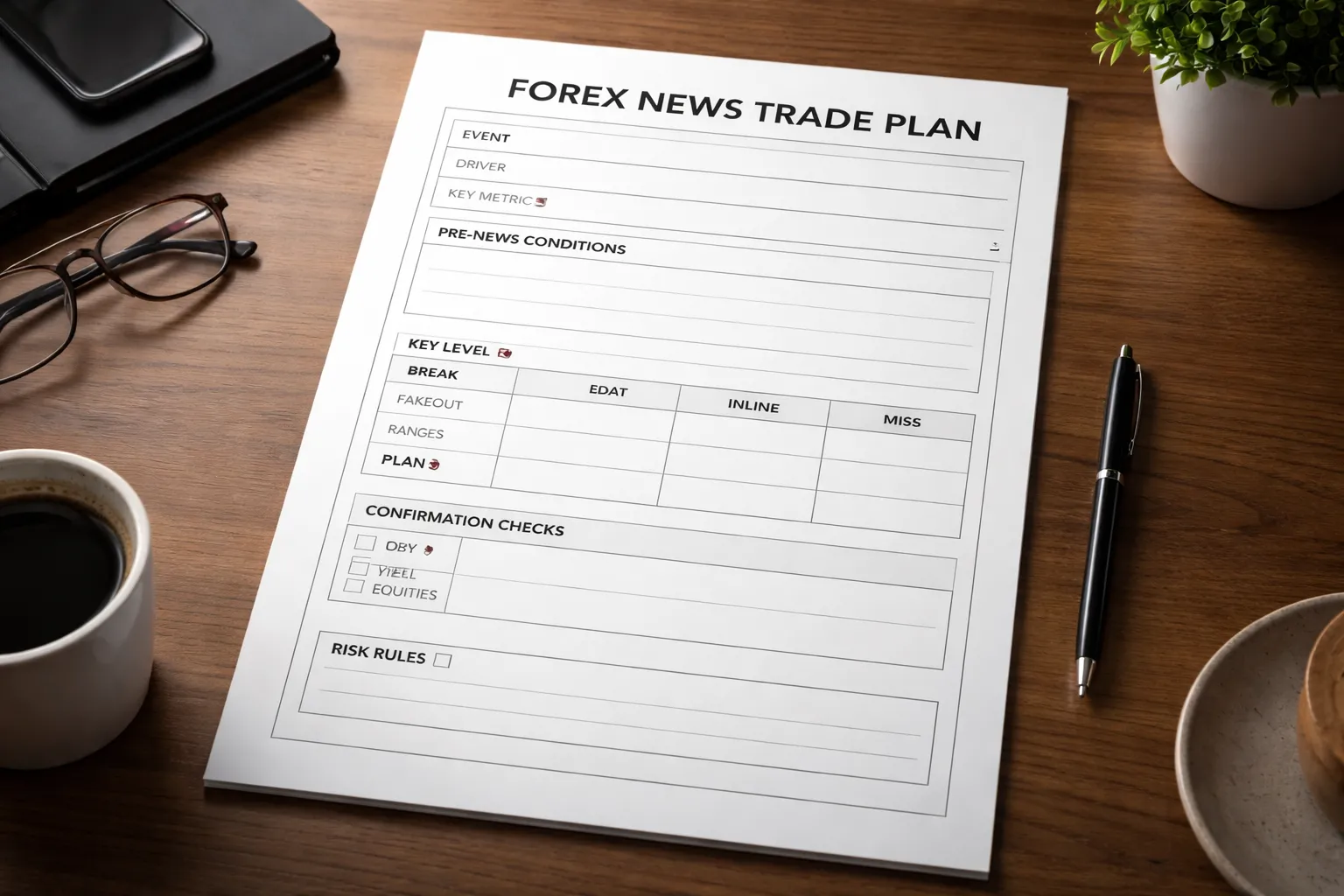
7) Put it into a one-page trade plan
- Event: name, time, expected importance.
- Driver: rates, inflation, growth, risk.
- Key component: the one sub-metric you will trade.
- Pre-news state: trend, volatility, liquidity notes, spread limit.
- Levels: break, fakeout, range.
- Scenarios: five outcomes with triggers and no-trade conditions.
- Confirmation: DXY and yields, plus one extra if relevant.
- Risk: fixed max loss, stop location tied to a level, and a time-based exit if it stalls.
Common Trading Approaches Using the Economic Calendar
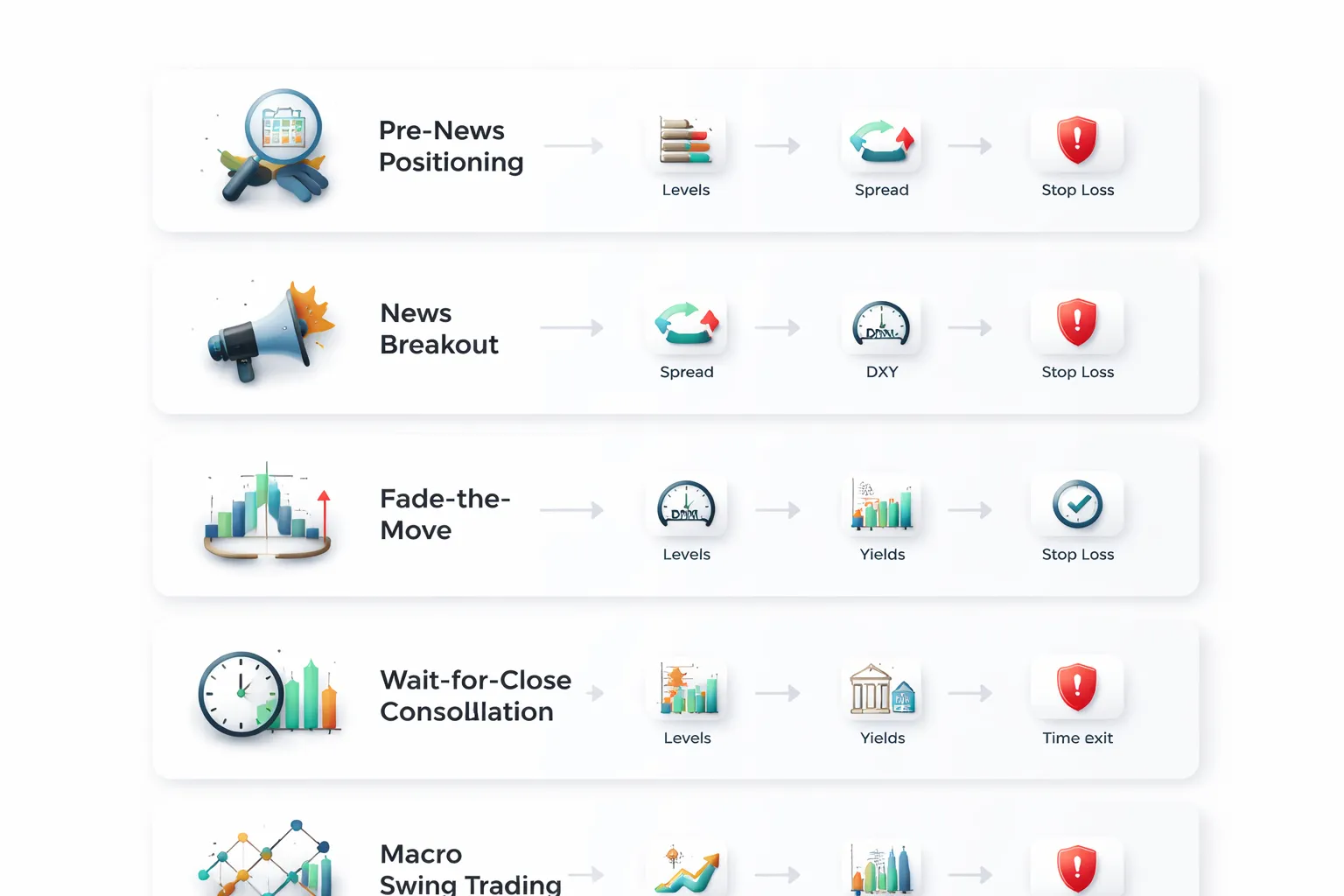
Pre-news positioning
You take a position before the release. You trade the setup you planned, not the headline.
- When it fits: The pair sits at a clean level. Volatility stays contained. Liquidity looks normal. The market prices a clear bias into the release, like a strong trend with shallow pullbacks.
- What you trade: A level trade. Bounce or break, based on the pre-defined trigger.
- Risk control: Use smaller size. Place the stop beyond the level that invalidates the idea. Use a hard max loss. Add a time stop, exit if price stalls before the release.
- When to avoid: High impact releases with a wide distribution of outcomes. Spreads already widen. Price chops near the level. You cannot define invalidation without a large stop.
- Calendar tells you: Expected volatility and timing risk. The actual trade comes from your level and your scenario plan.
News breakout strategy
You trade volatility expansion after the number hits. You only take the move that has a clear invalidation point.
- Setup: Mark the pre-news range high and low. Mark the nearest higher time frame level above and below.
- Trigger: First impulse breaks the range and holds. You want follow-through, not a one-tick spike.
- Entry options: Enter on the break, or enter on the first pullback to the broken range boundary.
- Invalidation: Price closes back inside the pre-news range, or snaps through the opposite side. Exit fast. Do not average down.
- Filters: Check DXY and US yields for USD pairs. You want alignment, not divergence. Skip if spreads stay wide or fills slip.
- Time exit: If price cannot extend within a fixed window after entry, cut it. News moves either go or they fail.
Fade-the-move setups
You fade an overreaction. You need conditions that raise reversal odds.
- Best conditions: Price spikes into a major weekly or daily level. The spike prints a fast extension that exhausts. The second push fails to make a new extreme.
- Data context: The release beats or misses, but the market focus sits elsewhere, like a different sub-metric, revisions, or forward guidance. That mismatch often creates a snapback.
- Trigger: Reclaim of the broken level, or a break of the spike base. You want evidence, not a guess.
- Stop placement: Beyond the spike extreme. No tight stops inside noise.
- Targets: First target at the pre-news midpoint or the opposite side of the range. Scale out if spreads stay unstable.
- When to avoid: True regime shifts, like a major surprise that changes rate expectations. Also avoid fades when DXY and yields confirm the move.
Wait-for-close method
You skip the first spike. You trade the first consolidation after the move.
- Why it works: Spreads normalize. Order flow becomes readable. You get a clear level for invalidation.
- Process: Let the spike print. Wait for a tight range to form. Mark its high and low.
- Trigger: Break of the consolidation in the direction of the original impulse. Enter on the break, or on a retest if it holds.
- Invalidation: Break back through the other side of the consolidation. Exit. The trade idea fails there.
- Best use: Releases with whipsaw risk, like NFP. For deeper event planning, use this NFP trading guide.
- Time exit: If the consolidation breaks but cannot extend, exit on the next stall. You want continuation, not drift.
Swing trading around macro cycles
You use the calendar to align trades with shifting rate expectations. You trade the cycle, not the single print.
- Core driver: The expected path of policy rates. Track what the market prices for the next meetings. Match your bias to that direction.
- Calendar use: Identify the data that moves the rate path, like CPI, jobs, wage growth, PMIs, and central bank decisions. Trade the series, not the event.
- Execution plan: Build a directional bias on higher time frames. Use the high impact events as decision points to add, reduce, or exit.
- Confirmation: For USD pairs, use DXY and yields. Also track rate differentials when you trade pairs like USD/JPY and EUR/USD.
- Risk control: Put stops beyond higher time frame levels. Reduce size into major releases. Use a time stop if the thesis fails to show progress after a set number of sessions.
- When to avoid: When rate pricing flips back and forth each week. That is a chop regime. Wait for the market to commit.
Risk Management Around News Releases (The Part Most Traders Miss)
Spread Widening, Slippage, and Stop-Loss Failures
News releases change microstructure. Your chart can look clean while execution turns messy.
- Spread widening: Liquidity pulls. Bid and ask move apart. Your entry and stop both get worse pricing.
- Slippage: Your stop becomes a market order when it triggers. If price gaps, you fill at the next available price, not your stop level.
- Stop-loss failures: Stops can trigger on a spread spike without a real move in the mid price. You exit, then price snaps back.
Plan for this before the release. Do not assume your usual stop distance works during event minutes.
Position Sizing for Event Risk Using ATR Rules
Size from volatility, not conviction. Use ATR on the timeframe you trade. Then add an event buffer.
- Get ATR(14) for your trading timeframe.
- Set a stop distance as a multiple of ATR, common ranges are 1.0x to 2.0x ATR.
- Add an event slippage allowance. Use 0.25x to 0.75x ATR for high-impact releases.
- Compute risk per unit with the wider stop, then reduce lot size to keep your dollar risk fixed.
| Input | Rule | Example |
|---|---|---|
| Account risk per trade | Fixed % or fixed $ | $100 |
| ATR(14) | Use trading timeframe | 20 pips |
| Base stop | 1.5x ATR | 30 pips |
| Event buffer | 0.5x ATR | 10 pips |
| Total risk distance | Base stop + buffer | 40 pips |
| Position size | $ risk / pip risk | $100 / 40 pips = $2.50 per pip |
This keeps the same account risk while respecting event conditions.
Reduce Exposure vs Hedge vs Stay Flat
Pick one action. Do not mix them in the final minutes.
- Reduce exposure when you have open profit, the trade already moved, and you do not need the release to validate the thesis. Trim to a size you can hold through a spike.
- Hedge only if you can execute cleanly and you know the cost. Spreads and swaps can make the hedge expensive. Correlation hedges can fail when everything reprices at once.
- Stay flat when the release can flip the rate path, you are near key levels, or your stop needs to be tight to make the trade work.
For jobs data, plan around the specific release mechanics and typical whipsaw behavior. Use this NFP trading guide if you trade the first minutes after the number.
Avoid Clustered-Event Traps
Most blowups happen in clusters, not single events.
- Back-to-back releases: CPI, then central bank speakers, then a services PMI. Price never stabilizes. Your levels lose meaning.
- Overlapping sessions: London and New York overlap can amplify the move. Asia can gap you into Europe if positioning is one-sided.
- Revision risk: Some data prints with revisions. The headline moves price, then the revision reverses it.
Rule: if you have two high-impact events inside the same session for the same currency, treat it as one long event window. Reduce size earlier, or stay flat until both clear.
Broker and Platform Execution Details That Matter
Your risk plan fails if your order handling fails.
- Execution model: Dealing desk and market maker rules can widen spreads more aggressively. ECN style accounts still slip when liquidity vanishes. Test during major releases with small size.
- Guaranteed stops: Some brokers offer them for a fee or wider minimum distance. They can cap tail risk during CPI, NFP, and rate decisions.
- Order types: Use stop-limit if your platform supports it and you accept missed fills. Use market only when speed matters more than price. Avoid tight limit entries in the seconds around release time, they can get skipped.
- Platform stability: Check margin requirements, max order size, and whether your platform rejects modifications during fast markets.
Write your event rules down. Include your maximum size, your stop buffer, and the exact time you stop placing new orders.
Customization and Workflow: Build a Weekly Routine That Scales
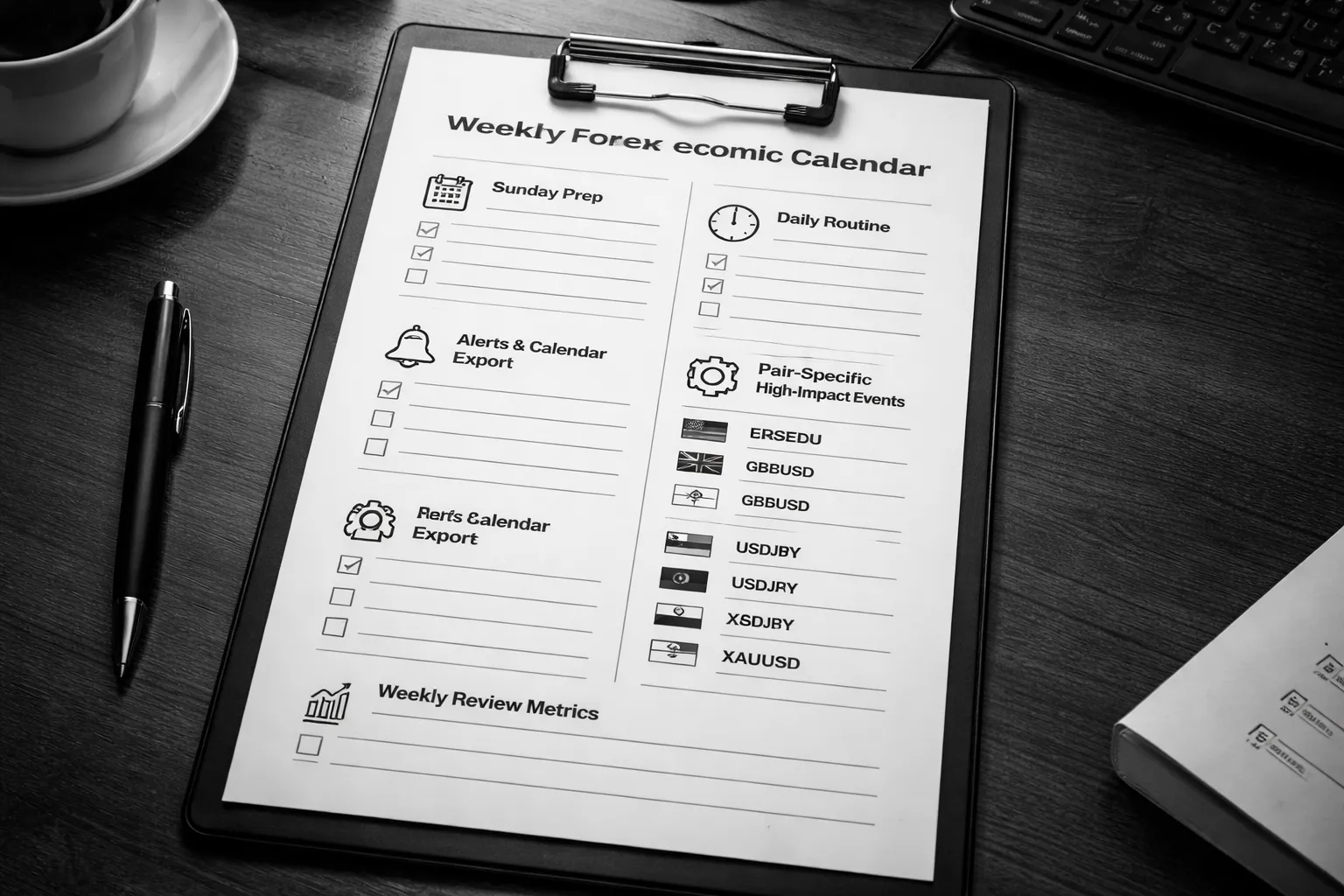
Sunday prep: weekly watchlist, key releases, and central bank speakers
Do your weekly setup once. Keep it the same every week.
- Set your timezone. Match your broker server time or your local time. Use one. Do not switch.
- Filter the calendar. Show only high and medium impact for currencies you trade. Hide the rest.
- Build a weekly watchlist. Pick 2 to 4 pairs. Add one “risk” instrument if you use it, like XAUUSD.
- Mark key releases. Flag CPI, jobs, central bank decisions, and rate guidance events. Add GDP only if it moves your pair in your tests.
- List central bank speakers. Tag the speakers that move price for your pairs. Drop low-impact panels and local events.
- Write your trade restrictions. Define no-trade windows, max size, stop buffer, and your cut-off time for new orders.
Daily routine: morning scan, alerts, and pre-session checklist
Run the same process every trading day. Finish it in 10 minutes.
- Morning scan. Check today’s high-impact events. Note the exact time, currency, forecast, and prior.
- Conflict check. If two top-tier releases overlap, expect wider spreads and less reliable reactions.
- Position exposure check. List your open trades by currency. Know your net USD, EUR, JPY, GBP exposure before news.
- Liquidity window check. Decide if you trade the release or you wait. Many releases move in two waves, first spike, then repricing.
- Pre-session checklist. Confirm margin, maximum order size, stop distance rules, and whether your platform allows modifications in fast markets.
- Alert setup. Set a warning alert and a release-time alert. Add a third alert for your “no new orders” cut-off.
Setting notifications and exporting to Google or Apple calendar
Use alerts for execution. Use a calendar for planning.
- Create two alert layers. One at 30 to 60 minutes before. One at 5 minutes before. Add a third at release time if you trade the event.
- Use consistent labels. Start with currency and event. Example, USD CPI, BoE Rate Decision, JPY CPI Tokyo.
- Block your schedule. Add a 20 to 40 minute block around top-tier releases. Use it as a hard no-meeting window.
- Track revisions. Add a note field for releases that often revise, like employment and GDP. Revisions can move price after the headline.
- Save templates. Build one calendar view per watchlist. Reuse it weekly.
Creating a personal “high-impact” list per pair (EURUSD, GBPUSD, USDJPY, XAUUSD)
Stop treating all red events the same. Build a pair-based list from what moves your market.
| Pair | Your high-impact list | Notes for your rules |
|---|---|---|
| EURUSD | ECB rate decision, ECB press conference, Eurozone CPI, US CPI, US jobs, US ISM, Fed decision | Press conferences can reverse the first move. Put wider no-trade windows around ECB and Fed days. |
| GBPUSD | BoE rate decision, BoE minutes, UK CPI, UK jobs, UK GDP, US CPI, US jobs, Fed decision | UK data can spike fast with thin liquidity. Use stricter size caps for UK CPI and BoE. |
| USDJPY | Fed decision, US CPI, US jobs, US yields drivers, BoJ decision, BoJ guidance, Japan CPI | Yields and risk tone can dominate. Treat BoJ guidance and intervention headlines as separate risk events. Use the same workflow you use for scheduled news. |
| XAUUSD | US CPI, US jobs, Fed decision, real yields events, major risk headlines | Gold can trend after the first reaction. Define whether you trade the spike or the post-release structure break. |
Keep the list short. If an event does not move your pair in your data, remove it. If you want a tighter execution plan for top-tier releases, use this guide: how to trade forex news without getting wrecked.
Backtesting and review: measuring event reactions and refining rules
Your calendar workflow improves only if you measure results.
- Log every traded event. Store pair, event, time, spread, fill quality, entry type, stop size, and outcome.
- Record the first 1, 5, and 15 minutes. Note direction, maximum spike, and whether price reversed.
- Measure typical movement. Track average 5-minute range and 15-minute range for each event type on your pair.
- Define your “no-trade” window with data. If fills degrade inside 30 seconds pre and post release, expand the window.
- Audit slippage. Compare expected entry to actual fill. If slippage exceeds your stop buffer too often, cut size or stop trading the release.
- Refine one rule at a time. Change size cap, stop buffer, or entry timing. Keep everything else stable for two to four weeks.
- Review weekly. On Sunday, remove events that did not matter and add only what repeatedly moved price.
Practical Examples: Using the Calendar in Real Scenarios
Example 1: Trading USD pairs around CPI with scenario outcomes
Setup your calendar like this.
- Event: US CPI, headline and core.
- Time window: 30 minutes before to 90 minutes after.
- Pairs: EUR/USD and USD/JPY.
- Rule: no new trades in the last 5 minutes before release.
- Rule: first trade only after the first 1 minute candle closes.
Use three numbers: previous, forecast, actual. Focus on the surprise versus forecast.
| Outcome | What you often see | What you do |
|---|---|---|
| Actual above forecast | USD spikes up. EUR/USD drops. USD/JPY jumps. Spreads widen for seconds. | Wait for the first pullback after the initial spike. Enter only if price breaks the post release high on USD/JPY or the post release low on EUR/USD. Place stop beyond the pullback swing. |
| Actual below forecast | USD sells off. EUR/USD rallies. USD/JPY drops. Whipsaw risk rises if core and headline diverge. | Trade the cleanest pair. If core and headline conflict, reduce size or skip. If they align, use the same pullback then break rule. |
| In line with forecast | No clean direction. Fast two way moves. Liquidity stays thin for several minutes. | Stand down for 15 to 30 minutes. Do not force a trade. Let the next catalyst decide direction. |
Log each CPI day with two notes. How long spreads stayed wide, and how far price moved before the first pullback. Use that data to set your entry delay and stop buffer.
Example 2: ECB rate decision, handling press conference volatility
Treat the ECB as two events. The rate statement, then the press conference.
- Event 1: rate decision and statement. Watch the first 5 minutes.
- Event 2: press conference. Expect new swings for 45 to 60 minutes.
- Rule: if you trade, trade smaller during the press conference.
Use the calendar details to read the market focus. If the rate is expected unchanged, traders react more to guidance and tone than the number.
- If the statement triggers a move but the press conference reverses it, you saw a guidance reset. Do not average down. Exit and reassess.
- If the statement move holds through the first 10 minutes of the press conference, you likely have a trend day. Use wider stops and fewer entries.
- If price whipsaws on each headline, stop trading the event. Wait for the conference to end and trade the post event breakout.
Keep one anchor chart on EUR/USD. Track where price sat 15 minutes before the decision. That level often acts as the line in the sand once volatility fades. For more context on what drives the pair, see what moves EUR/USD.
Example 3: PMI surprise, how to filter false signals and avoid chop
PMI releases often create fast moves that fade. Filtering matters more than speed.
- Use a shorter window: 15 minutes before to 45 minutes after.
- Trade only if the surprise is large enough for your rules. Set a numeric threshold.
- Ignore the first spike if it comes with an instant full retrace.
| PMI behavior | What it means | Action rule |
|---|---|---|
| Large surprise, clean follow through | Real repricing. Momentum traders join. | Enter after a 5 minute close in the direction of the move. Place stop beyond the 5 minute swing. |
| Small surprise, large move | Positioning driven. Move can snap back. | Skip. Wait for the next scheduled event or a technical setup later in the session. |
| Spike then full retrace in 1 to 3 minutes | Liquidity grab. Headlines got faded. | Do not chase. If you trade, trade the range break after 20 to 30 minutes with reduced size. |
Track your false break rate. If more than half of PMI trades reverse to your stop in under 10 minutes, raise your surprise threshold or lengthen your entry delay.
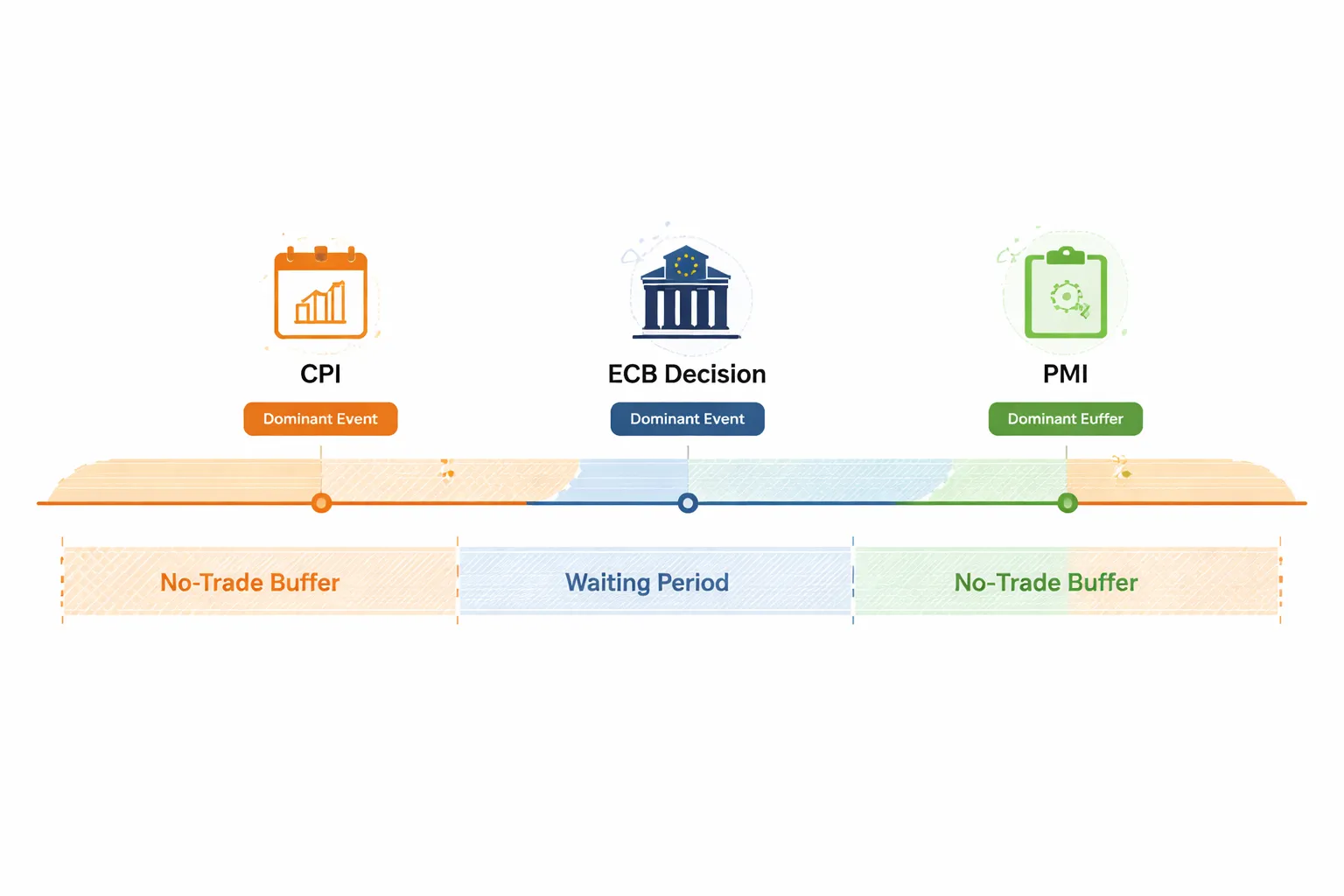
Example 4: Multiple releases same day, prioritizing the dominant catalyst
Some days stack events. You need a priority list or you will trade noise.
Build a simple ranking for that currency.
- Tier 1: central bank decision, inflation release, jobs report.
- Tier 2: retail sales, GDP, ISM or PMI.
- Tier 3: second tier surveys, minor speeches.
Use the calendar to map the schedule. Then set one dominant catalyst for each trading window.
- If Tier 1 hits later, avoid building a position earlier on Tier 2 unless you plan to exit before Tier 1.
- If two Tier 1 events hit within hours, trade only one. Pick the one with the clearer forecast dispersion and larger historical reaction.
- If events overlap, spreads and slippage rise. Trade smaller or do not trade.
| Day type | Calendar example | Plan |
|---|---|---|
| Inflation then central bank | CPI in the morning, rate decision in the afternoon | Trade CPI only with quick targets and a hard time exit. Do not carry into the decision unless your strategy allows event risk. |
| Jobs plus inflation same week | High impact releases every 1 to 2 days | Reduce total weekly risk. Cap the number of event trades. Save risk for the highest conviction release. |
| Cluster of mid tier data | PMI, retail sales, confidence surveys | Trade only if you see a consistent theme across releases. If data conflicts, stand down. |
After the day ends, mark which event actually moved price. Use your notes to adjust your tier list for that pair.
Mistakes to Avoid When Using an Economic Calendar for Forex
Treating All High-Impact Events as Equal
Calendar labels help, but they do not rank events the way the market does.
- Do not trade CPI like it is jobs data. Different releases move different parts of the curve, and price reacts differently.
- Do not trade every central bank event the same. A rate decision, statement, and press conference can hit at different times and carry different weight.
- Check what the market currently cares about. Inflation regimes favor CPI. Growth scares favor jobs, PMIs, and retail sales. Rate cycles favor central bank guidance.
- Use a pair-specific tier list. NFP matters more for USD pairs than for crosses with a stronger local driver that week.
Ignoring Revisions and Trading the Headline Only
Revisions can change the story. Markets often reprice on the full report, not the first number you see.
- Always read headline, prior, and revision together. A beat with a large downward revision can trade like a miss.
- Watch core vs headline splits. CPI, PCE, retail sales, and wage data often move on the core components.
- Check the details that drive policy. For jobs, wages and participation. For inflation, services and shelter proxies. For growth, control groups and internals.
- Record the market reaction. If price sold a “beat,” your model of what mattered is wrong. Update it.
Confusing the Affected Currency and Taking the Wrong Exposure
You can have the right macro view and still take the wrong trade if you misread which currency carries the shock.
- Map the event to the base or quote currency. USD news hits all USD pairs, but the direction differs by quoting.
- Account for cross-currency effects. EUR data can move EUR/USD and also hit EUR/JPY through risk and rate channels.
- Check the other side of the pair. If GBP has its own tier 1 event later the same day, your USD trade may not behave like a pure USD expression.
- Know the dominant driver for the pair. For USD/JPY, rates and risk often dominate, see what moves USD/JPY.
Overtrading the Spike Instead of Waiting for Structure
News spikes look clean on a calendar and messy on a chart. Slippage and spread expansion punish impulse entries.
- Do not chase the first candle. The first move often fades, then trends after liquidity returns.
- Wait for a defined level and a re-test. Let price form structure, then trade the break or the pullback with a clear invalidation.
- Control execution risk. Use smaller size, wider stops only if justified, and hard limits on maximum loss per event.
- Separate the plan by time window. Pre-release positioning, first 1 to 5 minutes, and post-release trend are different trades.
Skipping Post-Event Review and Repeating the Same Errors
If you do not review, you keep paying tuition for the same lesson.
- Log what mattered. Record forecast, actual, revisions, and which component moved price.
- Track volatility and spread behavior. Note average spike size and how long spreads stayed wide for that pair and broker.
- Grade your execution. Entry timing, fill quality, and whether your stop location matched the event’s volatility.
- Update your tier list weekly. Promote events that consistently move your pair. Demote noise.
Tools and Data to Pair with an Economic Calendar
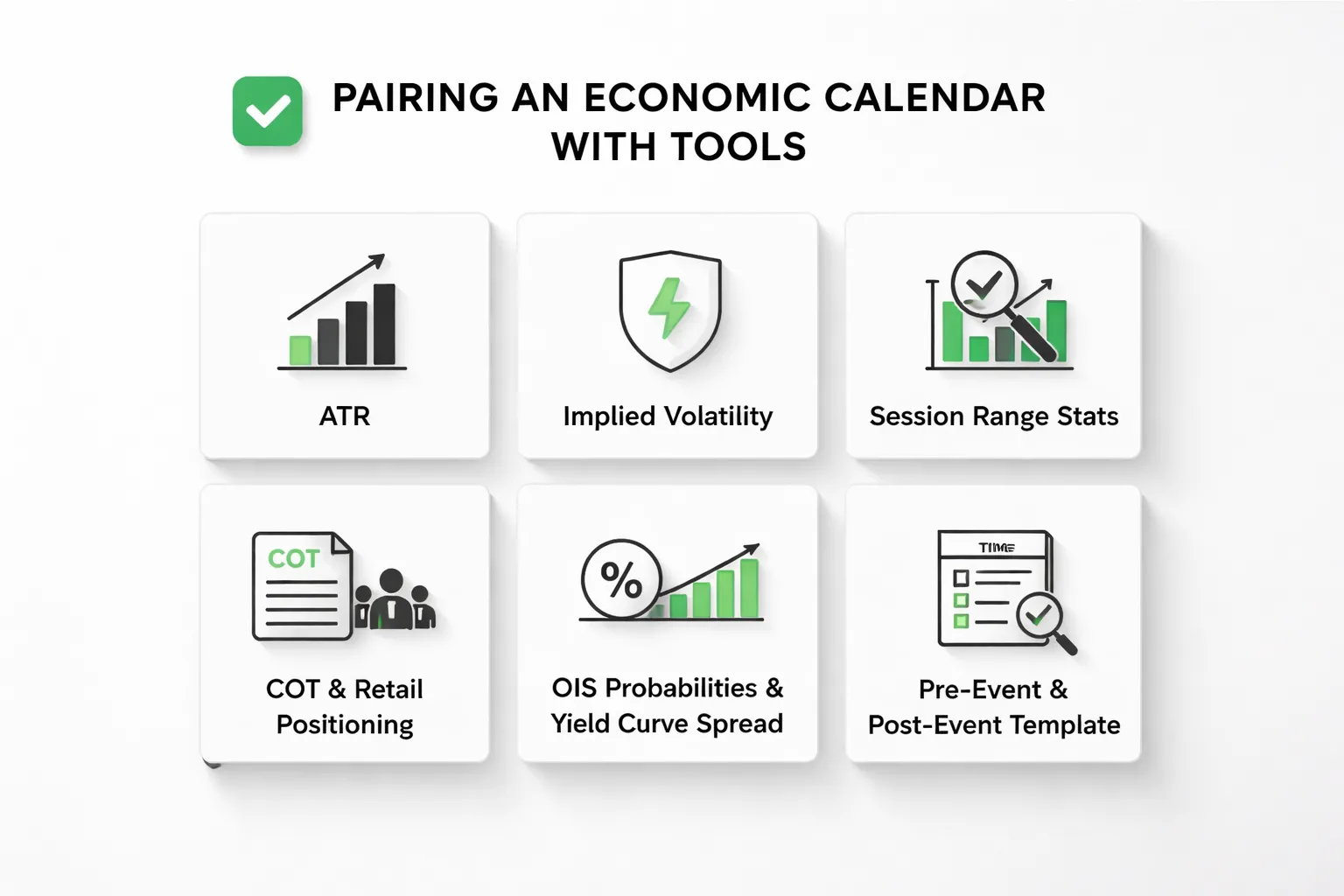
Volatility tools, ATR, implied volatility, and session range stats
Your calendar tells you when risk hits. Volatility tools tell you how much room price may need.
- ATR (Average True Range). Use ATR to size stops and targets around events. Check the ATR on your trading timeframe and one higher timeframe. If the event-day range often exceeds 1x to 2x ATR, treat tight stops as low probability.
- Implied volatility. For FX, you will see it through options markets, like 1-week implied vol, or risk reversals. Rising short-dated implied vol into an event signals higher expected movement. Falling implied vol can signal the market expects a contained reaction.
- Session range stats. Track average range by session for your pair, Asia, London, New York. On event days, compare the post-release move to the normal session range. If the move already equals the full session average, your next trade needs a new catalyst or a clear trend structure.
Build one simple benchmark for each pair you trade, normal session range, event-day range, and median spread. Use it before you decide stop distance and position size.
Sentiment and positioning, COT reports and retail positioning
Positioning shows who already sits on one side. That helps you judge squeeze risk after a surprise.
- COT (Commitment of Traders). Weekly data, slow but useful for swing context. Use it to spot crowded trends and turning points. Con: it lags and it reflects futures positioning, not the full spot market.
- Retail positioning. Often updates daily or intraday. It helps you see where stop clusters may sit because retail crowds one side. Con: it varies by broker and client base. Do not treat it as a standalone signal.
Use positioning as a filter. If the market leans hard one way and the event risks a miss, reduce size or wait for the first spike to finish.
Rate expectations, OIS probabilities and yield curves
Most major FX moves start with rate expectations. Your calendar events feed those expectations.
- OIS and rate probabilities. Think of this as the market’s priced path for the next central bank meetings. If a data print shifts the probability of a cut or hike, FX can trend for hours, not minutes.
- Yield curves and spreads. Track the 2-year and 10-year yields for the two currencies in your pair. Focus on the spread, like US 2-year minus Japan 2-year. When the spread widens, the higher-yield currency often strengthens, and when it narrows, it often weakens.
Before high-tier releases, write down what is priced. After the release, check what repriced, the front end, the long end, or both. That tells you whether the move has legs.
News feeds vs calendars, when you need real-time headlines
A calendar schedules known risk. It will not catch surprise risk.
- Use a calendar for planning. Time, expected impact, consensus, and prior values.
- Use a real-time news feed for unscheduled headlines. Central bank leaks, government comments, geopolitical shocks, and risk-off headlines can override your calendar plan in seconds.
- Use both on event days. The initial spike often reacts to the headline number. The second move often reacts to revisions, subcomponents, and guidance in follow-up headlines.
If you trade fast releases, you need headline speed. If you trade the second move, you can rely more on the calendar plus your post-release notes.
Checklists and templates, turning preparation into a repeatable process
Use a template so you do the same work every time.
- Pre-event checklist. Event tier, pair exposure, current trend, nearby levels, normal session range, ATR, typical spread widen, priced rate expectations, your max loss for the window.
- Execution plan. No trade zone, entry triggers, stop rule tied to volatility, position size rule tied to spread, and a time limit for invalidation.
- Post-event log. Forecast vs actual vs revision, first move size, second move size, time to mean reversion or continuation, max spread, slippage, and whether the move matched rate repricing.
Keep it in one page. Update it weekly. If you need a practical framework for the most violent releases, use this guide on trading major news without getting wrecked.
FAQ
Which economic calendar should you use for forex?
Use one with fast updates, clear revisions, and full event details. You need: time zone control, filters by country and impact, forecast and prior, revision history, and a link to the source release. If it lags or hides revisions, skip it.
How do you set up your calendar in 5 minutes?
Set your time zone. Filter to your traded currencies. Show only high and medium impact. Turn on alerts 15 to 60 minutes before the release. Open the event details and check: consensus, prior, revision risk, and typical volatility.
What matters most, actual vs forecast or actual vs prior?
Start with actual vs forecast. That is the surprise. Then check revisions to the prior. A big revision can flip the story. If the surprise is small but the revision is large, price often follows the revision.
How do you know if a release is “high impact” for your pair?
Track it. Log the first 1 minute move, 5 minute move, and 30 minute outcome for your pair. Compare to average spreads and slippage at that time. Keep the events that repeatedly create outsized moves and clean follow-through.
Which events move FX the most?
Central bank rate decisions, pressers, and guidance. CPI and jobs data for major currencies. GDP matters less unless it changes rate expectations. For the US, watch CPI, NFP, and Fed events first. Then track retail sales and ISM.
What should you avoid trading during news?
Avoid trading when spreads widen beyond your plan, liquidity thins, or you cannot take slippage. Avoid tight stops near major releases. Avoid market orders in the last seconds. If you trade it, use pre-defined risk and size down.
How early should you stop opening new trades before a release?
For high impact releases, stop 15 to 60 minutes before, based on your holding period. For intraday trades, use the longer buffer. For swing trades, reduce size or widen invalidation levels. Your rule must be consistent.
What do you do if price spikes both ways?
Assume spreads and stops got hit. Do not chase. Wait for the first 1 to 5 minutes to settle. Then reassess with the surprise, revisions, and rate repricing. Trade only if the post-spike range gives you a clear invalidation level.
How do you use the calendar with EUR/USD?
Filter for US and Eurozone data, plus Fed and ECB speakers. Focus on releases that change rate expectations. Keep a watchlist of the recurring drivers, see what moves EUR/USD. Log outcomes to find which events matter now.
Do “medium impact” events matter?
Yes, when positioning is crowded or the market trades a single theme. Medium events can trigger repricing if they confirm or break that theme. Use your log to spot the few medium releases that repeatedly produce trend continuation.
How do you measure whether the move was real?
Check if rates repriced in the same direction, like front-end yields or OIS pricing. Then compare first move size to second move size. If the second move holds and spreads normalize, the move is more likely real.
What should your weekly calendar workflow look like?
On Sunday, list the top releases by currency, then mark “do not trade” windows. Each day, review next day events, set alerts, and pre-plan levels. After each release, update your log with surprise, revisions, spreads, slippage, and outcome.
Conclusion
Conclusion
The calendar is a risk tool first. Treat it like a schedule for volatility, spreads, and slippage.
Focus on high-impact releases. Filter by your pairs. Track only what moves price.
Build a repeatable process. Plan levels before the release. Reduce size or stand aside during your “do not trade” window. Trade only after spreads normalize and direction holds.
One tip that compounds. Keep a simple event log and review it weekly. Record the currency, event, forecast, actual, revisions, first move, second move, spread, slippage, and your decision. After 20 to 30 samples, you will know which events you should trade, which you should avoid, and what execution rules you need.
If you trade USD pairs, study how the Fed calendar impacts your setup selection, see FOMC meeting volatility.
-
How Interest Rates Affect Currency Pairs (With Real Examples)
7 months ago -
Fundamental Analysis in Forex Explained (What Actually Moves Prices)
7 months ago -
What Moves EUR/USD? The Biggest Drivers You Should Watch
7 months ago -
How to Trade Forex News (NFP, CPI, FOMC) Without Getting Wrecked
7 months ago -
Inflation and Exchange Rates Explained (Why Currencies Rise or Fall)
7 months ago
-
-
- Date and time
- Time zones and daylight-saving pitfalls
- Currency and country, link releases to tradable pairs
- Impact ratings, what low, medium, high typically means
- Actual vs forecast vs previous, interpret the surprise
- Revisions, deviations, and why the previous can change after release
- Event details panel, source, release frequency, and historical chart
-
- Step 1, Choose a reliable calendar and confirm data sources
- Step 2, Set your local or broker time zone and preferred display format
- Step 3, Filter by currencies you trade and the event impact level
- Step 4, Add only the releases that historically move your pairs
- Step 5, Read the context, trend, regime, and central bank narrative
- Step 6, Create a scenario plan using forecast ranges and key levels
- Step 7, Decide whether to trade before, at release, or after confirmation
- Step 8, Set risk controls, position size, stops, max slippage, and limits
- Step 9, Track outcomes and refine your watchlist with a post-news journal
-
- Central bank decisions, statements, pressers, dot plots
- Inflation releases, CPI, core CPI, PCE, and why they move yields
- Jobs data, NFP, unemployment rate, wages, participation rate
- Growth indicators, GDP, PMIs, ISMs, retail sales, industrial production
- Confidence and housing, sentiment surveys and second-tier movers
- Geopolitical and unscheduled risk, how to prepare when it’s not on the calendar
-
- 1) Link the event to the real currency driver
- 2) Define what matters inside the release
- 3) Check pre-news conditions: trend, volatility, liquidity
- 4) Map technical levels you will use after the number
- 5) Build a scenario table. Trade rules, not feelings
- 6) Confirm the move with correlated markets
- 7) Put it into a one-page trade plan
-
- Sunday prep: weekly watchlist, key releases, and central bank speakers
- Daily routine: morning scan, alerts, and pre-session checklist
- Setting notifications and exporting to Google or Apple calendar
- Creating a personal “high-impact” list per pair (EURUSD, GBPUSD, USDJPY, XAUUSD)
- Backtesting and review: measuring event reactions and refining rules
-
- Volatility tools, ATR, implied volatility, and session range stats
- Sentiment and positioning, COT reports and retail positioning
- Rate expectations, OIS probabilities and yield curves
- News feeds vs calendars, when you need real-time headlines
- Checklists and templates, turning preparation into a repeatable process
-
- Which economic calendar should you use for forex?
- How do you set up your calendar in 5 minutes?
- What matters most, actual vs forecast or actual vs prior?
- How do you know if a release is “high impact” for your pair?
- Which events move FX the most?
- What should you avoid trading during news?
- How early should you stop opening new trades before a release?
- What do you do if price spikes both ways?
- How do you use the calendar with EUR/USD?
- Do “medium impact” events matter?
- How do you measure whether the move was real?
- What should your weekly calendar workflow look like?
-
-
- Date and time
- Time zones and daylight-saving pitfalls
- Currency and country, link releases to tradable pairs
- Impact ratings, what low, medium, high typically means
- Actual vs forecast vs previous, interpret the surprise
- Revisions, deviations, and why the previous can change after release
- Event details panel, source, release frequency, and historical chart
-
- Step 1, Choose a reliable calendar and confirm data sources
- Step 2, Set your local or broker time zone and preferred display format
- Step 3, Filter by currencies you trade and the event impact level
- Step 4, Add only the releases that historically move your pairs
- Step 5, Read the context, trend, regime, and central bank narrative
- Step 6, Create a scenario plan using forecast ranges and key levels
- Step 7, Decide whether to trade before, at release, or after confirmation
- Step 8, Set risk controls, position size, stops, max slippage, and limits
- Step 9, Track outcomes and refine your watchlist with a post-news journal
-
- Central bank decisions, statements, pressers, dot plots
- Inflation releases, CPI, core CPI, PCE, and why they move yields
- Jobs data, NFP, unemployment rate, wages, participation rate
- Growth indicators, GDP, PMIs, ISMs, retail sales, industrial production
- Confidence and housing, sentiment surveys and second-tier movers
- Geopolitical and unscheduled risk, how to prepare when it’s not on the calendar
-
- 1) Link the event to the real currency driver
- 2) Define what matters inside the release
- 3) Check pre-news conditions: trend, volatility, liquidity
- 4) Map technical levels you will use after the number
- 5) Build a scenario table. Trade rules, not feelings
- 6) Confirm the move with correlated markets
- 7) Put it into a one-page trade plan
-
- Sunday prep: weekly watchlist, key releases, and central bank speakers
- Daily routine: morning scan, alerts, and pre-session checklist
- Setting notifications and exporting to Google or Apple calendar
- Creating a personal “high-impact” list per pair (EURUSD, GBPUSD, USDJPY, XAUUSD)
- Backtesting and review: measuring event reactions and refining rules
-
- Volatility tools, ATR, implied volatility, and session range stats
- Sentiment and positioning, COT reports and retail positioning
- Rate expectations, OIS probabilities and yield curves
- News feeds vs calendars, when you need real-time headlines
- Checklists and templates, turning preparation into a repeatable process
-
- Which economic calendar should you use for forex?
- How do you set up your calendar in 5 minutes?
- What matters most, actual vs forecast or actual vs prior?
- How do you know if a release is “high impact” for your pair?
- Which events move FX the most?
- What should you avoid trading during news?
- How early should you stop opening new trades before a release?
- What do you do if price spikes both ways?
- How do you use the calendar with EUR/USD?
- Do “medium impact” events matter?
- How do you measure whether the move was real?
- What should your weekly calendar workflow look like?
-
How to Place a Forex Trade Step by Step (Your First Trade Explained)
5 months ago -
Forex Trading vs Crypto Trading: Which Market Is Better for Beginners?
5 months ago -
Forex Lot Size Calculator: How to Use It to Size Trades Correctly
7 months ago -
How to Calculate Position Size in Forex (Position Sizing Formula + Examples)
7 months ago -
Forex Leverage Explained: How It Works, Pros, Cons & Examples
7 months ago
-
Forex Trading Platforms Comparison: MetaTrader vs cTrader vs TradingView
7 months ago -
Stop Loss vs Take Profit: Differences, Examples & Best Practices
7 months ago -
Is Forex Trading Legal in the United States? Rules, Regulators & What to Know
7 months ago -
Forex Leverage Explained: How It Works, Pros, Cons & Examples
7 months ago -
Forex Market Hours & Trading Sessions Explained (Best Times to Trade)
7 months ago