MetaTrader vs cTrader: Which Forex Trading Platform Is Better for You?

MetaTrader and cTrader both let you trade forex, run indicators, and automate strategies. They differ in cost structure, charting depth, order tools, and how you build and run bots. Your choice affects execution workflow, backtesting, and the brokers you can use.
This guide compares MetaTrader vs cTrader on the factors that change results in real trading. You will learn how each platform handles:
- Market access and broker support
- Charts, indicators, and trade management
- Automation and programming, MQL vs C#
- Backtesting and optimization
- Web, desktop, and mobile usability
If you need help choosing between MT4 and MT5 inside the MetaTrader stack, read MetaTrader 4 vs MetaTrader 5.
- In het kort: Choose MetaTrader if you want the widest broker support and the biggest library of indicators and EAs.
- In het kort: Choose cTrader if you want cleaner order tools, strong built-in charts, and a modern workflow across web and desktop.
- In het kort: For automation, MetaTrader uses MQL, cTrader uses C#. Pick the language and ecosystem you can build and maintain.
- In het kort: For testing, focus on your broker’s data quality, spreads, and execution model. Platform features matter less than inputs.
- In het kort: For mobile, test both with your exact strategy. Small UI differences change how fast you manage risk.
Key Takeaways
- Broker access often decides first. MetaTrader usually gives you more broker choices. cTrader support depends more on your broker list.
- cTrader wins on trade handling for many manual traders. Order entry feels more direct. Depth of Market tools are easier to use. This helps if you scalp or adjust positions fast.
- MetaTrader wins on ecosystem. You get more ready-made tools, more EA options, and more community support. This matters if you rely on third-party add-ons.
- Automation is a language choice and a tooling choice. MQL keeps you inside the MetaTrader world. C# fits if you want a mainstream language and broader dev tooling.
- Backtests can mislead if you ignore costs. Include spreads, commissions, slippage assumptions, and session filters. Then compare results across both platforms.
- Web and mobile change execution speed. cTrader’s web experience stays strong. MetaTrader’s desktop remains the default for many algo setups. Test your full workflow on the devices you use.
- Pick the platform that matches how you trade. Manual and fast execution workflows often favor cTrader. EA-heavy and broker-flexible setups often favor MetaTrader.
If you want a step-by-step setup guide, read How to Use MetaTrader 5 (MT5) for Beginners.
MetaTrader vs cTrader: Quick decision guide by trader type
Best pick for beginners who want the widest broker access
Pick MetaTrader. More brokers offer MT4 and MT5 by default. That gives you more account choices, more symbols, and more pricing models.
- You want flexibility. You can switch brokers without relearning the platform.
- You want more third-party tools. Indicators, EAs, scripts, and templates are easier to find.
- You want simple setup. Most brokers provide MetaTrader tutorials, presets, and support docs.
- Watch-outs. MT4 feels dated. MT5 adds more tools but you still rely on broker quality for execution and spreads.
Best pick for scalpers and active day traders focused on execution tools
Pick cTrader. It gives you a cleaner workflow for fast manual execution and order control.
- Level II pricing. cTrader shows depth of market on supported brokers.
- Order types and protection. You get strong order management, including quick reverse and partial close features on many builds.
- Hotkeys and one-click trading. Faster placement and edits if you trade momentum or news.
- Watch-outs. Broker coverage is smaller. Execution still depends on your broker’s liquidity and routing.
Best pick for algorithmic traders building and optimizing strategies
Pick MetaTrader if you want the biggest EA ecosystem. Pick cTrader if you want C# and a more standard dev stack.
| Need | Better fit | Why it matters |
|---|---|---|
| Largest library of ready-made bots and indicators | MetaTrader | MQL4 and MQL5 markets, forums, and vendor supply stay bigger. |
| Custom development with a mainstream language | cTrader | cTrader Automate uses C#, easier to hire for, easier to integrate with external tooling. |
| Strategy testing across many brokers | MetaTrader | More brokers support it, so you can keep the same codebase while you shop execution. |
| Optimization workflow you already know | MetaTrader | Most retail algo guides, VPS setups, and EA tooling assume MT4 or MT5. |
If you trade EAs, also compare MT4 vs MT5 before you commit.
Best pick for copy traders and social trading followers
Pick the platform your broker supports with the lowest friction. Copy features live at the broker layer, not the platform layer.
- MetaTrader. Many brokers offer Signals, PAMM, and MAM style setups around MT4 and MT5. You will find more public providers.
- cTrader. Some brokers offer cTrader Copy with clearer allocation controls and performance stats inside the platform.
- Your checklist. Verify fees, slippage reporting, minimum allocation, drawdown controls, and whether you can stop copying without delays.
Best pick for multi-asset traders (FX + indices, commodities, crypto, CFDs) depending on broker offering
Pick the broker first, then the platform. Both platforms can handle multi-asset CFD lists, but your broker decides what you can trade.
- Pick MetaTrader if you want more broker choice. More CFD brokers offer indices, metals, energies, and crypto CFDs on MT5.
- Pick cTrader if your broker offers the markets you need. You get a cleaner watchlist, better order workflow, and strong charting for active rotation.
- Non-negotiables. Check contract specs, trading hours, swap rules, margin requirements, and whether hedging rules match your approach.
What are MetaTrader and cTrader (and what’s the real difference)?
MetaTrader in 60 seconds, MT4 vs MT5 and where each fits
MetaTrader is a trading platform made by MetaQuotes. Brokers license it, then connect it to their own pricing, execution, and product list. You trade through the broker’s server, inside the MetaTrader terminal.
- MT4 focuses on spot Forex and simple CFD lineups. It uses MQL4 for indicators and EAs. Many traders stick with MT4 because they already run old EAs and custom tools.
- MT5 is the newer platform. It uses MQL5, adds more order types and more timeframes, and supports a wider set of market setups depending on the broker. Many CFD brokers push MT5 because it scales better across asset classes.
Practical fit. Pick MT4 if you rely on legacy EAs and you only need basic Forex execution. Pick MT5 if you want newer tooling, more built-in features, and a broker that lists more markets on the same login.
cTrader in 60 seconds, core modules (Trade, Automate, Copy)
cTrader is a platform suite by Spotware. Many brokers offer it as an alternative to MetaTrader. It splits the workflow into clear modules.
- Trade. Manual trading, watchlists, depth of market, one click and advanced order controls. You get a clean order ticket and fast editing of stops and targets.
- Automate. Algorithmic trading in C# via cBots and custom indicators. You code, test, and run strategies inside the ecosystem.
- Copy. Strategy provider marketplace features. You can allocate funds and manage copying at the account level, if your broker enables it.
Practical fit. Pick cTrader if you trade actively, adjust orders often, and care about an efficient manual workflow. Pick it if you want C# for automation and you prefer a platform that feels closer to modern charting tools.
How platforms differ from brokers (why execution quality isn’t only the software)
Platforms do not set your spreads, slippage, or fill quality. Your broker does. The platform is the front end, the broker controls the trading conditions and the route to liquidity.
- Pricing. Spreads, commissions, and markups come from the broker’s account type.
- Execution model. Dealing desk, STP, or ECN style routing changes how orders fill under pressure.
- Liquidity and uptime. Broker server quality matters more than the platform brand during news and volatility.
- Symbols and contract specs. Tick size, minimum stop distance, margin rules, swaps, and trading hours vary by broker, even on the same platform.
Use the platform to manage workflow. Judge the broker on costs and execution. Test both on a demo and a small live account, on your instrument, at your usual trading hours.
Common myths that mislead platform comparisons
- Myth: MT5 is always faster than MT4. Speed depends on broker servers, bridge setup, and liquidity, not the icon on your desktop.
- Myth: cTrader always has tighter spreads. Spreads come from the broker’s feed and commission plan. The same broker can price different accounts differently on each platform.
- Myth: the platform decides slippage. Slippage comes from market conditions plus the broker’s execution and risk settings.
- Myth: more indicators means better trading. Your edge comes from a repeatable process. Both platforms support enough tools to overfit.
- Myth: you must pick one platform forever. You can run multiple accounts. You can also use external charting, then place trades in your platform. Many traders chart in TradingView and execute in MT5 or cTrader.
Pricing, costs, and broker availability (the overlooked deciding factor)
Spread, commission, and what you will actually pay
The platform rarely sets your trading cost. Your broker does.
On MetaTrader and cTrader, you will see the same core pricing models:
- Spread-only (Standard). You pay a wider spread. No separate commission line.
- Raw spread plus commission (Raw, ECN-style). You pay a tighter spread. You also pay a fixed commission per lot, per side, or per round turn.
- Hybrid. A small markup on spreads plus a smaller commission.
What changes by platform is how clearly the broker shows fees and fills. cTrader often displays commissions and depth data more directly. MetaTrader depends more on the broker’s setup and plugins. Either way, you still need to read the broker’s fee schedule.
Broker availability, the deciding factor most traders miss
MetaTrader has the widest broker support. It wins on distribution. Many brokers build their whole offering around MT4 or MT5, including account types, copy trading, signals, and third-party tools.
cTrader has fewer brokers. The ones that offer it often position it for raw pricing and execution-focused accounts, but your choices shrink fast once you filter by regulation, country, leverage, and deposit methods.
If you already have a broker you trust, check their platform list first. If they do not offer your preferred platform, your decision is made. If you still compare brokers, start with regulation and costs, then pick the platform that comes with the best overall trading conditions.
Account types that change the experience
Do not compare MetaTrader vs cTrader without matching account types. A Standard account on one broker can cost more than a Raw account on another, even on the same platform.
- Standard. Better for simple trading and smaller sizes. Costs hide inside the spread. Slippage can matter more than the posted spread.
- Raw, ECN-style. Better for frequent trading and larger sizes. You can see pricing more clearly, but commissions add up. Some brokers add minimum trade sizes or charge higher swaps.
- Zero spread promotions. Treat them as marketing. They often come with higher commission, wider spreads outside peak hours, or stricter conditions.
Also check swaps, because they can dwarf spreads for swing trades. Check whether the broker offers swap-free accounts and what they charge instead.
Hidden costs that show up after you open the account
- VPS or cloud hosting. If you run EAs, copy trading, or need stable uptime, you will likely pay monthly for a VPS. Some brokers subsidize it only after you hit volume targets.
- Data and extras. cTrader’s depth and execution stats depend on what the broker provides. MetaTrader add-ons can require paid data feeds or third-party bridges.
- Marketplace purchases. MetaTrader has a large market for indicators and EAs. cTrader has cBots and indicators, but the paid ecosystem is smaller. Either way, budget for tools you will actually use, not what looks impressive.
- Funding and withdrawal fees. Card, bank wire, and e-wallet fees vary by broker. Some charge inactivity fees. Some widen spreads around rollover.
- Currency conversion. If your account currency does not match your funding currency, conversion fees become a recurring cost.
Compare total cost per trade with a simple checklist
Use this checklist. It works for both MetaTrader and cTrader. It keeps you out of platform debates and focused on money.
- Pick the same instrument, same session, and same trade size.
- Write down the average spread you see during your trading hours, not the minimum spread in ads.
- Add commission per round turn for your size.
- Estimate slippage from your own fills, using a small sample of live trades.
- Add swap if you hold overnight, including triple-swap day.
- Add non-trading fees you will trigger, VPS, withdrawals, inactivity, conversion.
| Cost item | What to record |
|---|---|
| Spread | Average during your trading window |
| Commission | Per lot, per side, then convert to round turn |
| Slippage | Average difference between expected and filled price |
| Swap | Per night for your position size |
| Fees | Deposits, withdrawals, inactivity, conversion, VPS |
If you want a faster start on the MetaTrader side, use our MetaTrader 4 walkthrough for beginners to set up symbols, spreads, and trade history so you can track real costs.
User experience and interface: speed of workflow matters
Navigation and order entry: one-click, hotkeys, and trade tickets
Your workflow speed depends on how fast you can find a symbol, read price, and send an order.
- MetaTrader (MT4/MT5): You get One-Click Trading on charts. You place orders from the chart, Market Watch, or the New Order ticket. Hotkeys exist but feel limited unless you add scripts or a trade panel. The default order ticket shows core fields, but it can take more clicks to set stops and targets if you do not trade from the chart.
- cTrader: You get a clearer trade ticket and fast order controls. You can place orders from the chart, watchlist, or the quick trade panel. You get more built-in controls for SL and TP placement and editing. You spend less time opening extra windows.
If you scalp or manage many positions, focus on clicks per action. Count how many clicks it takes to open, modify, and close a trade on each platform. Then test it under live spread conditions.
Workspace customization: layouts, templates, profiles, watchlists
Customization affects how quickly you can switch markets and strategies.
- MetaTrader: You use Profiles for full workspace sets and Templates for chart settings. You can save multiple chart layouts, but managing many charts can feel cramped. Watchlists sit in Market Watch, you can group symbols, but it stays basic.
- cTrader: You get cleaner layout control and easier multi-chart views. Watchlists feel more modern and faster to manage. Workspaces and chart arrangements tend to require fewer steps to rebuild after changes.
If you run the same setup daily, test a reset. Close the platform, reopen it, then restore your preferred layout. Time the process and note what breaks.
Learning curve differences for new traders
Both platforms take time, but they teach different habits.
- MetaTrader: You face older menus and more separate windows. Many functions hide behind right-click menus. You may rely on add-ons for a smoother execution panel. The upside is the huge library of guides and community tips.
- cTrader: You get a more guided interface. Core actions sit where you expect them, and order controls look closer to what you see on broker web platforms. You spend less time hunting for basic settings.
If you start on MetaTrader, follow a single setup path and keep it consistent. Use this MT4 beginner walkthrough to avoid common UI mistakes that slow down your first weeks.
Stability and performance expectations on typical PCs
Performance depends on chart count, indicators, EAs, and data load.
- MetaTrader: It can run on older hardware and stays light with a small number of charts. Performance drops when you stack many indicators, run multiple EAs, or keep many charts open across profiles. MT4 often feels faster on very low-spec PCs, but it can also freeze if a script or EA misbehaves.
- cTrader: It often uses more resources at idle, but it handles modern layouts well. It stays stable if you keep chart count reasonable. Heavy automation and many symbols can still push CPU and RAM.
Set expectations with a simple benchmark on your PC.
| Test | What to do | What to record |
|---|---|---|
| Cold start | Reboot PC, open platform, log in | Time to first quote and first chart |
| Workspace load | Open 10 to 20 charts, add your usual indicators | CPU, RAM, UI lag when switching charts |
| Execution workflow | Place, modify, close 10 demo trades | Clicks per task, time per task |
| Stability | Leave platform open for 4 to 8 hours | Disconnects, freezes, chart refresh issues |
Speed of workflow matters more than looks. Choose the platform that lets you place, manage, and exit trades with fewer steps on your hardware and your broker feed.
Charting and technical analysis capabilities
Indicator depth, timeframes, chart types, drawing tools
MetaTrader gives you solid built-in indicators, plus a massive library of custom indicators and scripts through the MQL ecosystem. If you rely on niche tools, you will find more third-party options for MT4 and MT5.
cTrader ships with a clean set of core indicators and strong chart interaction. Its third-party catalog is smaller, but many traders use it with fewer add-ons because the default charting feels complete.
- Built-in indicators: Both cover the basics, moving averages, RSI, MACD, ATR, Bollinger Bands, Ichimoku.
- Custom indicators: MetaTrader has the larger marketplace and community library. cTrader supports custom indicators, but you may need to build or source more yourself.
- Timeframes: Both support multiple intraday and higher timeframes. Check your broker feed and platform build because some brokers restrict available timeframes or history depth.
- Chart types: Both support candlesticks, bars, and line charts. cTrader commonly feels faster for switching layouts and applying templates.
- Drawing tools: Both include trendlines, channels, Fibonacci tools, and basic pattern marking. What matters is precision and speed, how easy it is to adjust anchors, lock objects, and keep drawings consistent across charts.
Multi-chart workflows and monitoring many pairs
If you scan many pairs, chart management becomes your bottleneck. You need fast symbol switching, saved templates, and stable multi-chart layouts.
- MetaTrader: Works well with profiles and templates. You can stack charts, tile windows, and run many instances, but the experience depends on your PC and how many indicators you load.
- cTrader: Handles multi-chart layouts in a more modern workspace. Detaching charts and managing watchlists tends to feel quicker for monitoring multiple symbols.
- Practical test: Open 12 charts, apply your full template, then switch the symbol on each chart and scroll back 30 to 90 days. Track lag, missed redraws, and CPU usage.
Alerts and notifications
Alerts matter when you trade breaks, retests, and session levels. You want price alerts, indicator alerts, and rules you can repeat.
- Price alerts: Both support basic price level alerts. Validate reliability by setting 20 alerts across pairs and leaving the platform running through a session.
- Indicator alerts: MetaTrader often has more ready-made indicator alert scripts due to the MQL library size. cTrader supports indicator-based alerts, but you may need custom work for specific conditions.
- Custom signals: Both can generate custom alerts through custom indicators or bots. What matters is how easy it is to edit logic and how reliably alerts fire when the platform runs for hours.
- Delivery: Confirm where alerts go on your setup, platform pop-up, sound, email, or mobile push, and test for delays during high volatility.
Data quality and history depth
Your indicators only work as well as your data. Bad history produces false levels, wrong backtests, and mismatched signals.
- Broker feed differences: The same platform can show different candles across brokers because of server time, spreads, and tick aggregation.
- History depth: Check how far back you can scroll on each timeframe and whether the platform loads full tick data or approximations.
- Gaps and spikes: Scan for missing candles, weekend gaps, and single-tick spikes. These can trigger false moving average crosses, breakouts, and stop runs on your chart.
- Consistency check: Compare one week of M1 data on two brokers for the same pair. If OHLC differs often, your indicator signals will differ too.
| Charting factor | MetaTrader | cTrader | What to test |
|---|---|---|---|
| Custom indicator availability | Largest ecosystem | Smaller ecosystem | Can you replicate your exact setup without compromises |
| Multi-chart management | Functional, can feel dated | Streamlined workspace | 12 charts, full template, symbol switching speed |
| Alert flexibility | Many scripts, easy to find | Solid, may need custom builds | 20 alerts, session run time, missed triggers |
| History and data quirks | Depends on broker and setup | Depends on broker and setup | Compare candles across brokers, check spikes and gaps |
If you want a deeper platform-by-platform breakdown, see our Forex trading platforms comparison.
Order types, execution tools, and risk controls
Core order types and advanced order behavior
Both MetaTrader and cTrader cover the basics, market, limit, stop, and stop-limit. Your broker decides which ones you can actually use, and on which symbols.
- Market orders: You accept the best available price. Fast, but you carry more slippage risk in news and thin liquidity.
- Limit orders: You set a better price. You risk missing the fill if price does not trade there.
- Stop orders: You trigger a market order once price hits your level. You get execution, but you do not control the fill price.
- Stop-limit orders: You trigger a limit order after price hits your stop. You control the worst acceptable price, but you can get no fill in a fast move.
Advanced behavior matters more than the label. Check how your platform and broker handle these details.
- Trigger rule: Bid, ask, or last price. This changes when stops and limits fire, especially on wide spreads.
- Gaps: Stops can fill far from your level. Stop-limit can skip fills entirely.
- Time in force: Good till canceled, day, or expiration. Availability depends on broker and symbol.
- Netting vs hedging: MT5 can run netting or hedging, broker-dependent. cTrader typically uses netted positions per symbol. This affects partial closes and how you manage multiple entries.
If you trade on MetaTrader, platform rules also differ between MT4 and MT5. See MetaTrader 4 vs MetaTrader 5 differences.
Depth of Market (DOM, Level II) and when it helps
cTrader gives you stronger DOM tools on most broker feeds. You get clearer price ladders and order book views, plus quick order entry from the ladder. MetaTrader offers DOM in MT5, but the depth and usefulness still depend on the broker’s liquidity feed.
DOM helps in specific cases.
- Short-term entries: You place limits around active levels and manage quick cancels and replaces.
- Spread and liquidity checks: You spot thin books before you send size, or before news.
- Execution planning: You estimate how easily price might sweep levels when the book looks empty.
DOM often helps less than traders expect. In spot FX, many brokers show aggregated or partial depth. That can lag, filter, or omit liquidity. Treat it as a timing tool, not proof of true market size.
Slippage, requotes, and execution model differences
Your broker controls execution. The platform mainly changes how clearly you can see it and how you can manage it.
- Market execution: Orders fill at the best available price. You can get positive or negative slippage. You should not get requotes.
- Instant execution: The broker tries to fill at your requested price. If price moves, you can get a requote. This shows up more on some MetaTrader setups.
- STP or ECN style routing: You usually see market execution, variable spreads, and slippage around volatility.
- Dealing desk pricing: You can see fixed spreads, more intervention, and more requote risk, broker-dependent.
Track these metrics in your own trading log.
- Average slippage by session: London open vs New York, and during major releases.
- Fill speed: Compare normal conditions to high volatility.
- Reject and requote rate: A small rate is normal in stressed markets, a high rate signals execution issues.
Risk controls and trade management tools
Both platforms let you set stop loss and take profit, and you can modify them after entry. The details of trade management determine how cleanly you can control risk.
- Partial closes: Supported on both. The position accounting differs if your account runs netting. Test how partials show in history and reporting.
- OCO behavior: cTrader supports linked orders more cleanly in many setups. In MetaTrader, OCO often comes from broker plugins, scripts, or EAs, so reliability varies.
- Trailing stops: Both support them, but they usually run on the client terminal. If your platform closes or your VPS drops, the trailing logic can stop unless your broker offers a server-side trail.
- Breakeven rules: Often handled by scripts or bots. Check if the rule triggers on bid or ask, and whether it moves to exact entry or entry plus costs.
- Guaranteed stops: Rare in FX and broker-specific. Platform choice does not create this feature.
For risk control, the most important test is practical. Place small trades on a demo and a live micro account. Verify how stops trigger during spread spikes, and how modifications behave during fast moves.
Trade reporting and export for post-trade review
Post-trade review needs clean exports. Both platforms provide account history, but the export workflow differs by broker and version.
- MetaTrader: You can export history to HTML and CSV in the terminal. The report fields can vary by broker, and some costs show as separate lines, swaps, commissions, and fees.
- cTrader: You get clearer built-in reporting in many builds, plus exports suited for journaling. Broker implementations still vary, especially on commission labeling and execution tags.
Before you commit, confirm you can export these fields reliably.
- Open and close time: With timezone clarity.
- Entry and exit price: Plus any partial fills.
- Volume: In lots and units if available.
- Commissions and swaps: Separated from PnL.
- Order comments and tags: Critical if you use scripts, EAs, or manual labels for strategies.
Algorithmic trading: EAs vs cBots and what developers should know
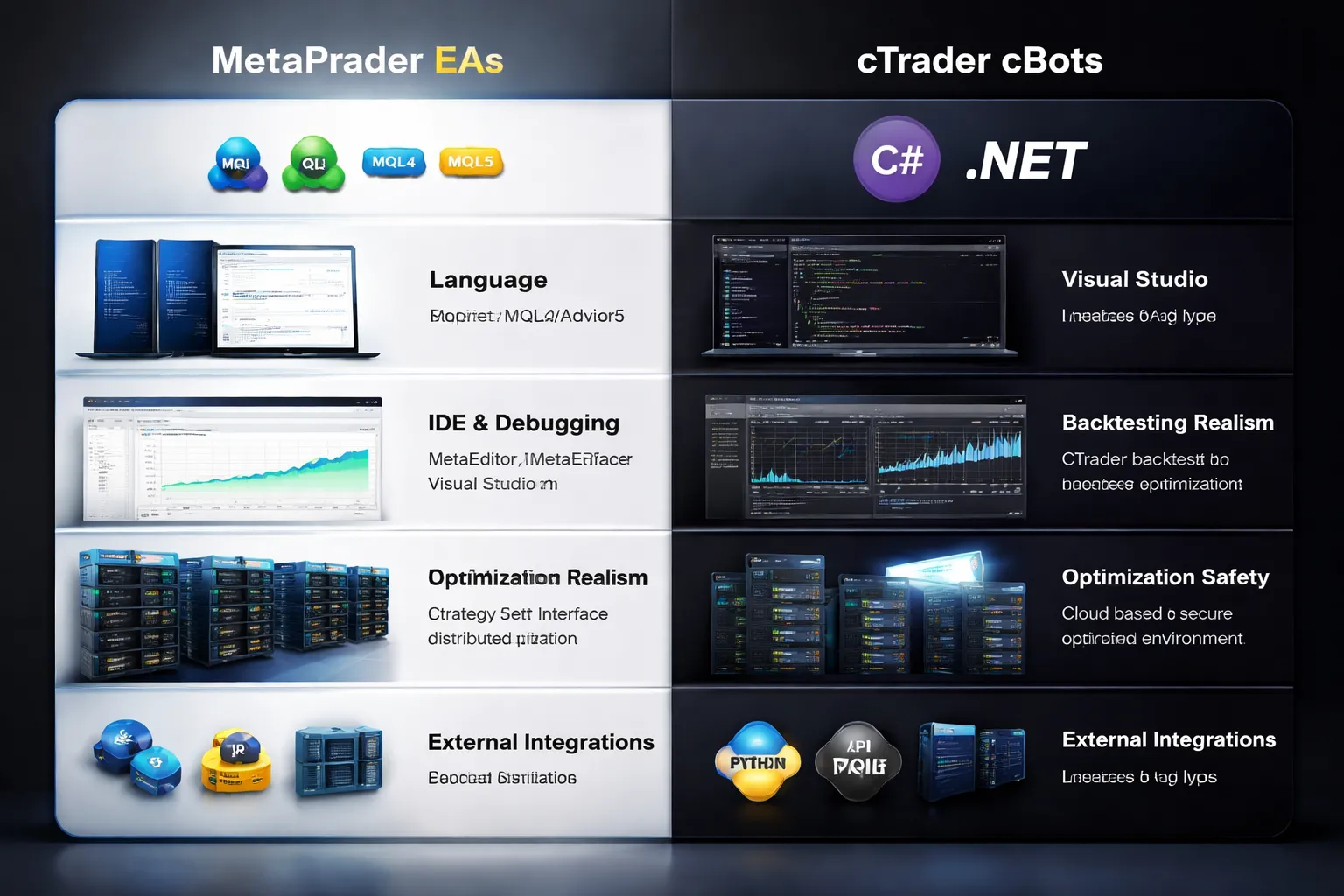
Algorithmic trading: EAs vs cBots and what developers should know
MetaTrader runs automated strategies as Expert Advisors, called EAs. You write them in MQL4 or MQL5. cTrader runs cBots. You write them in C# on .NET.
Your platform choice changes your codebase, your tooling, your testing quality, and how easily you can connect external systems.
Programming languages compared: MQL4/MQL5 vs C# (.NET)
MQL4 and MQL5 (MetaTrader) feel like C with trading-specific helpers. You get tight integration with orders, indicators, and platform events. You also inherit ecosystem baggage, because MT4 and MT5 differ in APIs and order models. Porting code between them often needs real refactoring.
C# on .NET (cTrader) gives you a mainstream language with modern tooling and libraries. You can reuse code patterns from other software projects, and you can structure larger systems more cleanly. You still need to learn the cTrader API surface, but you do not fight the language.
| Topic | MetaTrader (MQL4/MQL5) | cTrader (C#/.NET) |
|---|---|---|
| Language ecosystem | Platform-specific | Mainstream, broad libraries |
| Code portability | MT4 and MT5 differ, expect rewrites | Standard C#, reuse across projects |
| Hiring and collaboration | Many MQL freelancers, fewer “software engineers” in MQL | Large pool of C# developers |
| Integration work | Often uses DLLs, files, sockets, or bridge services | Native .NET options for services and APIs |
Development workflow: IDE support, debugging, and version control
- MetaTrader: MetaEditor gives you compile, basic debugging, and strategy tester integration. It works, but it can feel constrained for larger projects. Treat your EA like a software product anyway. Use Git. Split logic into modules. Add logging that you can parse later.
- cTrader: C# development fits better with standard workflows. You can use mature IDE features, stronger refactoring tools, and more predictable project structure. This matters when you maintain multiple strategies, shared libraries, and CI builds.
- Both: You need deterministic builds and repeatable config. Store settings outside code when possible. Version your parameter sets. Log every decision point that affects orders.
Backtesting realism: modeling quality, tick data, and execution assumptions
Most strategy failures come from test realism gaps, not from “bad indicators.” You need to validate three things before you trust any equity curve.
- Tick quality: Check where ticks come from, how gaps get filled, and how the platform handles off-market periods. If you cannot audit the data source, you cannot trust marginal edges.
- Spreads and costs: Force variable spread behavior if your broker uses it. Include commissions, swaps, and any minimum commissions. Separate them from PnL in your exports so you can sanity check totals.
- Execution model: Decide how you will model slippage, requotes, partial fills, and stop order behavior. Many testers assume optimistic fills. Your live results will not.
Use the same symbol specs as your broker. Contract size, lot step, minimum distance, and margin rules change outcomes.
Optimization features and how to avoid curve-fitting traps
Both platforms let you optimize parameters. Optimization can help, but it can also manufacture performance.
- Lock your test plan: Define the market, timeframe, and session rules before you run optimizations. Do not move goalposts after you see results.
- Use walk-forward splits: Optimize on one window. Validate on a later window. Repeat across multiple regimes.
- Keep parameter counts low: More degrees of freedom means more ways to overfit. Prefer fewer parameters with clear purpose.
- Score with risk metrics: Optimize for drawdown and stability, not just net profit. Track max consecutive losses, time in drawdown, and trade count stability.
- Stress test execution: Add spread and slippage penalties. If performance collapses under small cost changes, the edge is thin or fake.
Signal generation and bridging to external tools (APIs, Python workflows, databases)
If you plan to generate signals outside the platform, your integration path matters.
- File and CSV pipelines: Simple, easy to audit, slow. Works for daily or hourly systems. Use strict schemas, timestamps with timezone, and idempotent order IDs.
- Local services: Run a bridge app that listens for signals and sends orders. Use message queues or HTTP. Add retries, deduplication, and full request logs.
- Python and research stacks: Keep research in Python, then deploy execution logic in the platform. Maintain a shared spec for indicators, rounding, and session calendars so research and execution match.
- Databases: Store every tick you use, every signal you generate, and every fill you receive. You cannot debug production without a durable event trail.
If you trade multiple accounts or copy across brokers, standardize your order tags and comments. Your analytics and risk controls depend on those fields. For a broader platform-level breakdown, see our cTrader vs MetaTrader comparison.
Copy trading and social features
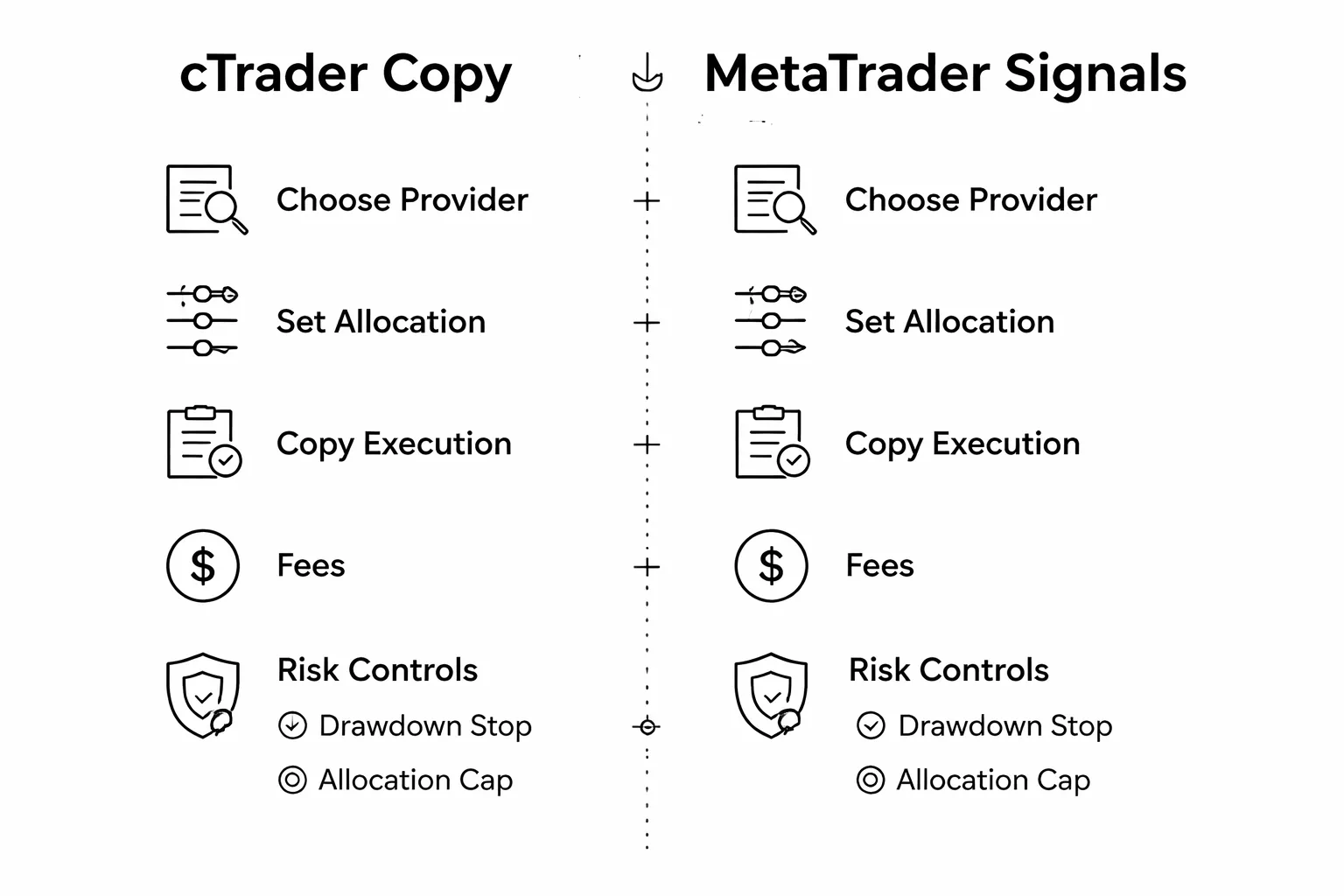
cTrader Copy: how following works and how you pay
cTrader Copy runs inside the cTrader ecosystem. You pick a strategy, set your allocation, then the platform mirrors trades to your account based on the method the provider offers.
- Allocation methods: Equity-based allocation is common. Your results scale with the amount you assign. Some providers use volume-based logic. Check which one applies before you fund.
- Execution reality: You still get your broker’s spreads, commissions, slippage, and fill rules. Copying does not standardize execution across brokers.
- Typical fee models:
- Performance fee: You pay a percentage of profits, often with a high-water mark.
- Management fee: A periodic fee based on allocated equity.
- Volume fee: A fee tied to lots traded.
Before you follow, check the minimum allocation, fee schedule, and whether the provider trades the same symbol set you plan to copy.
MetaTrader Signals: marketplace reach and what you must verify
MetaTrader Signals plug into MT4 and MT5 and pull from a large public marketplace. Availability depends on your broker and your terminal setup.
- Cost structure: Many providers charge a monthly subscription. Some also add broker-side costs through spreads and commissions.
- Copy settings: You control deposit percentage, symbol filters, and whether to copy stop loss and take profit. Your settings can change the risk profile versus the provider.
- Due diligence steps:
- Confirm account type: Real account history matters more than demo.
- Check trading costs: High-frequency signals can fail after spreads and commissions.
- Review trade distribution: Look for oversized positions, long hold times on losers, and heavy concentration in one pair.
- Scan for martingale patterns: Rapid position size escalation signals tail risk.
- Validate continuity: Favor longer histories with consistent lot sizing rules.
Evaluating providers: track record, drawdown, and risk fit
Start with risk, not returns. A provider can show strong gains and still carry account-killing exposure.
- Track record length: Prefer longer histories that include different volatility regimes. Short track records do not price risk.
- Max drawdown: Treat drawdown as a budget. If you cannot sit through it, you will quit at the worst time.
- Return to drawdown: Compare net return to max drawdown. Avoid profiles where small returns require large drawdowns.
- Leverage and position sizing: Check average lot size relative to equity. Watch for step changes after losses.
- Trade concentration: One pair, one session, or one setup can break when market structure shifts.
- Correlation with your book: If you already trade EURUSD momentum, copying another EURUSD momentum strategy adds concentration, not diversification.
Practical guardrails: sizing, stop rules, diversification
Copy trading fails when you outsource risk control. Set rules before you subscribe.
- Allocation sizing: Start small. Increase only after you see real execution on your broker and your account size.
- Hard loss limits: Set an account-level stop. Example: stop copying if the copied allocation hits a predefined percentage drawdown.
- Provider drift rules: Stop copying if the provider changes behavior, such as higher leverage, new symbols, or longer loss holding periods.
- Latency and slippage checks: Monitor trade-by-trade differences. If your fills diverge, reduce size or stop.
- Diversification: Split allocations across uncorrelated approaches. Limit total exposure to one pair, one direction, or one time window.
- Single point of failure control: Avoid copying multiple providers who trade the same strategy style. Different names can still mean the same risk.
If you want a broader view of platform options and where copy and social tools fit, see our MetaTrader vs cTrader vs TradingView comparison.
Mobile and web trading experience (real-world trading on the go)
Mobile charting usability and trade management
MetaTrader mobile (MT4, MT5) prioritizes speed. You get fast pair search, one tap trading, and solid order controls. Charts feel tight on a phone. You can still do the basics, zoom, crosshair, indicators, and objects, but you will scroll more and adjust less. Managing positions is simple. Modify stop loss, take profit, and partial close depends on broker and app version, but the workflow stays direct.
cTrader mobile feels closer to a desktop charting app. It gives you more room to work with layouts and drawing tools. Order tickets show more context, and risk inputs feel clearer. If you chart on your phone often, cTrader usually wastes fewer taps.
Watchlist sync, templates, and cross-device continuity
MetaTrader works best when you treat mobile as a companion, not a mirror of desktop. Watchlists can sync if you log into the same account and broker setup, but chart templates and indicator sets do not carry over cleanly across devices. Many traders end up rebuilding mobile charts manually, then keeping them lightweight.
cTrader pushes stronger continuity through your cTrader ID. Watchlists, symbols, and many layout preferences sync more reliably across web, desktop, and mobile. If you switch devices during the day, cTrader tends to reduce reset work.
- If you rely on custom indicators and EAs: MetaTrader mobile cannot run them. You will manage risk and exits only.
- If you rely on consistent layouts: cTrader usually keeps your experience more consistent across devices.
Web platform strengths and limitations for each ecosystem
MetaTrader Web gives you core execution and basic charting in a browser. It suits quick checks, trade management, and simple setups. It is not where you build complex workspaces. Indicator depth and customization lag behind the desktop terminal. Automated trading stays on desktop, or on a VPS running desktop.
cTrader Web is closer to a full platform. It supports richer charting, cleaner workspaces, and smoother order handling in-browser. For many discretionary traders, it can replace desktop on a laptop day to day. Algo execution still needs the separate cTrader Automate stack, but manual trading translates well to web.
Push notifications and reliability during high-impact news
MetaTrader supports push notifications through the MetaQuotes ID. Alerts can come from platform price alerts, and from expert advisors running on desktop or VPS. This matters if you want alerts tied to your custom logic. Reliability depends on your phone OS settings, broker server stability, and whether your desktop or VPS stays connected when alerts originate there.
cTrader delivers alerts tied to the cTrader ecosystem and account. Price alerts and order events tend to sync cleanly across devices. During high impact news, the key risk is not the alert itself. It is execution delay, requotes, and widened spreads. Mobile networks add latency. If you trade news, use alerts to prepare, then manage risk with hard stops and predefined order types, not last second taps.
If you want a broader view of mobile and web options across ecosystems, see our MetaTrader vs cTrader vs TradingView comparison.
Security, reliability, and compliance considerations
Account protection basics: passwords, 2FA, and device security
Start with your login hygiene. Use a long, unique password for your trading account and your email. Store it in a password manager. Do not reuse passwords across brokers.
Check if your broker supports two factor authentication for platform access, client portal access, or both. Many brokers enforce 2FA in the portal even if the desktop terminal does not prompt for it. Turn it on for withdrawals and profile changes.
- MetaTrader: Most account security settings sit at the broker level. Your protection depends on your broker’s client area controls and how it provisions your MT4 or MT5 login.
- cTrader: cTrader ID adds an account layer that can support stronger sign in controls, but your broker still controls funding, withdrawals, and final access policies.
Lock down your devices. Keep your OS updated. Encrypt your laptop drive. Use a screen lock. Avoid installing indicators and bots on the same machine you use for email and downloads.
Platform vs broker responsibilities for fund safety
The platform does not hold your money. Your broker does. Your safety depends on broker regulation, segregation rules, and operational controls, not on whether you trade on MetaTrader or cTrader.
- Broker controls: custody of funds, withdrawals, leverage limits, negative balance protection where applicable, trade confirmations, and dispute handling.
- Platform controls: order entry, connection to the broker server, local logs, and how add ons run on your device.
Do your checks in the broker’s legal documents. Confirm the regulator, the legal entity you sign with, and the compensation scheme rules in your jurisdiction. Then choose the platform your broker supports with the best execution and stability for your strategy.
Data privacy and third party plugin risk
Your biggest privacy risk usually comes from add ons. Indicators, expert advisors, scripts, and copy trading tools can read account data, trade history, and sometimes send it out.
- Install tools only from sources you can verify. Avoid cracked packages.
- Review permissions and settings. Disable web requests and external calls unless you need them.
- Run new tools on a demo account first. Watch network activity and resource use.
- Prefer VPS setups for automation. Keep your personal browsing off that machine.
MetaTrader has a larger third party ecosystem. That gives you more choice and more malware risk. cTrader has a smaller ecosystem, but you still need the same discipline. Treat any plugin as untrusted until proven otherwise.
Operational resilience: downtime, updates, and broker server dependence
Your trading uptime depends on three parts. The broker server, your internet connection, and the platform client. If the broker server lags, both MetaTrader and cTrader will lag.
- Broker server quality: impacts disconnects, order routing, and execution speed. Ask your broker where servers sit and what liquidity setup they use.
- Update control: keep the platform updated, but avoid major changes right before high risk sessions. Test updates on a spare install or demo first.
- Failover plan: keep broker phone dealing details, a web portal login, and a second device ready. Know how to close positions if your main terminal fails.
If you run automated trading, use a VPS close to your broker server location. Lower latency does not remove slippage, but it reduces avoidable delay from your side.
For MetaTrader users, platform resilience also varies by version and broker implementation. If you still choose between MT4 and MT5, see our MetaTrader 4 vs MetaTrader 5 guide.
Pros and cons: MetaTrader vs cTrader at a glance
MetaTrader and cTrader both cover the basics. The differences show up in execution workflow, charting depth, algo setup, and broker support. Use the list below to match the platform to how you trade.
Where MetaTrader clearly excels
- Wider broker support. More brokers offer MT4 or MT5, so you get more account choices and easier migration.
- Larger ecosystem. You get more third party indicators, EAs, scripts, and support content.
- Built-in algo workflow. You write, test, and run EAs inside the desktop terminal via MQL and Strategy Tester.
- Low hardware demands. MT4 in particular runs well on modest VPS setups.
- Simple order workflow. You can place and manage orders fast once you learn the interface.
Where MetaTrader falls short for some traders
- UI feels dated for many users. You may spend more time configuring charts and layouts.
- Backtesting limits depend on version. MT4 testing is weaker than MT5, and both depend on broker data quality.
- Order management can feel rigid. Advanced position handling often relies on add-ons or custom scripts.
- Mixed broker implementations. Features, symbols, and execution settings can vary by broker and server setup.
Where cTrader clearly excels
- Cleaner interface. You get modern layout, clearer depth of market tools, and fast chart control.
- Strong charting out of the box. You get more built-in tools without hunting for plugins.
- Better native order management for many styles. You get quick access to advanced order types and position controls.
- C# for automation. If you already code, you can build bots and indicators in C# via cTrader Automate.
- Cloud-friendly workflow. You can sync layouts and watchlists more easily across devices, depending on broker setup.
Where cTrader falls short for some traders
- Smaller broker list. If your broker does not offer cTrader, your choice ends.
- Smaller third party marketplace. You may find fewer ready-made bots and indicators than in MetaTrader.
- Automation has extra moving parts. You may need to manage separate modules and a different deployment workflow than MetaTrader.
- Learning curve if you come from MT4. The workflow differs, so your speed drops at first.
Who should avoid each platform (edge cases and constraints)
- Avoid MetaTrader if you need a modern UI with rich charting without add-ons, or you rely on advanced order tools and depth of market views as a core part of your execution.
- Avoid MetaTrader if your strategy depends on high-quality, repeatable backtests but you plan to stay on MT4, or you cannot control your historical data inputs.
- Avoid cTrader if you want maximum broker choice, frequent account switching, or access to the largest pool of third party EAs and indicators.
- Avoid cTrader if you must run legacy MQL tools you already own, or your prop firm or broker supports MetaTrader only.
- Avoid both if you need full multi-asset research, community scripting, and web-first chart sharing as the core of your workflow. In that case, compare with TradingView in our forex trading platforms comparison.
| Category | MetaTrader (MT4, MT5) | cTrader |
|---|---|---|
| Broker availability | Very broad | More limited |
| Ease of use | Familiar, but dated UI for many users | Modern UI, faster to navigate for many users |
| Charting | Good, often improved with add-ons | Strong out of the box |
| Automation | MQL, built into desktop terminal | C#, Automate workflow |
| Ecosystem | Largest EA and indicator market | Smaller marketplace |
| Best fit | Traders who want maximum compatibility and tool availability | Traders who want a modern interface and strong native execution tools |
How to choose the best forex trading platform (MetaTrader vs cTrader): a step-by-step checklist
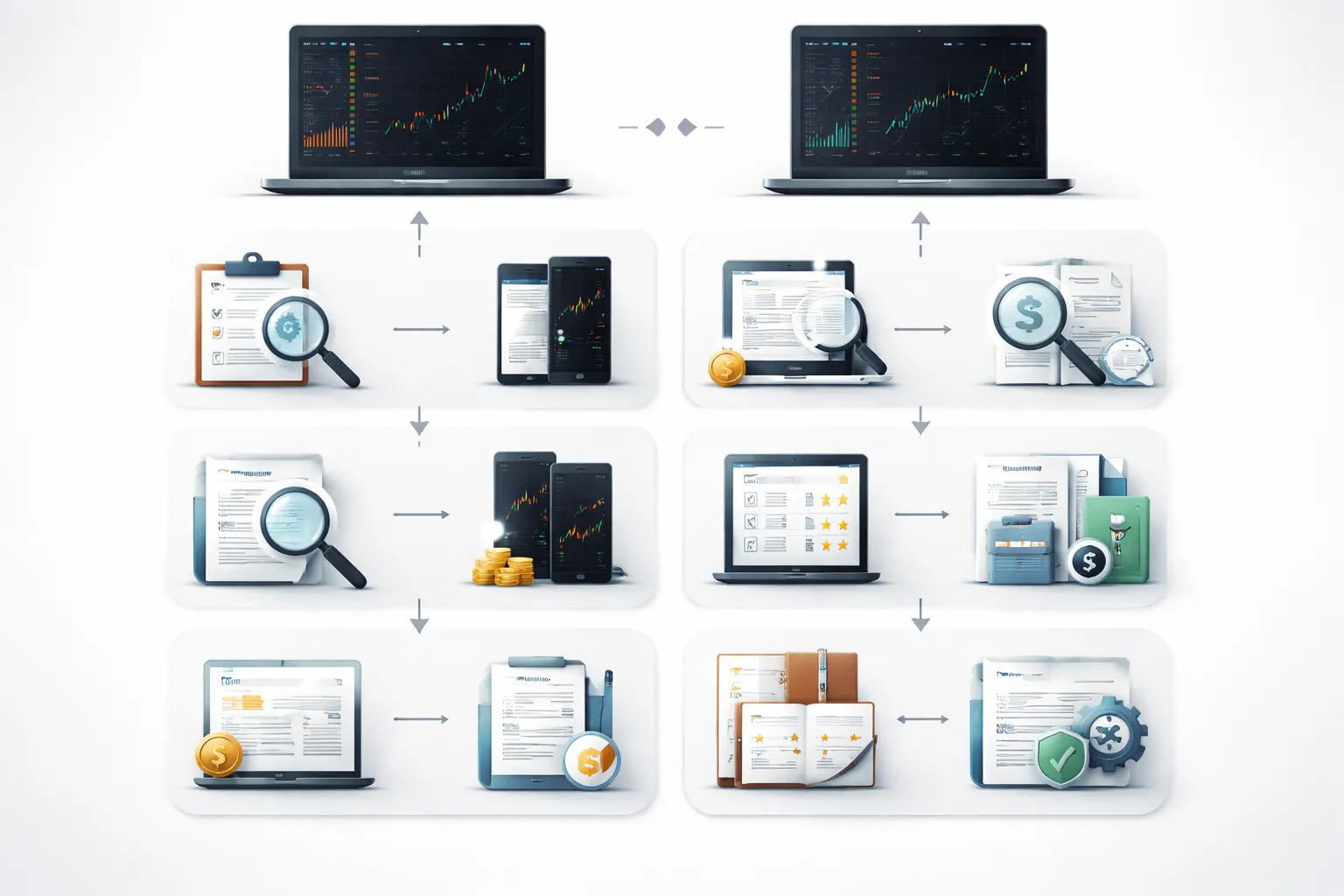
1) Define your strategy requirements
Write down what you trade and how you trade it. Do this before you compare features.
- Timeframe: scalping, intraday, swing, position.
- Trade frequency: a few trades per week, daily, high frequency.
- Instruments: FX only, FX plus indices, metals, oil, crypto, shares.
- Order types you need: market, limit, stop, stop limit, trailing stop, partial close.
- Automation level: manual only, alerts plus manual execution, full algo.
- Device: desktop first, web first, mobile first.
Match your list to the platform strengths. MetaTrader fits you if you depend on broad broker support and a huge EA and indicator market. cTrader fits you if you want a cleaner interface and strong native execution tools.
2) Test execution with a demo, then a small live account
Use the same broker for both platforms if possible. You want to isolate platform behavior, not broker differences.
- Step 1, demo test: build one simple playbook. One setup. One session. One instrument. Execute 30 to 50 trades over several days.
- Log these fields: intended entry price, actual fill price, stop and target placement time, order modify speed, any requotes or rejects, platform freezes, disconnections.
- Step 2, small live test: trade the same playbook at minimum size for 20 to 30 trades. Keep risk fixed. Track slippage and fills around news and low liquidity hours.
- Compare results: average slippage in pips, percentage of rejected orders, time to place and modify orders, stability during peak volatility.
Demo results can mislead on spreads and slippage. Use demo to test workflow. Use small live trading to test execution under real conditions.
3) Verify broker conditions that change your costs
Your broker settings often matter more than the platform. Check the exact account type you will trade.
- Spreads: record typical spreads during your trading hours, not just minimums shown in ads.
- Commissions: confirm commission per lot per side. Convert it to pips for your main pair.
- Swap and rollover: check long and short swap rates for your instruments. Note triple swap day.
- Margin rules: confirm leverage, margin per symbol, hedged margin policy, margin call and stop out levels.
- Execution model: see if the broker offers market execution, any dealing desk intervention, and any limits on scalping or news trading.
Do this check for both MetaTrader and cTrader accounts. Some brokers offer different pricing or execution between platforms.
4) Score only the features that affect your process
Use a simple scoring sheet. Rate each item 0 to 3. Skip features you will not use.
| Category | What to test | MetaTrader notes | cTrader notes |
| Charting | Templates, multi chart layouts, drawing tools, custom indicators | Solid, often enhanced with add ons | Strong out of the box |
| Execution workflow | One click trading, order modify speed, partial closes, hotkeys | Depends on broker build and setup | Strong native execution panels |
| Automation | Backtesting, optimization, deployment, monitoring | MQL in terminal, large EA ecosystem | C# via Automate, clean dev workflow |
| Data and testing | Quality of history, tick modeling options, test realism | Varies by broker and tester settings | Depends on broker data feed |
| Ecosystem | Availability of tools, community support, paid marketplaces | Largest market for EAs and indicators | Smaller marketplace |
| Stability | Crashes, reconnect behavior, performance on your machine | Stable on most setups | Stable, modern UI load |
Pick the platform that scores higher on items tied to your edge. Do not overvalue cosmetic differences.
5) Make the final choice and set up your trading environment
Commit to one platform for 30 days. Reduce switching. Build repeatable execution.
- Create templates: one clean chart template per strategy. Save your layouts.
- Set risk rules: fixed percent risk per trade, max daily loss, max open risk, stop trading triggers.
- Build a journal: record setup type, entry reason, time of day, screenshot, result, rule breaks.
- Standardize execution: define order types, default lot sizing method, and stop placement rules.
- Plan maintenance: weekly review, platform updates, indicator and EA version control.
If you choose MetaTrader and need help setting it up fast, follow this MT5 walkthrough and replicate the same templates and rules on your live account.
FAQ
Is MetaTrader or cTrader better for beginners?
Pick the platform your broker supports with the lowest spreads and stable execution. MetaTrader has more tutorials and ready-made indicators. cTrader feels cleaner and faster to learn for manual trading. Use a demo for one week, then commit to one.
Which platform is better for algorithmic trading?
MetaTrader uses MQL4 or MQL5 and has the biggest marketplace for EAs. cTrader uses C# via cTrader Automate and suits developers who want a standard language. Choose MetaTrader for plug-and-play bots, cTrader for custom development workflows.
Does cTrader execute faster than MetaTrader?
Execution speed depends more on your broker, server location, and liquidity than the platform. A VPS near your broker server often matters more than switching platforms. Test both on the same broker with the same account type and ping.
Which platform has better charting?
cTrader offers strong built-in chart tools and clean chart management. MetaTrader can match it, but you often add indicators and templates. If chart workflow matters most, test cTrader first. If you need deep customization, MetaTrader has more add-ons.
Can you use both platforms with the same broker account?
Some brokers offer both platforms, but they usually run on separate account types. You may need to open a second account or sub-account. Ask support if you can mirror pricing and leverage across both. Do not assume symbols and contract specs match.
Is MetaTrader 4 still worth using?
MT4 still works for many brokers, but MT5 has better strategy testing and more modern features. If you trade basic FX and use old EAs, MT4 can be fine. If you start fresh, choose MT5. See MT4 vs MT5.
Which platform is better for scalping?
Your broker rules matter most, spreads, commissions, slippage, and minimum stop distance. cTrader’s depth of market and order controls help some scalpers. MetaTrader works well with the right broker and a low-latency setup. Backtest less, forward-test more.
Do EAs and indicators work on both platforms?
No. MetaTrader tools use MQL and do not run on cTrader. cTrader bots use C# and do not run on MetaTrader. If you switch, you must rewrite or replace your tools. Factor this cost before you commit.
Which platform is better on mobile?
MetaTrader mobile is widely supported and easy for monitoring and basic execution. cTrader mobile has a cleaner layout and solid charting. For fast trade management, both work. Choose based on broker stability, login reliability, and order modification speed.
What should you prioritize when choosing between MetaTrader and cTrader?
- Broker quality: spreads, commissions, slippage, regulation.
- Execution setup: server location, VPS option, fill policy.
- Your workflow: manual trading vs automation, journaling process.
- Tool lock-in: EAs, indicators, templates, and scripts.
Conclusion
Conclusion
MetaTrader and cTrader both work. Your results will depend more on your broker, your execution, and your process than the platform logo.
Choose MetaTrader if you rely on a large EA and indicator ecosystem, you want maximum broker availability, or you already have workflows built around MT templates and scripts. Choose cTrader if you want a cleaner trade workflow, strong built-in order controls, and a modern automation stack in C#.
Make the decision with data. Run both platforms on the same broker, on the same account type, at the same time of day. Track spreads, commission, average slippage, requotes or rejects, and order modify speed. Use a VPS if you trade news, scalp, or run bots.
- Do not switch platforms first. Lock your broker and execution setup first.
- Do not rebuild tools twice. Audit your EAs, indicators, and templates before you commit.
- Do a 7 to 14 day trial. Compare fills and stability under your real trading conditions.
If you want a deeper side by side breakdown, read our cTrader vs MetaTrader guide.
-
Forex Trading Platforms Comparison: MetaTrader vs cTrader vs TradingView
7 months ago -
MetaTrader 4 vs MetaTrader 5 for Forex: Which One Should You Use?
7 months ago -
TradingView for Forex: How to Use It (Charts, Alerts & Layouts)
7 months ago -
cTrader vs MetaTrader: Which Forex Platform Is Better?
7 months ago
-
- Best pick for beginners who want the widest broker access
- Best pick for scalpers and active day traders focused on execution tools
- Best pick for algorithmic traders building and optimizing strategies
- Best pick for copy traders and social trading followers
- Best pick for multi-asset traders (FX + indices, commodities, crypto, CFDs) depending on broker offering
-
- Algorithmic trading: EAs vs cBots and what developers should know
- Programming languages compared: MQL4/MQL5 vs C# (.NET)
- Development workflow: IDE support, debugging, and version control
- Backtesting realism: modeling quality, tick data, and execution assumptions
- Optimization features and how to avoid curve-fitting traps
- Signal generation and bridging to external tools (APIs, Python workflows, databases)
-
- Is MetaTrader or cTrader better for beginners?
- Which platform is better for algorithmic trading?
- Does cTrader execute faster than MetaTrader?
- Which platform has better charting?
- Can you use both platforms with the same broker account?
- Is MetaTrader 4 still worth using?
- Which platform is better for scalping?
- Do EAs and indicators work on both platforms?
- Which platform is better on mobile?
- What should you prioritize when choosing between MetaTrader and cTrader?
-
- Best pick for beginners who want the widest broker access
- Best pick for scalpers and active day traders focused on execution tools
- Best pick for algorithmic traders building and optimizing strategies
- Best pick for copy traders and social trading followers
- Best pick for multi-asset traders (FX + indices, commodities, crypto, CFDs) depending on broker offering
-
- Algorithmic trading: EAs vs cBots and what developers should know
- Programming languages compared: MQL4/MQL5 vs C# (.NET)
- Development workflow: IDE support, debugging, and version control
- Backtesting realism: modeling quality, tick data, and execution assumptions
- Optimization features and how to avoid curve-fitting traps
- Signal generation and bridging to external tools (APIs, Python workflows, databases)
-
- Is MetaTrader or cTrader better for beginners?
- Which platform is better for algorithmic trading?
- Does cTrader execute faster than MetaTrader?
- Which platform has better charting?
- Can you use both platforms with the same broker account?
- Is MetaTrader 4 still worth using?
- Which platform is better for scalping?
- Do EAs and indicators work on both platforms?
- Which platform is better on mobile?
- What should you prioritize when choosing between MetaTrader and cTrader?
-
How to Place a Forex Trade Step by Step (Your First Trade Explained)
5 months ago -
Forex Trading vs Crypto Trading: Which Market Is Better for Beginners?
5 months ago -
Forex Lot Size Calculator: How to Use It to Size Trades Correctly
7 months ago -
How to Calculate Position Size in Forex (Position Sizing Formula + Examples)
7 months ago -
Forex Leverage Explained: How It Works, Pros, Cons & Examples
7 months ago
-
Forex Trading Platforms Comparison: MetaTrader vs cTrader vs TradingView
7 months ago -
Stop Loss vs Take Profit: Differences, Examples & Best Practices
7 months ago -
Is Forex Trading Legal in the United States? Rules, Regulators & What to Know
7 months ago -
Forex Market Hours & Trading Sessions Explained (Best Times to Trade)
7 months ago -
Forex Leverage Explained: How It Works, Pros, Cons & Examples
7 months ago