Best Forex Trading Apps: Top Picks for Mobile Trading (Pros, Cons & Fees)
Forex trading apps let you place trades, manage risk, and track markets from your phone. Your choice affects costs, execution speed, and how well you can analyze price action on a small screen. Some apps run as a broker’s native platform. Others connect through MetaTrader or cTrader.
This guide ranks the best forex trading apps for mobile trading and shows what matters before you download. You will learn which apps offer tight spreads and low commissions, which support strong charting and alerts, and which tools help with orders, watchlists, and risk controls. You will also see key fees to check, including spreads, commissions, swaps, deposit and withdrawal charges, and inactivity fees.
If you plan to trade on MT4, start with our MetaTrader 4 beginner walkthrough.
- In het kort: Pick an app that matches your trading style, your broker, and your fee tolerance.
- Check the full cost, not the headline spread. Focus on spreads, commissions, swaps, deposit and withdrawal fees, and inactivity fees.
- Prioritize fast, stable execution. Your fills matter more than extra features.
- Use strong charting and alerts if you trade actively. Make sure the app supports the indicators, layouts, and notifications you need.
- Keep risk controls simple and accessible. Look for easy position sizing, stop-loss and take-profit orders, and clear margin data.
- Confirm order tools before you fund your account. You want market, limit, stop, and OCO if you use bracket style entries.
- Test watchlists and research. Good screeners, news, and an economic calendar save you time on mobile.
- Verify platform support. If you plan to use MetaTrader, decide between MT4 vs MT5 before you commit.
- Run a dry test first. Open a demo, place a few orders, and check spreads and slippage during busy market hours.
How we evaluated the best forex trading apps (methodology you can trust)
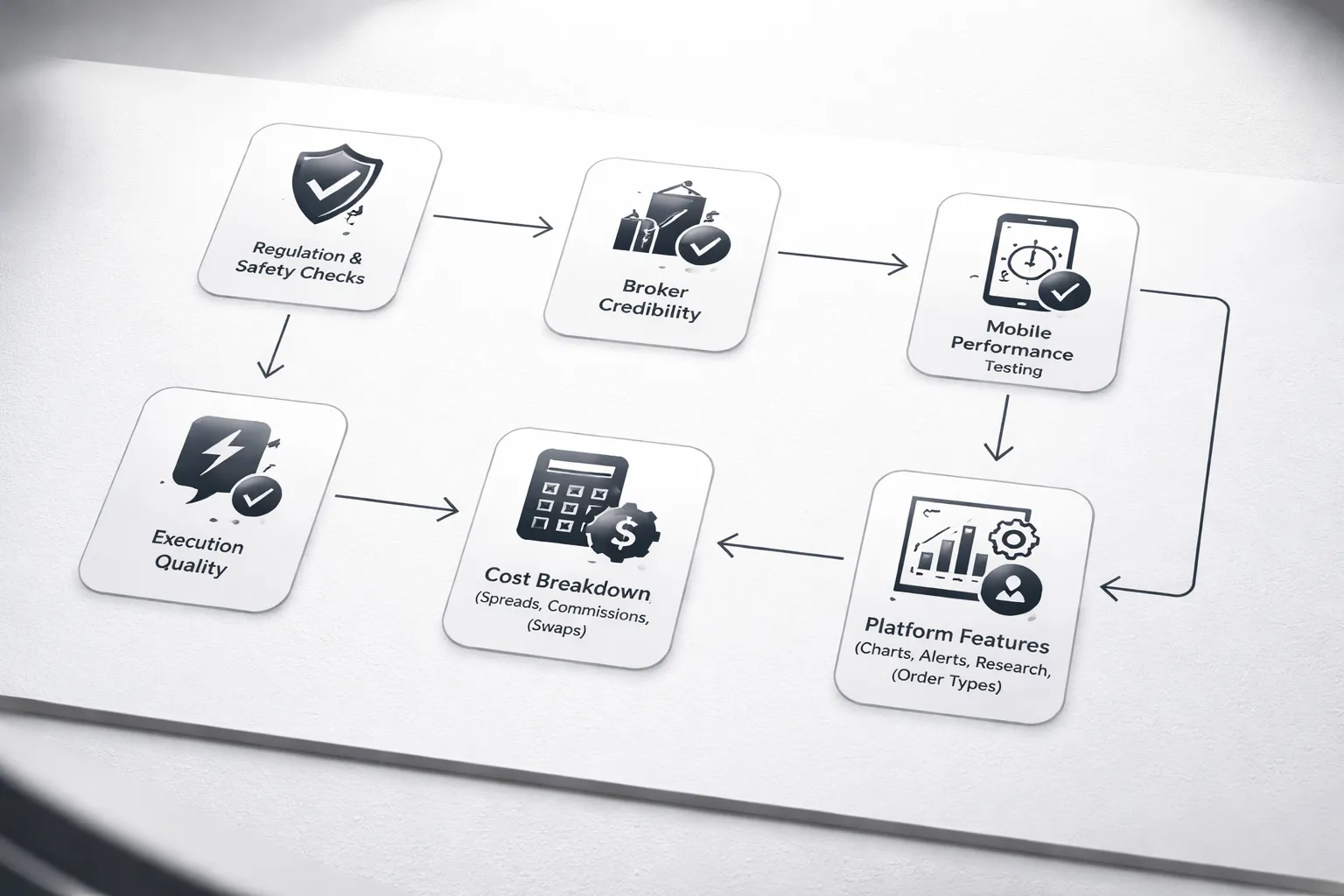
Regulation, safety features, and broker credibility checks
We started with broker risk. No license, no list.
- Regulation, we verified active registration with top tier regulators where applicable, including FCA, ASIC, CFTC, NFA, MAS, and IIROC. We checked the legal entity tied to the app, not just the brand name.
- Client money rules, we looked for segregated accounts and clear custody language in the broker disclosures.
- Account protections, we noted negative balance protection where offered and flagged where it is limited by region.
- App security, we tested biometric login, 2FA support, session timeouts, and device management. We also checked permission use and basic privacy controls.
- Credibility checks, we reviewed years in business, public financial reporting where available, and the clarity of fee and risk disclosures.
Mobile trading performance, stability, speed, and order execution quality
Mobile trading fails fast when markets move. We tested the basics that impact fills.
- App stability, we tracked crashes, freezes, and forced logouts during long sessions.
- Speed, we measured time to open the app, load quotes, pull charts, and place an order.
- Execution controls, we looked for market protection options such as slippage tolerance, order confirmation, and clear reject messages.
- Fill quality signals, we compared quoted spreads to executed prices during liquid hours and during scheduled news.
- Connectivity behavior, we tested Wi Fi vs cellular and checked how the app recovers after a brief drop.
Cost model breakdown, spreads vs commissions vs swaps (overnight fees)
We broke costs into parts you can verify before you fund an account.
- Spreads, we recorded typical spreads on major pairs and checked how much they widen in volatile minutes.
- Commissions, we noted per side pricing, minimums, and which accounts qualify for raw spread pricing.
- Swaps, we checked overnight financing tables inside the app or client portal and confirmed whether the broker offers swap free accounts and the conditions.
- Other fees, we reviewed deposit, withdrawal, inactivity, and currency conversion fees, plus any guaranteed stop charges.
Platform capability score, charting, alerts, research, and order types
We scored tools that matter on a small screen. Missing tools push you into bad workarounds.
- Charting, indicators, drawing tools, multiple timeframes, and clean multi chart workflows.
- Alerts, price alerts, indicator alerts where available, and reliability of push notifications.
- Research, news, economic calendar, sentiment, analyst notes, and whether research links to tradable tickets.
- Order types, market, limit, stop, stop limit where supported, trailing stops, OCO, and bracket style entries.
- Platform choice, we noted whether you can trade on native apps, MetaTrader, cTrader, or TradingView setups, and how clean the handoff feels. See our MetaTrader vs cTrader comparison if you want to pick a platform first.
User experience on iOS vs Android (navigation, watchlists, customization)
We tested both major mobile stacks. Some apps behave like different products across devices.
- Navigation, we checked if you can reach charts, order ticket, and open positions in two taps or less.
- Watchlists, we tested creation speed, sorting, syncing across devices, and quick trade from list view.
- Customization, we checked chart templates, layout saves, dark mode, and font scaling.
- Trade management, we verified how fast you can edit stops and limits, set break even, and close partial size.
Real-world testing scenarios, news volatility, partial closes, and risk controls
We did not rely on demo screenshots. We tested actions you take when risk rises.
- News spikes, we placed and modified orders around scheduled high impact releases to check widening spreads, requotes, and app lag.
- Partial closes, we confirmed you can scale out cleanly and that the app updates average price, margin, and realized P and L without delays.
- Risk controls, we tested stop loss placement from the ticket and from the chart, plus trailing stops and guaranteed stops where offered.
- Position hygiene, we checked margin alerts, liquidation messages, and whether the app shows clear used margin and free margin in real time.
Who each app is best for (beginner, swing trader, scalper, chartist)
We matched each app to a trading style based on what worked under pressure.
- Beginner, clean ticket, simple risk sizing, clear costs, strong education, and fewer hidden menus.
- Swing trader, solid charts, reliable alerts, good calendar integration, and easy stop and limit management.
- Scalper, fast tickets, stable quotes, low friction execution, and competitive spreads plus commissions.
- Chartist, deep indicator set, drawing tools, multi timeframe flow, templates, and chart first order entry.
| Category | What we checked |
|---|---|
| Safety | Licenses, client funds rules, security controls, disclosures |
| Execution | App stability, speed, fills vs quotes, behavior during volatility |
| Costs | Spreads, commissions, swaps, non trading fees |
| Tools | Charts, alerts, research, order types, platform support |
| UX | iOS vs Android parity, watchlists, customization, trade management |
Top picks: best forex trading apps (pros, cons & fees)
Best overall: IG Trading
Pick IG if you want a full-featured mobile platform with strong market coverage and solid risk controls. The app stays usable when markets move. You get good charting, alerts, and clean order tickets. IG also scores well on trust and disclosure in most regions it serves.
- Pros: Strong regulation in key markets, broad product range, reliable mobile execution, solid research and news, good risk tools including stops.
- Cons: Pricing varies by region and account type, some tools and markets depend on your jurisdiction, platform depth can feel busy on a small screen.
- Fees: Mostly spread-based forex pricing, possible commissions on some instruments, overnight financing swaps apply, inactivity and other non-trading fees can apply depending on entity.
Best mobile user experience: SaxoTraderGO
Pick SaxoTraderGO if you care about workflow. Search, chart, ticket, and position management feel consistent. You also get advanced order controls and strong reporting, without a cluttered layout.
- Pros: Clean UI, strong charts and order tickets, good account analytics, strong instrument discovery, good platform parity across devices.
- Cons: Higher barriers in some regions, pricing and minimum funding depend on country and account tier, fewer “social” features.
- Fees: Spread and tiered pricing by account level, swaps on leveraged positions, possible custody or other account fees depending on your setup.
Best TradingView-style charting and integrated analysis: FOREX.com
Pick FOREX.com if you want chart-first trading with built-in market analysis. It suits active FX traders who rely on technical levels, alerts, and fast trade placement from charts.
- Pros: Strong charting feel, solid research flow, good symbol coverage for forex traders, stable app experience for day-to-day execution.
- Cons: Feature set varies by region, some advanced tools require specific platform selection, pricing differs by account type.
- Fees: Spread-only or spread-plus-commission options depending on account, swaps apply, non-trading fees depend on region and entity.
Best MetaTrader ecosystem on mobile: MetaTrader 5 (MT5) via supported brokers
Pick MT5 if you want maximum broker choice and the standard FX workflow. You get familiar charting, indicators, alerts, and EA support on desktop. Mobile MT5 works best for monitoring, managing trades, and quick entries.
- Pros: Huge broker ecosystem, consistent interface across brokers, strong indicator library, easy watchlists and alerts, solid trade management on mobile.
- Cons: Your broker controls pricing and execution quality, mobile automation is limited compared to desktop, chart layout can feel tight.
- Fees: Broker-dependent spreads and commissions, swaps vary by symbol and broker, possible deposit and withdrawal fees from your broker or payment provider.
Compare MT4 vs MT5 if you want to match the platform to your trading style.
Best for beginners: eToro
Pick eToro if you want a simple app and community-driven ideas. You can follow other traders and copy strategies. Keep expectations realistic for pure forex trading. Forex depth and tooling can feel limited versus dedicated FX brokers.
- Pros: Simple interface, strong social feed, copy trading features, easy onboarding, good for learning position sizing and basic risk controls.
- Cons: Fewer pro-grade FX tools, spreads can be wider than specialist FX brokers, product structure varies by region, less control for advanced order types.
- Fees: Spread-based pricing, swaps on overnight leveraged positions, possible conversion and withdrawal fees depending on currency and region.
Best low-cost pricing option: OANDA
Pick OANDA if you want pricing clarity and strong core trading tools. You get solid charting, good order management, and dependable platform support. It suits traders who watch costs and want straightforward execution.
- Pros: Transparent pricing options, strong forex focus, reliable mobile experience, good trade management and reporting, strong brand history.
- Cons: Exact pricing depends on account type and region, product range varies by jurisdiction, some advanced features depend on platform choice.
- Fees: Spread-only or commission-based pricing depending on plan, swaps apply, non-trading fees vary by entity.
Best for copy trading and automation add-ons: Pepperstone
Pick Pepperstone if you want platform choice and integrations. You can run MetaTrader or cTrader, connect to copy networks, and use third-party tools. This setup fits traders who want flexibility and the option to scale into automation.
- Pros: Platform breadth, strong integration ecosystem, good execution focus, supports add-ons for signals and automation, solid mobile options via platform apps.
- Cons: Your experience depends on platform selection, research varies versus in-house heavy brokers, some tools require third-party accounts.
- Fees: Spread-only or raw spread plus commission accounts, swaps apply, possible third-party subscription costs for copy and tools.
Best for advanced order control: Interactive Brokers
Pick Interactive Brokers if you want deep order types and professional-grade controls. You can route, stage, and manage trades with more precision. Expect a steeper learning curve. The mobile app offers power, but it can feel dense.
- Pros: Advanced order types, strong risk and account controls, broad multi-asset access, strong reporting, institutional-style tooling.
- Cons: Complex UI, setup and permissions take time, not designed as a simple forex-first app, pricing structure can confuse new traders.
- Fees: Typically commission-based with spreads driven by venue liquidity, financing costs apply, market data subscriptions may apply for some feeds.
Quick comparison table
| App | Typical forex costs | Minimum deposit | Regulation (high level) | Standout feature |
|---|---|---|---|---|
| IG Trading | Mostly spread-based, swaps apply, some non-trading fees possible | Varies by region | Multi-regulated, entity depends on country | Strong all-round mobile trading and research |
| SaxoTraderGO | Tiered spreads, swaps apply, account fees may apply by setup | Varies by region and tier | Multi-regulated, entity depends on country | Best mobile workflow with advanced tools |
| FOREX.com | Spread-only or spread plus commission, swaps apply | Varies by region | Multi-regulated, entity depends on country | Chart-first experience with integrated analysis |
| MT5 via broker | Broker-dependent spreads and commissions, swaps apply | Broker-dependent | Depends on your chosen broker | Largest ecosystem of brokers and tools |
| eToro | Spread-based, swaps apply, conversion and withdrawal fees may apply | Varies by region | Multi-regulated, entity depends on country | Simplest onboarding plus social and copy features |
| OANDA | Spread-only or commission plan, swaps apply | Varies by region | Multi-regulated, entity depends on country | Transparent pricing options and strong core tools |
| Pepperstone | Standard spreads or raw spreads plus commission, swaps apply | Varies by region | Multi-regulated, entity depends on country | Copy and automation add-ons with platform choice |
| Interactive Brokers | Commission-based, financing applies, data fees may apply | Varies by region and product | Multi-regulated, entity depends on country | Advanced order types and pro risk controls |
Fees & trading costs explained (so you can compare apps correctly)
Typical forex app costs, spread, commission, and markups
Your main trading cost is the spread or the spread plus a commission. Apps usually offer one of these pricing models.
- Standard spread account: You pay a wider spread. No separate commission shows on the ticket. The broker marks up the spread.
- Raw spread plus commission: You pay a tighter spread, often close to interbank pricing. You also pay a fixed commission per lot, per side, or round turn.
- Markup on commission: Some apps advertise low spreads and low commission, then apply a wider effective spread during live trading. Track your filled spread, not the marketing number.
To compare apps correctly, convert everything into all-in cost in pips or all-in cost in dollars per trade. For EUR/USD, 1 pip on a 1 standard lot is usually $10.
Swap and rollover fees, how overnight holding hits your P and L
If you hold a forex position past the broker’s daily cut-off, you pay or earn swap. Most retail traders pay swap on both sides over time.
- Swap depends on direction: Long and short often have different swap rates.
- It compounds: A small nightly charge adds up fast on swing trades.
- Triple swap day: Many brokers charge three days of swap once per week to account for weekend settlement. The day varies by broker and symbol.
- Swap-free accounts: Some regions offer them, but you may face alternative admin fees or time limits. Read the schedule.
Do not ignore swap when you compare apps for holding trades longer than one session. A tighter spread will not save you if your swap is high.
Non-trading fees, deposits, withdrawals, inactivity, and currency conversion
Apps can look cheap on spreads and still cost you money outside trading.
- Deposit fees: Card and local transfer often cost less, but it varies by country. Some methods add a processor fee.
- Withdrawal fees: Watch for fixed charges on bank wires and minimum withdrawal amounts.
- Inactivity fees: Some brokers charge after a set number of months with no trading or no logins.
- Currency conversion: If your account base currency differs from your deposit currency or traded instrument P and L currency, you may pay a conversion spread. This matters more on multi-asset apps.
- Data and platform add-ons: Some advanced apps charge for real-time data bundles, premium feeds, or extra tools.
Check the fees page and the account agreement. If a fee does not have a number next to it, treat it as a risk.
Slippage and requotes, the hidden costs during high volatility
Slippage can cost more than the spread when markets move fast. It shows up as a worse fill than your requested price.
- Slippage hits market orders: You accept the next available price, not the last quote you saw.
- Stops can slip: A stop-loss is not a guaranteed exit unless the broker offers a guaranteed stop and you pay for it.
- Requotes signal friction: On some execution types, the app may reject your price and offer a new one. This often appears during news and low liquidity.
- Look for execution stats: Some brokers publish fill quality or slippage metrics. If they do not, test on a small live account.
When you compare apps, treat execution quality as a cost. A 0.2 pip better spread means little if your average slippage is 0.5 pips.
Example cost comparison, trading 1 standard lot on EUR/USD across pricing models
Use this method to normalize pricing. Assume 1 standard lot, 100,000 units. For EUR/USD, 1 pip is about $10.
| Pricing model | Quoted spread | Commission (round turn) | All-in cost (pips) | All-in cost (USD) |
|---|---|---|---|---|
| Standard spread | 1.2 pips | $0 | 1.2 pips | $12 |
| Raw + commission | 0.2 pips | $7 | 0.2 + (7/10) = 0.9 pips | $9 |
| Low spread, higher commission | 0.0 pips | $10 | 0.0 + (10/10) = 1.0 pip | $10 |
Formula: all-in pips = spread in pips + (round turn commission in USD / 10) for EUR/USD at 1 standard lot. If you trade different pairs, your pip value changes. Keep the math in your notes.
If you trade on MetaTrader or cTrader, your account type and execution model will affect how these costs show up in the app. Use a consistent setup when you test, see our MetaTrader vs cTrader comparison.
Red flags in fee disclosures
- “From” spreads only: If the app shows 0.0 pips from, but does not show typical or average spreads, you cannot compare it fairly.
- No average spread data by session: EUR/USD spreads at London open differ from late US hours. Lack of context hides real cost.
- Unclear commission wording: Per side vs round turn changes the math. Some pages quote per million, not per lot.
- Swap tables missing or outdated: If you cannot find current long and short swap rates per symbol, expect surprises.
- Currency conversion buried: “Conversion at our rate” often means an extra spread you will not see until you reconcile statements.
- Execution disclaimers with no numbers: If the broker talks about fast execution but shares no fill quality data, you must verify with live fills.
Features that matter most on mobile forex platforms
On mobile, features matter less on paper and more in the fill, the controls, and the audit trail. Focus on what prevents bad entries, missed exits, and hidden costs.
Order types that reduce risk
- Stop-loss (SL). You need SL on every order ticket, with one-tap edits after entry. Check if the app supports SL distance in pips and price, and if it enforces minimum stop distances.
- Take-profit (TP). Look for TP on the same ticket as SL. Avoid platforms that require you to place a separate limit order after entry.
- Trailing stop. Confirm it works on mobile and understand where it runs. Server-side trailing keeps working if your phone sleeps. App-side trailing can stop when the app closes.
- OCO (one-cancels-the-other). Useful for breakouts and news trades. When one pending order triggers, the other cancels. If you cannot place OCO on mobile, you will manage it manually under pressure.
- Guaranteed stop-loss (GSLO), if offered. It caps worst-case loss during gaps, usually for a fee or wider spread. Check the GSLO premium and refund rules if it never triggers.
Risk management tools
- Position sizing. You need a built-in calculator that uses your stop distance and shows lot size, pip value, and projected loss in your account currency. If it only shows lots, you will guess risk.
- Margin and liquidation controls. The app should show used margin, free margin, margin level, and liquidation price per position. You should see these on the positions screen, not hidden in menus.
- Margin alerts. Set custom thresholds, for example 150 percent margin level, and get push notifications. Relying on broker auto emails is slow.
- Negative balance protection. Confirm if it applies to your entity and region. Some brokers offer it only for retail clients, or only under specific regulators.
Charting essentials
- Multi-timeframe views. You should switch timeframes fast and keep indicators consistent across them. One-tap favorites save time.
- Indicators that you actually use. Mobile platforms often include many indicators but limit settings. Check if you can edit inputs, colors, and levels, and if the app saves them as presets.
- Drawing tools. At minimum you want trendlines, horizontal levels, channels, and Fibonacci tools. Confirm drawings snap to highs and lows and stay aligned when you scroll.
- Templates and layouts. You need saved chart templates per strategy. Without templates, you rebuild charts every session and make mistakes.
- Trade from chart. Place, modify, and cancel orders directly on the chart. You should see SL and TP lines and drag them with clear price labels.
Research and signals
- News feed. You need timestamps, source labels, and filters by asset. If headlines lag, you will chase moves.
- Economic calendar. Look for event impact ratings, forecasts, previous values, and automatic timezone handling. The calendar should link events to affected symbols.
- Analyst notes. Treat them as context, not instructions. Useful notes show levels, invalidation points, and time horizon.
- Sentiment data. If the app shows long versus short positioning, confirm what it measures, for example client positions, and how often it updates. Use it as a risk check, not a signal on its own.
Alerts and automation
- Price alerts. Set alerts by level, percent move, and indicator conditions where supported. Alerts must trigger reliably with push notifications.
- Economic event alerts. You want reminders before releases, for example 15 minutes and 1 minute, with the ability to subscribe per country or event type.
- Order and fill notifications. Your phone should alert you on order placement, partial fills, SL or TP hits, and margin warnings. Missing fill alerts leads to duplicate trades.
- Automation support. Most serious automation runs on desktop or VPS. On mobile, the key is control, you should monitor and manage automated positions, and review logs. If you use MT5, follow this MT5 walkthrough to set up the basics cleanly.
Multi-asset access
- FX plus CFDs. Many apps bundle indices, commodities, and crypto CFDs. Availability varies by region and regulatory entity. Confirm what you can trade before you deposit.
- Consistent margin rules. Cross-asset trading changes margin fast. You need clear margin rates per instrument and real-time margin impact on the order ticket.
- Trading hours and halts. The app should show session times and market status. This matters most for indices and commodities during rollovers and holidays.
Account tools that keep you in control
- Statements and trade history. You need downloadable statements, full ticket history, and execution details. Look for timestamps, filled price, requested price, and any requotes or rejections.
- Swap and financing records. The app should show daily swaps per position and the rate used. If it only shows a lump total, you cannot audit costs.
- Tax reports. If available in your region, you want realized P and L summaries, transaction exports, and clear currency conversion logic.
- Performance analytics. Basic stats matter, win rate, average win and loss, expectancy, drawdown, and time in trade. If the app cannot show this, export data to review it elsewhere.
Choosing the best forex trading app for your trading style
Beginner checklist, simplicity, education, demo mode, and guardrails
- Simple order flow. You should place a market or limit order in under 10 seconds. If you need multiple screens, you will make mistakes.
- Clean pricing display. The app should show spread, commission, and swap separately. You should see estimated cost before you place the trade.
- Demo mode with full features. Use demo to test execution, charts, and order types, not just to learn buttons.
- Education that matches your level. Look for short lessons on order types, leverage, margin, and risk per trade. Avoid apps that push signals without teaching risk.
- Guardrails. You want preset stop loss and take profit, one tap close, and position size tools. If available, set max daily loss or equity stop.
Day trading and scalping needs, execution speed, depth of market, and spreads
- Fast order entry. You need one tap market orders, one tap close, and quick order size controls. You should not type lot size on every trade.
- Stable quotes. Watch for price freezing, re-quotes, and delayed fills during active sessions.
- Depth of market. If the app offers Level II or order book data, use it. It helps around breakouts and liquidity gaps.
- Spread and commission transparency. For high frequency trading, small differences matter. Track average spread on your main pairs during London and New York overlap.
- Execution controls. Prefer apps that support limit orders at touch, stop orders, and stop loss on ticket. If available, use deviation or slippage settings.
Swing trading needs, robust charting, alerts, and swap-aware planning
- Charting that supports your process. You need multiple timeframes, clean drawing tools, and indicator templates you can reuse.
- Reliable alerts. Use price alerts, trendline alerts if supported, and calendar alerts for key events. Push notifications must arrive on time.
- Swap and rollover visibility. You must see long and short swap rates per pair. Check triple swap day and plan holding periods around it.
- Position management tools. Partial close, move stop to breakeven, and trailing stop help you manage multi day trades from a phone.
- Chart sync. If you analyze on desktop, you want layouts and watchlists to sync to mobile.
News trading needs, calendar integration, volatility controls, and fast order entry
- Built in economic calendar. You want country filters, importance tags, forecast and previous values, and reminder alerts.
- Volatility controls. During releases, spreads widen and slippage rises. Use guaranteed stops if offered, or reduce size and widen stops by rule.
- Fast order entry with protection. Place orders with stop loss and take profit attached. Avoid apps that require you to add stops after the fill.
- Execution reporting. You need timestamps, fill price, requested price, and any slippage shown per order so you can audit release trades.
Algo and API traders, MT4 and MT5 EAs, VPS support, and REST and FIX access
- Platform support. If you run EAs, your broker must support MT4 or MT5 and allow algo trading on the account type you use. Follow a MetaTrader 4 setup walkthrough if you are new to MT4.
- VPS compatibility. You want low latency to the broker server, high uptime, and clear rules on disconnections and order handling.
- API access. For custom execution, check REST and FIX availability, rate limits, authentication, and whether you can access streaming prices.
- Order types and limits. Confirm support for stop limit, OCO if offered, max orders, and minimum stop distance. These constraints break many systems.
- Data and exports. You need tick or at least high resolution data access, plus trade and account exports for monitoring and research.
Copy trading users, risk limits, allocation controls, and signal transparency
- Risk limits. Set max allocation per provider, max open trades, and a hard equity stop if available. If the app cannot cap risk, you carry the provider risk.
- Allocation controls. Choose fixed amount, percent allocation, or lot multiplier. You should control leverage impact on your account.
- Signal transparency. You need provider history, max drawdown, average holding time, traded instruments, and fee model. Avoid providers with short track records and high leverage profiles.
- Execution mapping. Check how the app mirrors trades, including slippage, partial fills, and whether trades copy at market or as pending orders.
- Costs. Know if you pay performance fees, subscription fees, wider spreads, or extra commissions on copied trades.
| Trading style | What to prioritize in the app | What to verify before you fund |
|---|---|---|
| Beginner | Simple ticket, demo, education, risk tools | Stops on ticket, clear fees, margin display, easy withdrawals |
| Day trading, scalping | Fast entry, stable quotes, tight effective spreads | Average spreads by session, slippage reporting, DOM if offered |
| Swing trading | Charts, alerts, sync, position management | Swap rates, triple swap day, partial close, trailing stop rules |
| News trading | Calendar alerts, protected entry, fast management | Spread behavior at releases, stop rules, execution audit trail |
| Algo and API | MT4 or MT5, VPS, REST or FIX | API limits, order constraints, uptime, data access, server location |
| Copy trading | Risk caps, allocation control, transparency | Provider drawdown, holding time, fee stack, execution differences |
Step-by-step: how to start trading forex on an app (beginner-safe workflow)
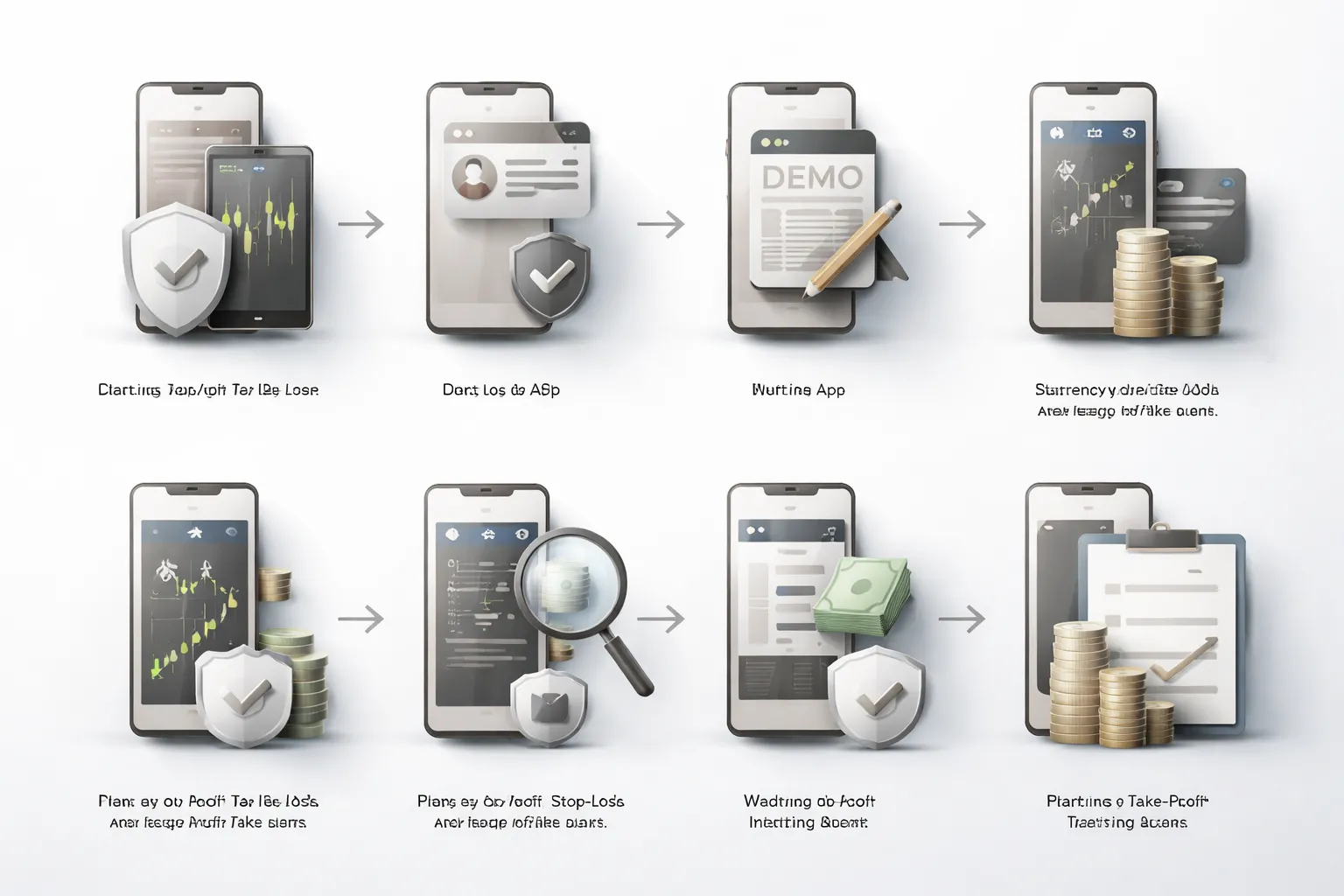
Pick a regulated broker and confirm availability in your country
- Check regulation on the broker site and on the regulator register. Match the legal entity to your country.
- Confirm the app works in your region. Some brokers block onboarding or funding methods by country.
- Verify account protections. Look for negative balance protection and clear margin closeout rules.
- Review costs you will pay on mobile. Spreads, commissions, swap or financing, deposit and withdrawal fees, inactivity fees.
- Confirm platform access. Some accounts restrict instruments or order types on the app.
Open an account and complete KYC verification (what to prepare)
- Use your legal name and real address. Mistakes can delay withdrawals later.
- Prepare ID. Passport or national ID, sometimes a driver’s license.
- Prepare proof of address. Bank statement or utility bill, often dated within 3 months.
- Prepare tax details. Tax ID where required.
- Expect a suitability check. Trading experience, income range, source of funds.
- Turn on account security. Strong password, 2FA, login alerts, withdrawal whitelists if offered.
Use demo first: what to test before going live
- Test order entry. Market, limit, stop, stop-limit if available.
- Test protection orders. Attach stop-loss and take-profit at entry. Check if the app supports OCO brackets.
- Test execution behavior. Record spread at normal times and during volatile sessions.
- Test chart workflow. Templates, indicators, timeframes, alert creation. If you use TradingView, read how to use TradingView for forex.
- Test risk controls. Position sizing, margin impact, partial close, close all.
- Test slippage controls. Max deviation settings if offered, and how the app handles requotes.
Fund your account: choosing base currency to avoid conversion fees
- Pick the base currency that matches your main funding source. This reduces forced conversions.
- Check deposit methods. Bank transfer, card, local transfer, e-wallet. Each has different fees and speed.
- Watch for hidden conversion spreads. Some brokers convert at marked-up FX rates even if they show zero deposit fees.
- Start small. Fund an amount you can lose without stress.
- Confirm minimum trade size and margin rules before you deposit more.
Place your first trade: selecting pair, lot size, stop-loss, and take-profit
- Select a liquid pair first. EUR/USD, USD/JPY, GBP/USD, AUD/USD usually have tighter spreads.
- Check the spread and swap. High costs can erase small edges.
- Set your risk per trade. Many beginners cap it at 0.5% to 1% of account balance.
- Choose lot size from your stop distance, not from how much profit you want.
- Place the stop-loss where your trade idea fails. Do not place it at an arbitrary pip number.
- Place take-profit based on a planned exit. Use a fixed target or scale out levels.
- Review margin impact before you confirm. Keep free margin high enough to survive normal swings.
Monitor margin and manage risk: when to cut losses or scale out
- Track free margin and margin level. Do not run close to the broker closeout threshold.
- Cut losses when the reason for the trade breaks. Follow the stop. Do not widen it to avoid taking a loss.
- Reduce size in drawdowns. Smaller positions lower liquidation risk and emotional pressure.
- Scale out on strength. Take partial profits at pre-set levels, then move the stop to protect remaining risk if your plan allows.
- Respect news risk. Spreads can widen and stops can slip around major releases.
- Keep leverage low until you prove consistency over many trades.
Withdrawals and record-keeping: avoiding delays and surprises
- Verify your withdrawal method early. Many brokers require withdrawals back to the original funding source.
- Keep your KYC current. Expired ID or outdated address documents can pause withdrawals.
- Check withdrawal fees and processing times by method. Bank transfers can take days.
- Track every trade. Entry, exit, size, stop, target, screenshot, reason, result, notes.
- Record costs. Spread, commission, swap, conversion fees, and any platform fees.
- Export statements monthly. Save confirmations and tax reports if the broker provides them.
Security, regulation, and trust signals (avoid scams and unsafe apps)
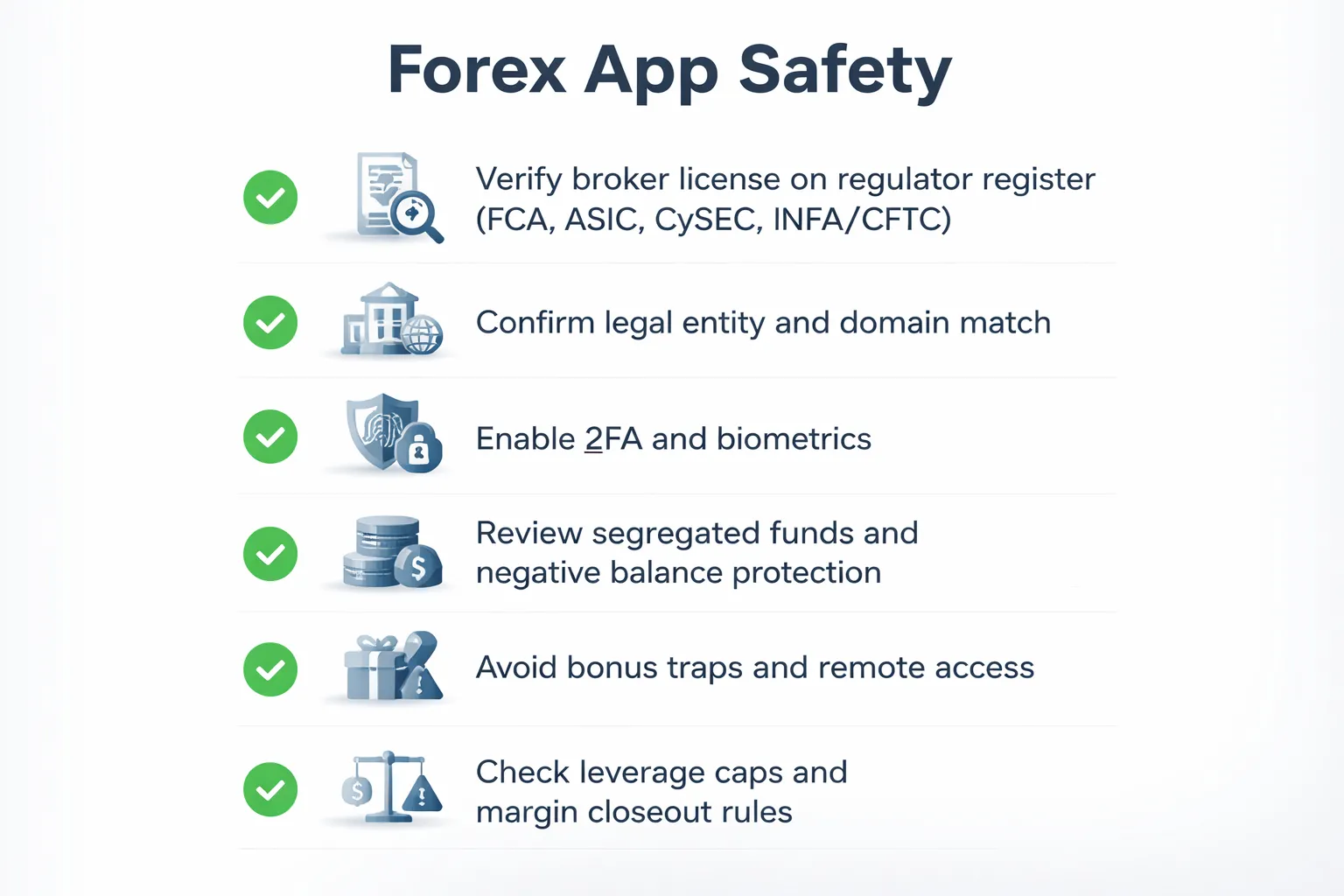
How to verify regulation (FCA, ASIC, CySEC, NFA/CFTC)
Start with the broker, not the app. The app is just a front end.
- Find the legal entity name. In the app or website footer, open the legal documents. Look for the exact company name and license number.
- Check the regulator register. Search the license number and legal entity on the regulator site. Confirm the status shows authorized, not appointed representative only, not clone, not lapsed.
- Match the details. Compare the regulator record to the broker site. Name, trading name, domain, address, and phone must match.
- Confirm permissions. The register should list dealing in investments or CFDs, and client money permissions where relevant.
- Use top tier regulators as a baseline. FCA (UK), ASIC (Australia), CySEC (Cyprus, EU passporting rules vary), NFA and CFTC (US, retail forex rules are strict). Avoid brokers that only cite offshore regulators with weak oversight.
Do this before you deposit. If the broker refuses to show the entity and license, walk away.
Account protection: segregated funds, compensation schemes, risk disclosures
- Segregated client funds. Your broker should hold client money in separate accounts from its own operating funds. Confirm this in the client agreement and regulator disclosures.
- Negative balance protection. This limits your loss to your deposit in fast markets. Many EU and UK retail accounts include it, other regions may not.
- Compensation schemes. Some jurisdictions offer an investor compensation backstop. Coverage depends on the entity and your classification. Do not treat it as a guarantee.
- Risk warnings and execution disclosures. Read the execution policy. Look for how the broker handles slippage, re-quotes, stop losses, and market gaps.
- Conflict and model clarity. Check if the broker acts as principal, runs a dealing desk, or routes to external liquidity. You want clear disclosures, not marketing claims.
App security checklist: 2FA, biometrics, device approvals, session controls
- 2FA for login and withdrawals. Use an authenticator app when available. SMS only is weaker.
- Biometric unlock. Enable Face ID or fingerprint for app access. Still keep a strong account password.
- Device management. You should see a list of trusted devices. Remove old phones and unknown sessions.
- Session timeouts. Enable auto logout. Avoid staying logged in on shared devices.
- Withdrawal controls. Look for withdrawal address whitelists, bank account name matching, and extra confirmation on payout changes.
- App source hygiene. Install only from the official App Store or Google Play. Avoid APK files and third party links.
- Update cadence. Regular updates matter. If an app has not been updated for long periods, treat it as a risk signal.
Common scam patterns: fake “official” apps, bonus traps, and withdrawal blocks
- Clone apps and fake support numbers. Scammers copy branding and buy ads. You deposit into their wallet or a different entity. Always start from the regulator register or the broker’s verified domain, then follow links to the store listing.
- Bonus traps. Deposit bonuses can include turnover requirements that block withdrawals. Many top regulators restrict or ban these promos for retail clients.
- “Account verification” used as a delay tactic. A real broker asks for KYC early. A scam lets you deposit, then demands endless documents at withdrawal time.
- Withdrawal blocks and fee inventions. Common excuses include tax prepayments, insurance fees, wallet activation fees, or margin release fees. Legit brokers deduct clear fees from your balance and process withdrawals to accounts in your name.
- Remote access pressure. If anyone asks you to install AnyDesk or TeamViewer, stop. That is a takeover risk.
Responsible leverage: why leverage limits and protections matter
High leverage increases your speed to ruin. It also increases the chance of forced liquidation in normal volatility.
- Leverage caps protect retail traders. FCA and ASIC style rules limit leverage to reduce blowups from small moves. Offshore brokers advertise 1:500 or higher because it sells, not because it helps you.
- Margin closeout rules matter. Check when the broker closes positions, and whether it does it per account or per position. This changes how fast you lose control during spikes.
- Stop loss behavior under stress. Stops do not guarantee price fills in gaps. Your protection comes from position sizing, leverage limits, and negative balance protection.
If you want a familiar platform, learn the security settings inside MT5 and your broker account controls, then compare platforms in our MetaTrader vs cTrader guide.
Common mistakes when picking forex trading apps (and how to avoid them)
Choosing based on UI alone while ignoring total trading cost
A clean interface does not lower your costs. Your app is a wrapper. Your broker pricing model decides what you pay.
- Check the full cost stack. Spread, commission per lot, and any platform or data fees.
- Convert costs into dollars per trade. For EUR/USD, 1 pip on a standard lot is about $10. A 1.2 pip spread can mean about $12 per round trip before commission.
- Compare accounts, not apps. Many brokers offer both “standard” spread-only and “raw” plus commission. Pick the cheaper option for your trade size and frequency.
- Watch deposit and withdrawal fees. Some brokers price low spreads and recover costs through funding fees and FX conversion.
Overlooking swap rates when holding positions overnight
Swaps can dominate your P and L if you hold trades for days. They can help you, or bleed you.
- Read the swap table for your exact symbol. Brokers differ. Even on the same pair, long and short swaps can flip sign.
- Check triple swap timing. Many brokers charge three days of swap on one weekday to account for the weekend.
- Test with your position size. A swap that looks small per day becomes large at higher leverage.
- Avoid surprises on indices, metals, and exotic FX. Financing costs often run higher and change more often.
Using market orders during high-impact news without safeguards
Market orders trade fast, not clean. During CPI, NFP, rate decisions, liquidity can vanish and spreads can jump.
- Use limit orders for entries. You control price, you accept the risk of no fill.
- If you must use a market order, reduce size. Smaller size reduces slippage damage.
- Add hard risk limits. Use stop loss, but assume gaps. Your real protection comes from position sizing, leverage limits, and negative balance protection.
- Set alerts, then step away. Do not chase a moving price on mobile during the release.
Not testing execution and spreads at the times you actually trade
Most brokers look best during calm, liquid hours. Your results depend on your trading window.
- Measure spreads during your session. London open, NY open, rollover, and late session spreads behave differently.
- Track slippage. Log requested price versus filled price for at least 30 to 50 trades.
- Test on the same connection you use live. Mobile data, Wi-Fi, and VPN routing can change latency.
- Check outages and requotes history. Search the broker status page and recent app reviews for execution complaints.
| What to test | How to test it | What “good” looks like |
|---|---|---|
| Typical spread | Screenshot or log spreads at fixed times for 5 days | Stable spread during your session |
| News spread blowout | Watch spreads 5 minutes before and after a major release | Predictable widening, fast normalization |
| Slippage | Record fill price vs tap price on market orders | Small average slippage, rare large spikes |
| Order reliability | Place, modify, cancel orders quickly in a demo | No freezes, no repeated “failed” errors |
Ignoring platform limitations: missing order types or weak charting on mobile
Mobile platforms vary. Some hide core tools behind desktop-only features.
- Confirm order types. You want market, limit, stop, and stop limit at minimum. If you use bracket orders, confirm they exist on mobile.
- Check stop and take profit rules. Some apps enforce minimum stop distances or block close to price orders during volatility.
- Verify charting depth. Indicators, multiple timeframes, drawing tools, and templates. Weak charting forces bad decisions.
- Confirm alerts and automation limits. Price alerts, economic calendar alerts, and push notifications must work with your phone OS settings.
- Practice inside MT5 if you use it. Learn settings, trade modification, and alerts before funding. Use our MT5 beginner walkthrough to set it up correctly.
FAQ
Can you trade forex on your phone?
Yes. You can place market, limit, and stop orders from iOS or Android. You can monitor margin, edit stops, and close trades. You still need a stable connection. Test order entry, modifications, and alerts on a demo before you fund.
Which forex trading app is best for beginners?
Pick the app that makes order entry and risk controls simple. You need clear position size, stop-loss, take-profit, and margin display. Avoid apps that hide fees or make trade modification slow. Use a broker-regulated app or MetaTrader with a regulated broker.
What fees should you check before using a forex app?
- Spread, the buy-sell difference.
- Commission, often on ECN style accounts.
- Swap, overnight financing.
- Deposit and withdrawal fees, plus bank charges.
- Inactivity fees, if you pause trading.
Are forex apps safe?
Safety depends on the broker, not the app design. Use a regulated broker, strong passwords, and 2FA. Avoid APKs from outside app stores. Lock your phone. Turn on device encryption. Do not store screenshots with account numbers or balances.
MT4 or MT5 for mobile trading?
MT4 feels simpler. MT5 adds more order types, more timeframes, and a stronger tester on desktop. Your broker support matters more than features. If your broker offers both, test both apps with a demo. Read our MT4 vs MT5 comparison.
Does TradingView replace a broker app?
TradingView helps with charts and alerts. It does not always handle execution unless your broker integrates with it. Many traders use TradingView for analysis, then place trades in the broker app or MT4 or MT5. Confirm your broker connection before you rely on it.
What features matter most for mobile forex trading?
- Fast order entry, with one-tap trade options you can disable.
- Reliable charts, with indicators and drawing tools.
- Alerts, price and calendar, with push notifications.
- Risk controls, SL and TP on the ticket.
- Account visibility, margin, P and L, and swap.
Why do mobile spreads look wider than desktop?
The spread is the same feed, but the display can differ. Some apps show average spread, others show live spread. Quotes can lag on weak data. Check the broker web platform at the same time. Also confirm you trade during liquid sessions.
Can you use EA bots on mobile?
You cannot run MetaTrader EAs directly on your phone. EAs run on a desktop terminal or VPS. You can still monitor trades and manage stops from mobile. If you want automation, budget for a VPS and test execution and slippage.
How do you reduce mistakes when trading on a small screen?
Use fewer indicators. Save chart templates. Keep position size presets small. Turn on trade confirmations. Place stops on the ticket. Avoid trading during low battery or weak signal. Review orders in the history tab before you open a new position.
Do forex apps work with two-factor authentication?
Many brokers support 2FA by app or SMS. Enable it in your client portal. If the broker supports device trust lists, use them. Do not use the same password across brokers. If you lose your phone, revoke sessions and reset credentials fast.
What is the minimum deposit for forex apps?
It depends on the broker account type. Some allow low deposits, others require higher minimums for ECN pricing. Your real limit is risk. Fund only what you can lose. If your broker offers micro or cent lots, use them for early testing.
Conclusion
Conclusion
Your best forex trading app is the one that matches your broker, your platform, and your risk limits. Start with spreads, commissions, and swap rates, then check execution, order types, and chart tools. If the cost structure is unclear, skip it.
- Pick regulation first. Trade with a licensed broker in your region.
- Price the full trade. Add spread plus commission plus swap, then compare.
- Test execution. Use a demo, then trade small size to check slippage and order fills.
- Keep it stable. Favor apps with strong uptime, fast chart load, and reliable alerts.
- Lock down security. Enable 2FA, use a password manager, and limit sessions.
Final tip. Use one setup you can repeat. One watchlist, one entry rule, one stop rule. Track your real costs per trade for 30 days. If your app or broker adds friction or hidden fees, switch. If you need a platform baseline, start with MT4 basics.
-
Forex Trading Platforms Comparison: MetaTrader vs cTrader vs TradingView
8 months ago -
MetaTrader 4 vs MetaTrader 5 for Forex: Which One Should You Use?
8 months ago -
TradingView for Forex: How to Use It (Charts, Alerts & Layouts)
8 months ago -
cTrader vs MetaTrader: Which Forex Platform Is Better?
8 months ago -
MetaTrader vs cTrader: Which Forex Trading Platform Is Better for You?
8 months ago
-
- Regulation, safety features, and broker credibility checks
- Mobile trading performance, stability, speed, and order execution quality
- Cost model breakdown, spreads vs commissions vs swaps (overnight fees)
- Platform capability score, charting, alerts, research, and order types
- User experience on iOS vs Android (navigation, watchlists, customization)
- Real-world testing scenarios, news volatility, partial closes, and risk controls
- Who each app is best for (beginner, swing trader, scalper, chartist)
-
- Best overall: IG Trading
- Best mobile user experience: SaxoTraderGO
- Best TradingView-style charting and integrated analysis: FOREX.com
- Best MetaTrader ecosystem on mobile: MetaTrader 5 (MT5) via supported brokers
- Best for beginners: eToro
- Best low-cost pricing option: OANDA
- Best for copy trading and automation add-ons: Pepperstone
- Best for advanced order control: Interactive Brokers
- Quick comparison table
-
- Typical forex app costs, spread, commission, and markups
- Swap and rollover fees, how overnight holding hits your P and L
- Non-trading fees, deposits, withdrawals, inactivity, and currency conversion
- Slippage and requotes, the hidden costs during high volatility
- Example cost comparison, trading 1 standard lot on EUR/USD across pricing models
- Red flags in fee disclosures
-
- Beginner checklist, simplicity, education, demo mode, and guardrails
- Day trading and scalping needs, execution speed, depth of market, and spreads
- Swing trading needs, robust charting, alerts, and swap-aware planning
- News trading needs, calendar integration, volatility controls, and fast order entry
- Algo and API traders, MT4 and MT5 EAs, VPS support, and REST and FIX access
- Copy trading users, risk limits, allocation controls, and signal transparency
-
- Pick a regulated broker and confirm availability in your country
- Open an account and complete KYC verification (what to prepare)
- Use demo first: what to test before going live
- Fund your account: choosing base currency to avoid conversion fees
- Place your first trade: selecting pair, lot size, stop-loss, and take-profit
- Monitor margin and manage risk: when to cut losses or scale out
- Withdrawals and record-keeping: avoiding delays and surprises
-
- How to verify regulation (FCA, ASIC, CySEC, NFA/CFTC)
- Account protection: segregated funds, compensation schemes, risk disclosures
- App security checklist: 2FA, biometrics, device approvals, session controls
- Common scam patterns: fake “official” apps, bonus traps, and withdrawal blocks
- Responsible leverage: why leverage limits and protections matter
-
- Choosing based on UI alone while ignoring total trading cost
- Overlooking swap rates when holding positions overnight
- Using market orders during high-impact news without safeguards
- Not testing execution and spreads at the times you actually trade
- Ignoring platform limitations: missing order types or weak charting on mobile
-
- Can you trade forex on your phone?
- Which forex trading app is best for beginners?
- What fees should you check before using a forex app?
- Are forex apps safe?
- MT4 or MT5 for mobile trading?
- Does TradingView replace a broker app?
- What features matter most for mobile forex trading?
- Why do mobile spreads look wider than desktop?
- Can you use EA bots on mobile?
- How do you reduce mistakes when trading on a small screen?
- Do forex apps work with two-factor authentication?
- What is the minimum deposit for forex apps?
-
- Regulation, safety features, and broker credibility checks
- Mobile trading performance, stability, speed, and order execution quality
- Cost model breakdown, spreads vs commissions vs swaps (overnight fees)
- Platform capability score, charting, alerts, research, and order types
- User experience on iOS vs Android (navigation, watchlists, customization)
- Real-world testing scenarios, news volatility, partial closes, and risk controls
- Who each app is best for (beginner, swing trader, scalper, chartist)
-
- Best overall: IG Trading
- Best mobile user experience: SaxoTraderGO
- Best TradingView-style charting and integrated analysis: FOREX.com
- Best MetaTrader ecosystem on mobile: MetaTrader 5 (MT5) via supported brokers
- Best for beginners: eToro
- Best low-cost pricing option: OANDA
- Best for copy trading and automation add-ons: Pepperstone
- Best for advanced order control: Interactive Brokers
- Quick comparison table
-
- Typical forex app costs, spread, commission, and markups
- Swap and rollover fees, how overnight holding hits your P and L
- Non-trading fees, deposits, withdrawals, inactivity, and currency conversion
- Slippage and requotes, the hidden costs during high volatility
- Example cost comparison, trading 1 standard lot on EUR/USD across pricing models
- Red flags in fee disclosures
-
- Beginner checklist, simplicity, education, demo mode, and guardrails
- Day trading and scalping needs, execution speed, depth of market, and spreads
- Swing trading needs, robust charting, alerts, and swap-aware planning
- News trading needs, calendar integration, volatility controls, and fast order entry
- Algo and API traders, MT4 and MT5 EAs, VPS support, and REST and FIX access
- Copy trading users, risk limits, allocation controls, and signal transparency
-
- Pick a regulated broker and confirm availability in your country
- Open an account and complete KYC verification (what to prepare)
- Use demo first: what to test before going live
- Fund your account: choosing base currency to avoid conversion fees
- Place your first trade: selecting pair, lot size, stop-loss, and take-profit
- Monitor margin and manage risk: when to cut losses or scale out
- Withdrawals and record-keeping: avoiding delays and surprises
-
- How to verify regulation (FCA, ASIC, CySEC, NFA/CFTC)
- Account protection: segregated funds, compensation schemes, risk disclosures
- App security checklist: 2FA, biometrics, device approvals, session controls
- Common scam patterns: fake “official” apps, bonus traps, and withdrawal blocks
- Responsible leverage: why leverage limits and protections matter
-
- Choosing based on UI alone while ignoring total trading cost
- Overlooking swap rates when holding positions overnight
- Using market orders during high-impact news without safeguards
- Not testing execution and spreads at the times you actually trade
- Ignoring platform limitations: missing order types or weak charting on mobile
-
- Can you trade forex on your phone?
- Which forex trading app is best for beginners?
- What fees should you check before using a forex app?
- Are forex apps safe?
- MT4 or MT5 for mobile trading?
- Does TradingView replace a broker app?
- What features matter most for mobile forex trading?
- Why do mobile spreads look wider than desktop?
- Can you use EA bots on mobile?
- How do you reduce mistakes when trading on a small screen?
- Do forex apps work with two-factor authentication?
- What is the minimum deposit for forex apps?
-
How to Place a Forex Trade Step by Step (Your First Trade Explained)
5 months ago -
Forex Trading vs Crypto Trading: Which Market Is Better for Beginners?
5 months ago -
Forex Lot Size Calculator: How to Use It to Size Trades Correctly
7 months ago -
How to Calculate Position Size in Forex (Position Sizing Formula + Examples)
7 months ago -
Forex Leverage Explained: How It Works, Pros, Cons & Examples
7 months ago
-
Forex Trading Platforms Comparison: MetaTrader vs cTrader vs TradingView
8 months ago -
Stop Loss vs Take Profit: Differences, Examples & Best Practices
8 months ago -
Is Forex Trading Legal in the United States? Rules, Regulators & What to Know
7 months ago -
Forex Market Hours & Trading Sessions Explained (Best Times to Trade)
7 months ago -
Forex Leverage Explained: How It Works, Pros, Cons & Examples
7 months ago